Search
-
Re: Sketchbook: Zetheros

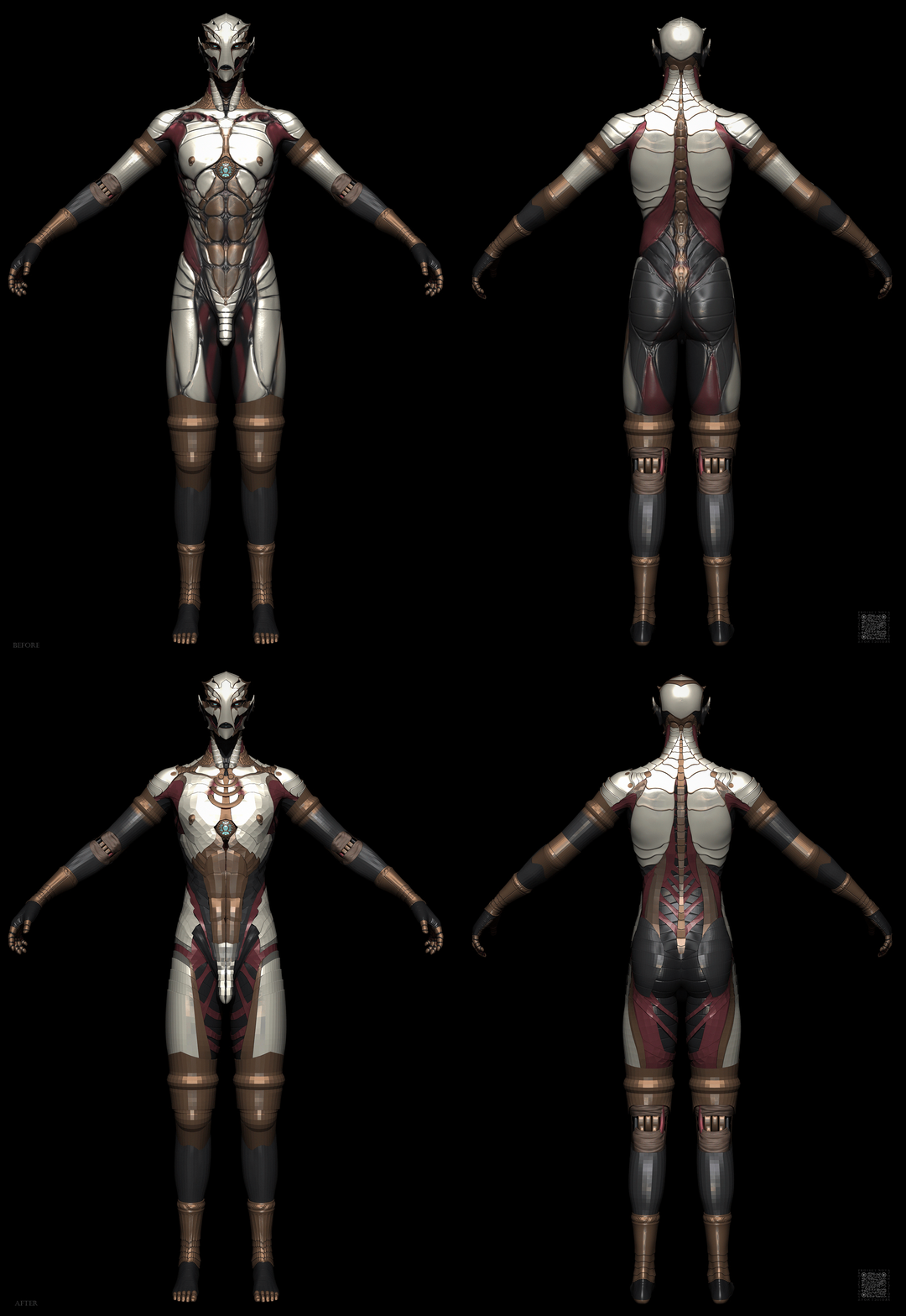 Sectioned out and retopo'd areas of the dynamesh. I think there are some design elements on the dynamesh that are better than the cleaner subdivision sections; for instance I think the serratus anterior area looks nicer on the dynamesh. But that's one of the reasons why these weekly recaps are helpful to me; comparing…
 -
Re: Feeling really useless atm (trying to model; Zbrush)
 Mhm makes sense; I'll lower my polycount in Dynamesh. xD I actually thought that if I had it lower than all I'd be doing was screwing myself over by having to constantly redynamesh because I would never have enough polygons to go around! And my problem with Maya is that it just doesn't make sense to me. If I want to take…
 -
Re: ZBrush Hard Surface sculpt: Help w/ a small practice piece
 Is that one single/solid shape at the moment? I find hard surface sculpts easier to work with when you break things into individual pieces. For example you could work on just the main shape (the big piece seen in the bottom left), and then once you have that trimmed and polished a bit just use some form of thickness…
 -
edit dynamasks, show uvs
 Hey guys how do I manually edit the dynamask and then copy it to each texture? Also while editing the dynamask I want to see the uvs how can I do this? thanks!!
 -
Re: Making a base mesh in Zbrush, critique on anatomy/workflow advice?
Hey thanks! Yeah, made the hips and legs larger because it's one day going to be Juri from Street Fighter. She's supposed to be a leggy taekwondo fighter, so I exaggerated that area a bit to go with a somewhat anime-esque style where her form stands out. I was actually going to buff her up more in general too. Bigger… -
Solved: DynaMask editor no longer working
caveat: this is my first attempt at using Quixel. and maybe a bit ambitious for that: doing about 8 pieces in one project, each with 8k maps. Long and short of it: things were going well enough until the dynamask editor stopped working. I click on a mask and enter either mode, the dynamask editor just doesn't open. I've… -
Re: Sketchbook: Rima
imo the mesh resolution is holding you back, unless this is a dynamesh only challenge you're at a stage where you can make a lowpoly, create polygroups, subdivide and get that fine-tuned control you need. Your anatomy is excellent but dynamesh is really just a tool meant for quickly establishing a rough silhouette, it's… -
Re: how to make even the distribution of subdivision on a mesh in zbrush?
dyanmesh can olny recreate it with limited resoulation, what you can do is copy the subtool, dynamesh it, subdivided it a few times than do projects alls from the original to the new mesh to get more detail from the orgianl too the new one that has better typology. -
Answered: Dynamask behaving strangly, possibly interacting with the edge of the texture canvas?

 I'm getting something a little weird with a Dynamask, which I believe is Big Tarnish, in that some edges are getting painted with a huge stripe on the mask and I can't figure out why. The curvature on that corner of the bookshelf isn't different from the other side, so my only theory as to what might be causing this is…
 -
Re: Tech Artist - What are you working on: FOREVER Edition!
also... Here is a new Zbrush script I have been working on. Smart Dynamesh. This script takes the guess work out of getting an acceptable poly density with DynaMesh. No more moving the Dynamesh Resolution slider around and repeatedly undoing to get polygons you want. The script will create a Dynamesh near the "Target…
>2521 results