Search
-
Re: [WIP] BlackSmith Girl Character

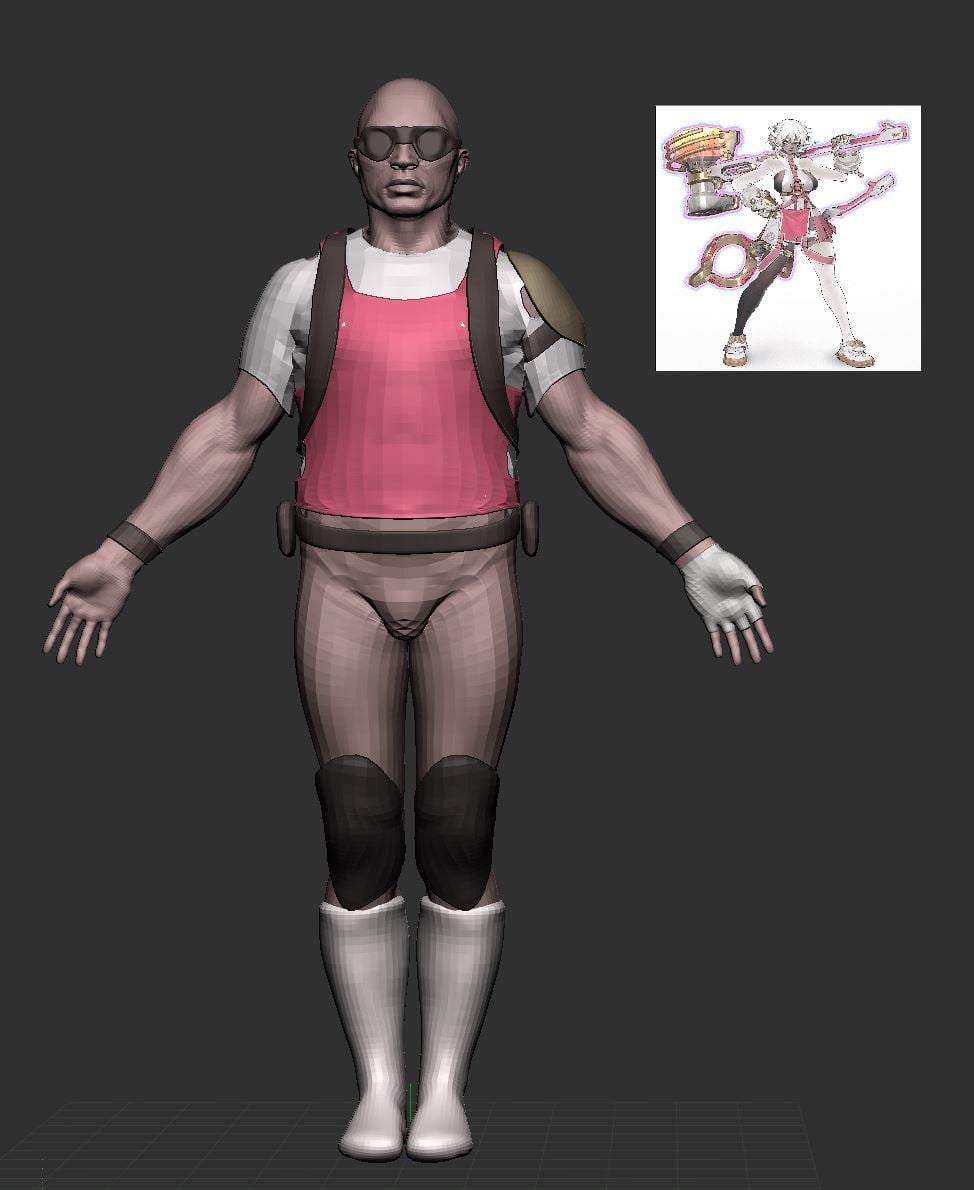 at this stage i would recommend blocking in colour; it'll help with grouping details and getting proportions right; you can drag your concept in as a texture, apply it to a plane, then colour sample the texture (shortcut c) and go from subtool to subtool, rbg > fill
 -
Unlocking the Bezier Handles in a PatchGrid
 Notice how the handles along the Y-axis are locked symmetrically by default when creating a patch grid. How do I unlock the handles so that I can move them independently of one-another?
 -
[Riot Art Contest] - Succubus Morgana
 Topic by mudsketch · · Home› Contests & Challenges Archives› Riot Art Contest› Riot Art Contest - Character ArtHey everyone, I'm entering this contest and going for a redesign of Morgana as a Succubus. Started from a Sphere in Zbrush and trying not to use any other software so far and sculpt everything y and ( dynamesh + extrude ).
 -
Re: Zbrush r3.5 baking polypaint to diffuse issue
 Is there any way to set it up so textures applied to an object in zbrush are automatically flipped on the Y axis when the obj is exported with txr enabled?
 -
Re: Zbrush Symmetry question
 Your best bet is to duplicate your mesh, rotate the duplicate 90 degrees, then project the details from the rotated duplicated to the Y side of the original.
 -
Re: [UE4] High Journey)
 Love this piece, amazing work! I have to agree with Freneticponies about the music but other than that nothing I can really crit on this. (Y)
 -
Re: Convincing 3d that looks like 2d.... Wow
 It was tweeted out by Thomas Romain. This one has far more of that 3d appearance. https://www.youtube.com/watch?v=y-PudD1UrvU#t=26
 -
Re: Blender 2.53 to UDK
 @Swizzle - Blender doesnt have real smoothing groups, if you select a bunch of faces and hit the Y key you can split em
 -
Re: ScaryGirl Launched!
 Love the style! Reminds me of Double Fine/Burton/Vasquez-y style stuff. I'll pick this up for sure on PSN. Great job!
 -
Re: unity rope 2d

>147271 results