Search
-
Re: modeling TV
 normal maps can capture changes in surface direction but they cannot affect sillhouette. if the feature you want to represent doesn't meaningfully affect the silhouette of the object from any useful view angle there's no visual benefit to using geometry to represent it - therefore you're wasting time and resources by…
 -
Re: critiques and feedback for a short animation

 Hi! As far as the 3D side of this i noticed a couple things that stood out to me. The first thing i noticed was the grunge on your card readers (dont know the correct name, circled in red) looks randomly placed I would do some research on what exactly causes rust to appear on surfaces like this, my first thought is that it…
 -
Re: Should guncoating be treated as a metallic ?
To add to what's already been said: Some protective coatings for iron and steel do have metallic properties. Deciding whether these type of PBR materials are flagged as metallic, non-metallic or something in between often depends on the type of coating used and what condition it's in. PBR metalness values for most… -
Re: [3DSMAX] Is there something like the Meshmachine Plugs Blender plugin feature for 3dsmax?

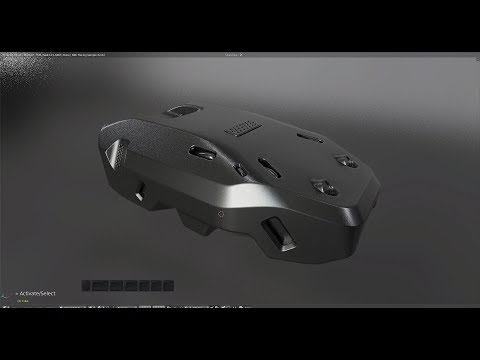 No, that is for booleans. I mean the 'Plugs' feature of Meshmachine that deforms an object to the surface of the other object and insert the geometry. I know there are some scripts like mesh insert. But they require you to select polygons, I would like to insert the geometry everywhere on the surface like Meshmachine. So…
 -
Re: Wrapping fabric/Duct Tape around an object
 Using Maya, probably make the gun live and model some poly strips as they snap to the surface. Using max, use poly draw with the gun as the target object. OR roughly model some strips or rectangles around the gun and use the conform brush to make it fit the surface. You can also look into WrapIt or MaxRetopo script that…
 -
Re: Stylized Game ready backpack
 Very nice. In terms of finest details, the fabric elements could perhaps be further differentiated from one another for instance by giving one of them a visible texture (like a mesh fabric) - but only if the resolution/target art style allows of course. Also, more elements could benefit from graphic weathering similar to…
 -
Re: Crosshatch Shader Shadows
 Thanks for the replies. Problem is, I want to mask out the shadows falling on the surface, and afaik, I can only get the shadows in CustomLightingDiffuse. The problem is when I use that, the shadows actually darken the surface and I can't seem to prevent them from doing that. What I want is to only overlay a pattern onto…
 -
Re: Additive transparency in Maya?
I don't think it's possible to do in the view ports, but make a surface shader with transparency set to white and use your file texture as color. If you want you can make a Blinn or Lambert shader and set transparency to white and toss your texture into incandescence. This will give the same result though a surface shader… -
Re: Is there a reason NOT to use a metalness workflow in PBR?
 Sure. Physically based rendering in Unreal is implemented via a standard microfacet BRDF. The BRDF is the bit that takes in all the parameters and spits back out a reflection for each surface, where roughness is interpreted as a statistical heightfield of tiny facets on the surface of a model within a pixel. These facets…
 -
Re: How can I model this ruin?
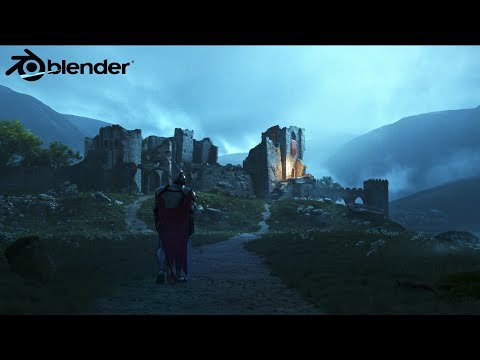 Maybe this might show more steps... https://www.youtube.com/watch?v=RYa8khHlbhY You have to block out the large shapes first. Try to make it modular. For the edges it depends. This I would do last once you have the main pieces that you are going to break up. Once you have your modular parts bring into your sculpting…
>18714 results