Search
-
Re: How to detach preserving normal orientation?
 Hi Naima, Put the Edit Normal modifier on, select all the normals (I think ctrl+a works in Max I forget) they should all turn red AFAIK. Then click "make explicit" in the Edit Normal modifier. Check the documentation I posted if you're stuck.
 -
Re: Sci-Fi Robot (WIP)

 Hi guys. worked a bit on the project. Added some muscle type things to hand, neck, made elbow connection part and modified the part between elbow and hand. Not happy with modified shape yet. Will make corners more rounded. Still long way to go.
 -
Re: Unable to change hotkey for edge loop in Max
Hmm weird, I did have the override toggle on, but turning it off didn't do anything. But then I right clicked and converted my editable poly modifier to another editable poly modifier, and somehow that made the hotkeys start working. Bizarre. Thanks for the help guys. -
Re: Max Render is Edged
 The "smooth" modifier would give back the smooth look.After you added this to your mesh, you can check the "auto smooth" checkbox, and you can set the maximum smoothing angle with a slider. If not working, then add reset xform, and try to add the smooth modifier again.
 -
Re: micro .45 SMG

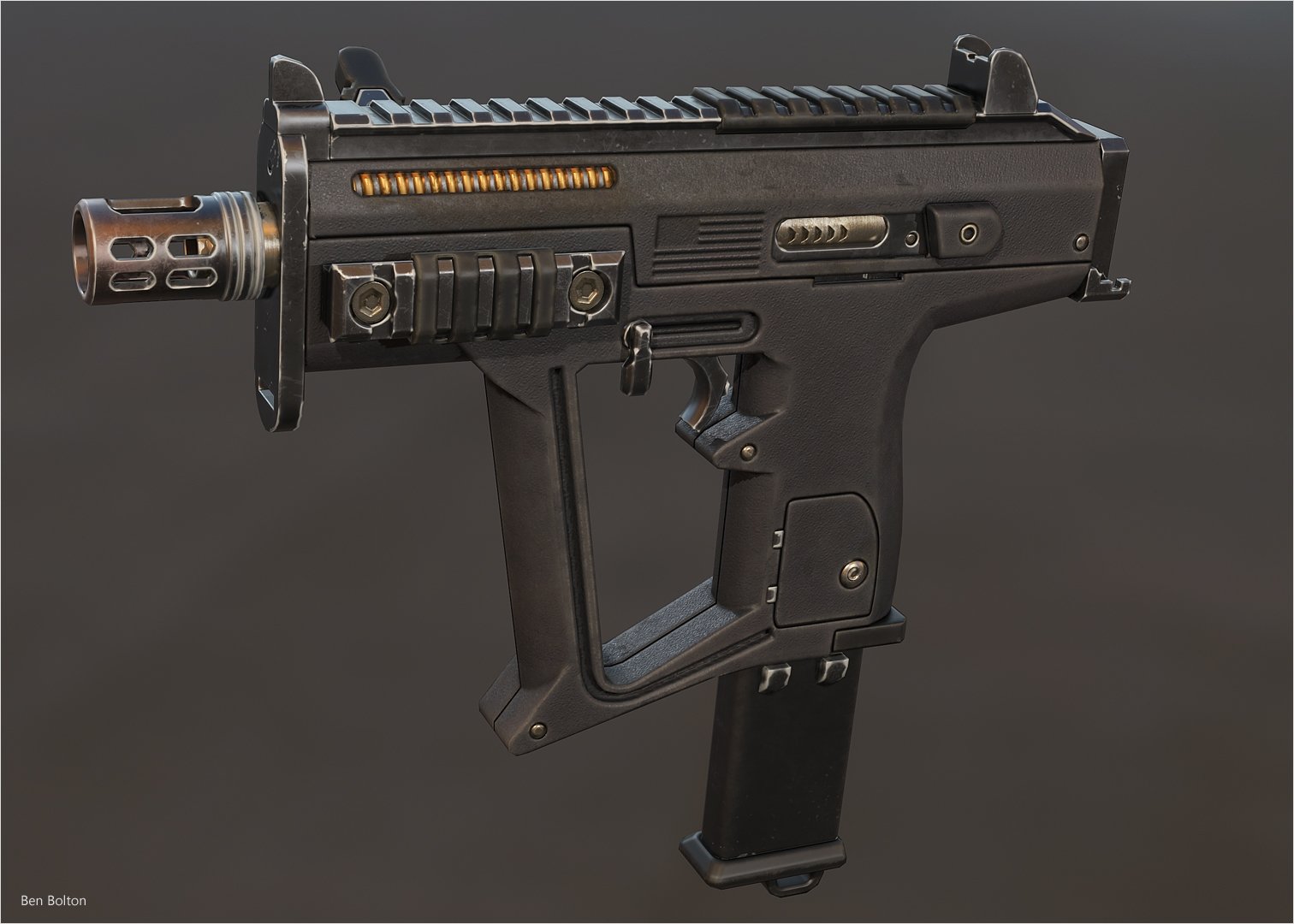 I do that for the blockout to make sure everything is wide enough for the edges to be readable and to be able to see coplanar part transitions. I just use a quadchamfer modifier with a smooth modifier to keep the underlying blockout lightweight. For the highpoly it gets proper support loops and subdivision in addition to…
 -
Re: World war 2 stick grenade
 I tried baking in 3ds max, for some reason it ignored my UV unwrap and added an 'automatic flatten UV's' modifier (or something like that) It turned out like this, which is obviously wrong.. How do I make it use my unwrap UVW modifier?
 -
Re: how do I delete edges whilst keeping UV mapping?
 if your in max then you need to collapse all in the modifier stack but you still run the risk of messing something up so you will have to add a uvw modifier after the edge editing to see wether its all worked out the way you planned
 -
Re: What Are You Working On? 2010 Edition!
 For some reason MRay hits the lowpoly mesh during baking...if you add an edit Poly Modifier beneath the Projection modifier and hide all polys in there, you solve that problem...I think it doesn't happen anymore in Max2011, but I am not too sure about it---
 -
Re: A solution to Normal Maps with mirrored UV's in UDK.
 So, in 3ds Max, it seems that if you place an Unwrap UVW modifier or a Turn To Mesh modifier at the top of the stack the FBX plugin will export the Binormals and Tangents. If they are not at the top of the stack, even if you check Tangents and Binormals in the FBX Export window, they will not be exported. Any care to…
 -
Re: 3DS Model Organisation and RTT Workflow
 Actually you can bake multiple meshes at once in RTT; you get auto-named bitmaps (MeshnameElementname.tga). If you want to use a cage you have to set up the Projection modifiers individually though, because Pick makes the modifier an instance, which makes it grab all the targets at once (a total mess).
>11676 results