Search
-
Re: Transparency problem
 Yes, this is an alpha sorting problem. Some info: http://wiki.polycount.net/TransparencyMap#Sorting_Problems Try using two materials. Only the triangles with alpha should have alpha blending enabled in the material. All the other triangles should have a non- alpha blending material. If that isn't supported by Sketchfab,…
 -
Re: Funky see through objects in Shaded viewport?
This is a depth-sorting problem, caused by having alpha blend on the entire model. One fix would be to use transparency only on the parts that absolutely need it, not on the whole model. Another solution is to use a shader that combines alpha blend (soft transparency) and alpha test (hard transparency). The alpha test… -
Re: [UDK] Palazzo W.I.P
 Cheers :) I just realized that I could have done that with vertex painting instead of having another mesh with another 1024 texture in the level. Tho the texture is shared with the smaller pillar thats next to it. So anyway .. would I get a simmilar result with vertex blending ? For example could I create a diffuse and…
 -
Re: Alpha to coverage
 It's cheap/fake dithering to get antialiased alpha. It works almost as fast as 1bit alpha test/cutout but looks a little more like 8bit alpha blend. It's very useful for grass and hair where you don't want harsh 1bit alpha but can't afford to sort multiple layers of blended alpha. It's cheaper to do on the 360 than it is…
 -
Re: Tips on fixing Butt deformation
 Quake 3 used morphing meshes, so you could use blended verts. That is, unless you are working with the engine and have access to the skeletal stuff. Even then, you should be allowed 2-3 rigid bone influences per vert. I find a balanced blend between the thighs and the pelvis work. Less thigh influence on the butt as…
 -
Re: UV unwrapping modular organic corridor
Yes, do use tiling textures. When you do, you can also try blending between them using vertex color as a mask. This will give you nice transitions between your green-cells texture and your red/white texture. Texture blending can also help break up the tiling repetition.… -
Re: Help! Grime on tiling wall
![[Deleted User]](https://polycount.com/themes/polycount/design/default-avatar.gif) Alpha map technique sound promising. Do it. If were going after this in 3ds max/vray, id create two shaders. One for the new/clean texture and the other for the grimey/dirty texture. Feed those into a vray blend material, add dirt map (play with radius amount and for same object only) to the blend amount slot and attach…
Alpha map technique sound promising. Do it. If were going after this in 3ds max/vray, id create two shaders. One for the new/clean texture and the other for the grimey/dirty texture. Feed those into a vray blend material, add dirt map (play with radius amount and for same object only) to the blend amount slot and attach… -
Re: Weekly Substance Challenge - Week 2
 @walklikethis : Sure :D . First , I started with two shape node with one node slightly have bigger size than the other . Then I create normal from these two and combine normal . For the welding mask , I take the shape node I just created ( the bigger one ) and use it with bevel node , then blend it with itself as a mask…
 -
Re: Photoshop makes transparent pixels turn white
 Photoshop's default png exporter isn't very good to begin with, do a search and you will see alot of complaints. Even if you exported it the way you had it setup you will get black pixels bleeding on the edges, so give some edge bleed like gsokol mentioned. You could look for better png exporters, but personally I just use…
 -
The Stranger Character + UE4 Character Customization Shader

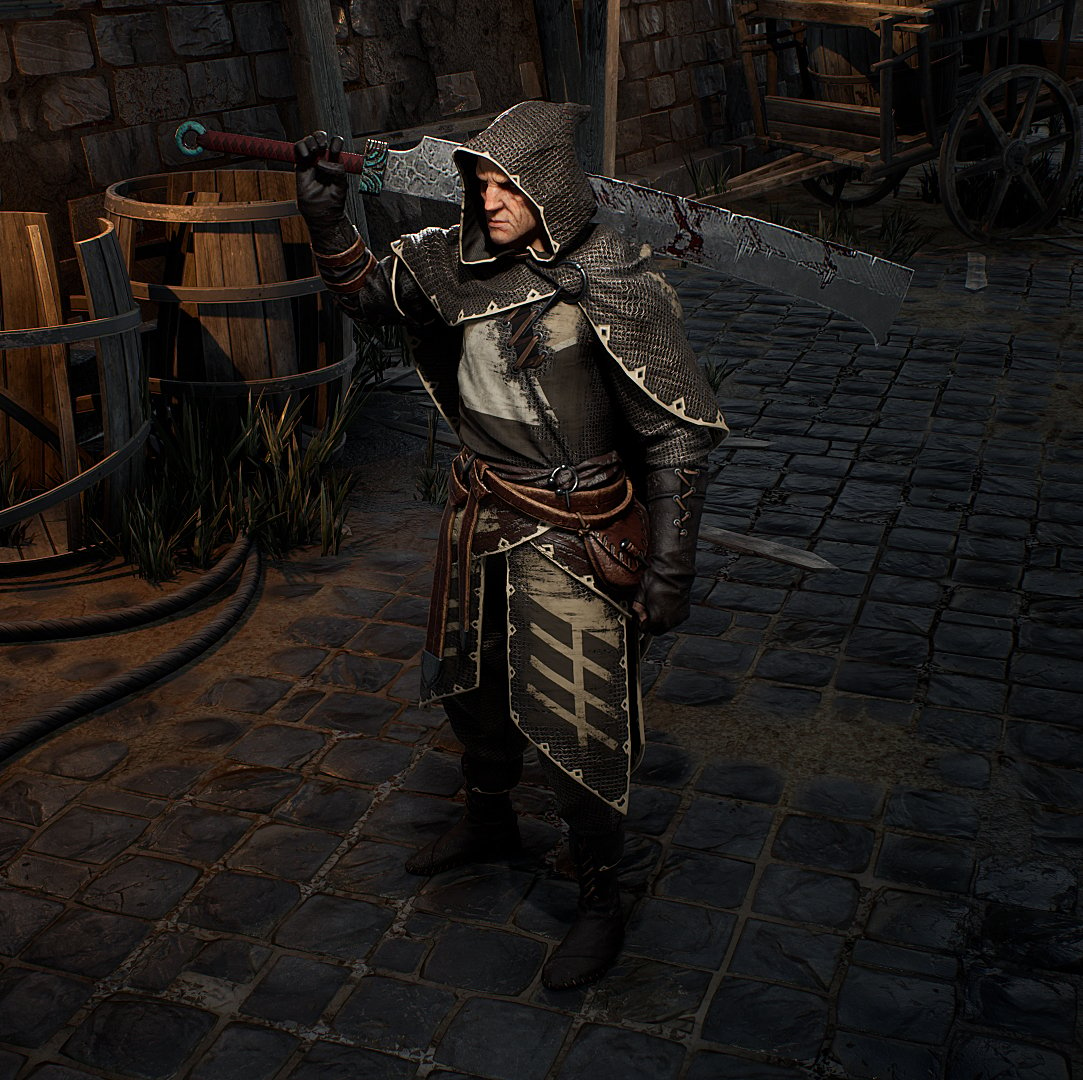 Hey, this is my latest Character: The Stranger This is a little demonstration of the Stranger in action, running around in UE4 https://youtu.be/DBBQi_QoGcY Okay so this time I wanted to go all out: a full character that could be part of a AAA-Game, including setup in UE4 with a basic movement system, swappable equipment &…
>11460 results