Search
-
Re: Witcher 3 Architectural Material in Unreal 4

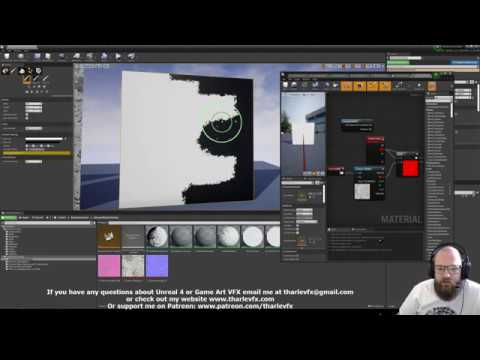 @A_B Sorry for taking so long to respond. If haven't messed with this in some time because I was doing other things. As far as purely getting better vertex painting results (minus everything else I did here) there's this video which walks you through everything pretty well: https://www.youtube.com/watch?v=OPHnxGb6KHA That…
 -
Re: substance painter baking logic question
 I think it's not necessary to make extra splits /hard edges there. I see those dents are already having some loop inside. It should be possible to project vertex normals from perfect cylinder ( before dents) to the edges of the dents . It would move the shading gradients from the cylinder to that small poly loop inside the…
 -
Re: Smooth foliage like in Breath of the Wild / Europa by Helder Pinto - Mini tutorial

 Hello guys. Its the same setup as the grass in the stylized example. I had some small slightly angled planes for the moss, and I projected The vertex normals of the underlaying geo to their vertex normal so in the shading you don't see that they are actually perpendicular cards. This at least doubles the vertex count in…
 -
Re: Maya Spline Snapping Problem! URGENT!
 I've experienced the same thing where you have to rotate the camera a few times in between trying to snap to the curve until it finally snaps properly. So far I haven't been able to find a solution for it and just accepted it as one of Maya's quirks :S Clicking or dragging MMB instead of LMB just means that whatever object…
 -
Re: Modo vs blender for pure modelling and texturing
 I havent come across a tool that doesnt work as expected, rather it seems no different than when I am working in maya or even modo. Some tools are by their very nature quirky. Vertex Chamfer actually works fine, though its called Bevel in blender. The annoying thing with blender is that it has a little tool property box in…
 -
Re: 3Ds max 2014 / Unity - what type of smoothing is this and how do I work with it?
Another image: - top one shows primitive/polygon normals (I think primitives in 3dsmax are called faces if my memory doesn't fail me?) of with two faces cusped by me - middle shows cusped vertex normals of two faces by me - bottom one shows vertex normals of original downloaded geo As you can see after I manually changed… -
Re: Dominant Light shadow is reversed?
The terrain uses vertex lighting so this is most likely a precision problem. On the side close to the light you probably have a vertex just under the edge of the model so it will be in shadow while the vertex a bit onfront of it will be in lit. The edge of the shadow will be drawn halfway between those two vertices. Moving… -
Re: verticles driving me nutts.. help :x
Just remember that with the cut tool, if you're making a cut end on a vertex, you may need to check to make sure that the cut completed in the right location instead of making an extra vertex on top of the place you wanted it to be. If you wind up with a duplicated vertex you'll need to target weld it to fix it. Ideally if… -
Re: My experiment with Lightmaps in UVch2
 Well, actually every additional UV channel you add will increase the vertex count for the model, which will increase how much room it takes up in memory. Using four materials (for the different offsets) takes less memory than duplicating all those UV verts. As mentioned though there are many different approaches. Floating…
 -
Re: Washing Machine Part

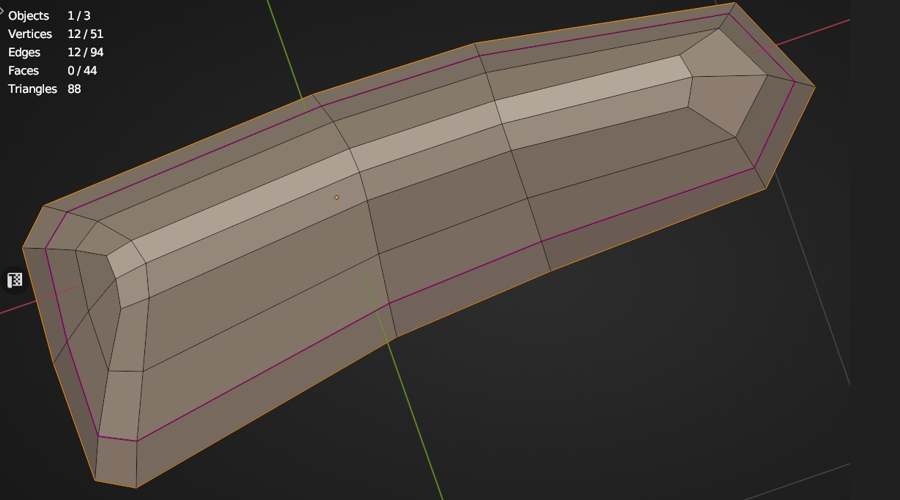 @Veer_P An interesting shape, they're typically fiddly to model in polygonal subd that are usually fabricated using an extruded die cast mould' and also CAD designed, hence indeed a challenge so my approach would be as if modeling a car body shell of some sort with a Shrinkwrap Modifier. Because there's a similarity in…
>9916 results