Search
-
Re: Maya ---> Zbrush
 Yeah, if you use just the Delete key on edges, it leaves all the vertices behind at the intersection points. Ctrl + Delete will remove the intersecting vertices. You can try making a marquee selection through the center part of your model while in vertex selection mode to grab any stray points, then press Delete (not Ctrl…
 -
Re: Introducing DigiKlay: A New Digital Sculpting Tool (Free Beta & Full Version Available)

 Hi everyone! Thanks to your invaluable feedback, I’ve been working hard to improve DigiKlay. I’m excited to announce several new features and fixes that directly address the most common suggestions from the community: What’s New: * Removed the yellow outline in Sculpting Mode Many of you found the yellow outline…
 -
Re: Variable mesh density, controlled by a bitmap?
 Do you need to animate it? Or are you ok with a calculation delay on each adjustment? I would try adding density, rather than removing. Vol Select can use a bitmap as the selection mask, and grays become soft selection. You might be able to add a Quadify modifier on top, not sure if it respects incoming selections. There…
 -
Re: UVW Unwrap Question
 In the Edit UVWs window, go to the Select menu at the top, and choose "Select Inverted Polygons." This will select the polys that are mirrored horizontally or vertically (but most likely horizontally in your case). With these mirrored polys selected, go to Tools > Mirror Horizontal, or hit the Mirror icon in the top…
 -
Re: 3DS Max - UVing complex objects
 what zacd said + you need to relax the uvws to get the z faced uvs to flatten out a bit and then straighten selection. Under the UVW Dialog menu : Tools ->Relax -> Relax by Face Angles (set Amount to 1). Go into face selection mode, select the entire element, hit the straighten selection button under your "Reshape…
 -
Re: 3ds Max 2017 SP1 - possible two UVW Unwrap bugs (gif's available).
 Dang - i got it the wrong way arround : For me "Select by Material" works using the old select from scene dialog tweak ( SelectByNameUsesSceneExplorer=0 in currentdefaults.ini ). AND using this tweak Select by material works with SME and CME ( both material editors )... So the problem lies once again in the sceneexplorer…
 -
Re: New Job + Maya = I miss Max
 Is there a way to get selection modes to switch between window/crossing like you can in Max? Maya is great, but this is probably the one reason why I prefer Max over it. I can't seem to find anywhere a way to change the selection mode to only select a component only if it is entirely within the marquee. There is that…
 -
Re: Brusherator for Photoshop CC+, a panel with brushes! and more

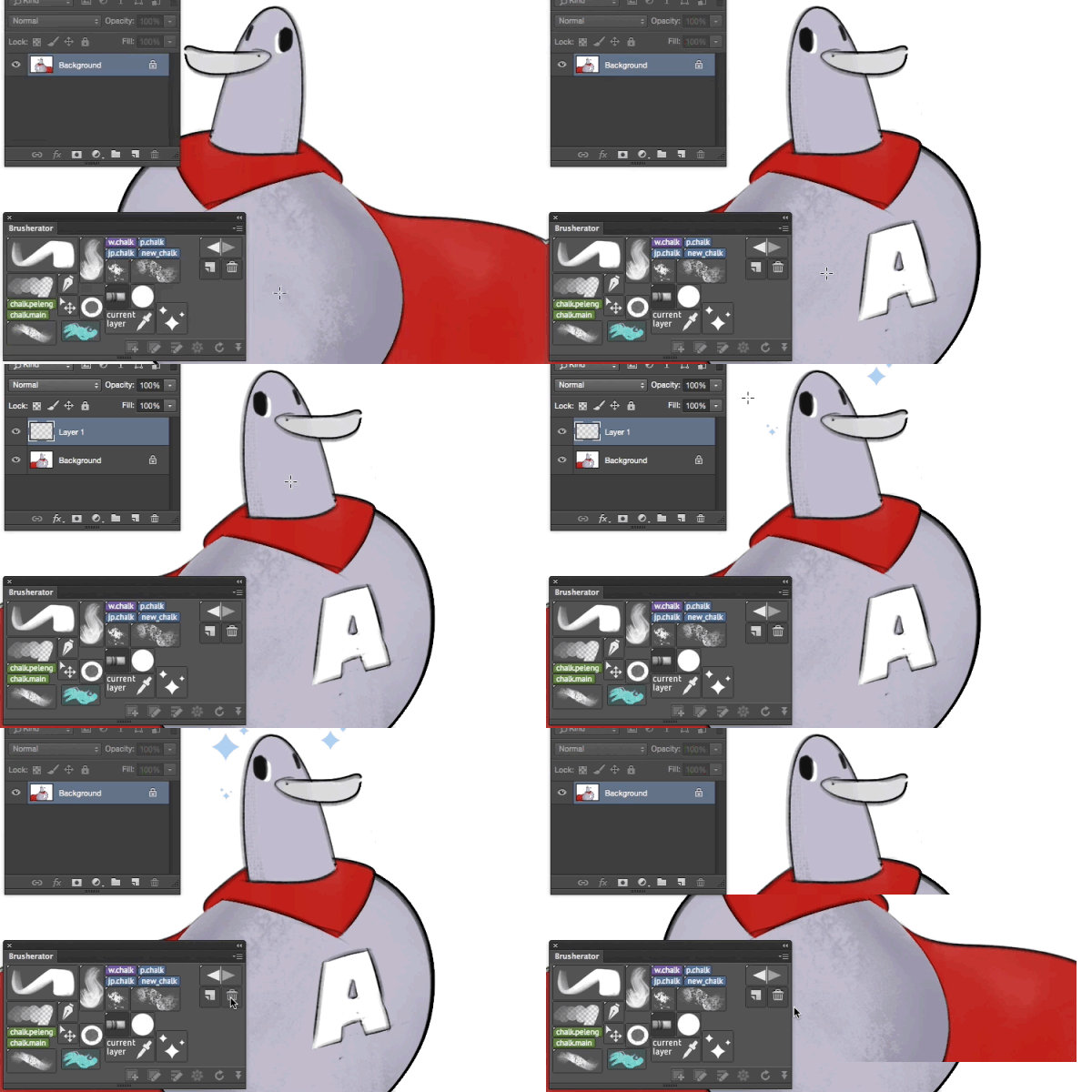 Brusherator 1.1 is online! • Actions may be placed on a panel as buttons • Flyout menu (CC2014+) — striped small thing on the right of the panel • You can select shelves from flyout menu • Option to toggle brush size inheritance for all buttons (default: size is inherited) • Option to toggle names visible on image buttons…
 -
Re: [3d max] UV Editor and unwrapping
 Because Maya never needs simple scripts for basic tasks. :) Anyway, here's a couple of scripts for you: Combining --SCRIPT TO COMBINE ALL SELECTED MESH OBJECTS ( local proceed,Objs,firstObj --GET THE SELECTION AS ARRAY Objs = getcurrentSelection() --TEST ALL THE OBJS FOR VALIDITY proceed = true for obj in Objs do ( if not…
 -
Re: [WIP] [UE4] Modular Vehicle Vol. 2
 In this short tip, I want to describe my workflow of making vehicles for this project. 0. Decide what you want to make. 1. Gather references. You need all sides of the vehicle because they are mostly asymmetrical. 2. Make high poly mesh by using reference images. I'm using Blender. Mostly I'm using the following modifiers:…
>15386 results