Search
-
did HDR Shop get rid of their free-bee version?
 can't seem to find any mention of 1.0 on their site.
 -
Re: Stylizing your art; getting rid of the greeble
 I get whatcha saying, tis an interesting way of going about it <3
 -
(MEL) getting selected vtx index ?
 {<br> string $compSel[]= `ls -sl -fl`;<br> string $obj[]= `ls -hilite -type "transform"`;<br> string $storeEdgeLoop[];<br> int $numTokens;<br> string $buffer[];<br> int $id[];<br> for($comp in $compSel){<br> $numTokens = `tokenize $comp ".[]" $buffer`;<br> //print ($buffer[2] + "\n");<br> $id[size($id)] =…
 -
How to get perfect square uv's in Maya?
 hey guys I found this cool add-on for blender to make UV's perfectly square with one click. But is it possible to do this in Maya without buying a plug-in? https://cgcookiemarkets.com/all-products/uv-squares/ I tried to follow this tutorial but I couldn't figure it out…
 -
Good site to get realistic animal alpha textures for Zbrush?
 The title is the description.. lol, it was the shortest way I could think of saying it
 -
Animation Critique Please destroy it. I wanna get better
https://syncsketch.com/sketch/acca3bfacd07/ made this, just need tips :) thankyou! -
Next gen character
Hey guys, im looking to advance my sculpting skills and want to try to get into next gen character creation. Would love to get your feedback! Right now im sculpting the body and then will work on the clothes. -
Re: Get your mind blown by James Paick
-
Photoscanning: getting good diffuse maps from Agisoft?
 I made a model in Photoshop and quickly retopo'd it in Maya to transfer the diffuse. Unfortunately the transfer gave me a horrible map; much of the color is washed out and the not at all the quality I'm shooting for. Is there a different/ better way to transfer these maps?
 -
Re: [WIP] BlackSmith Girl Character

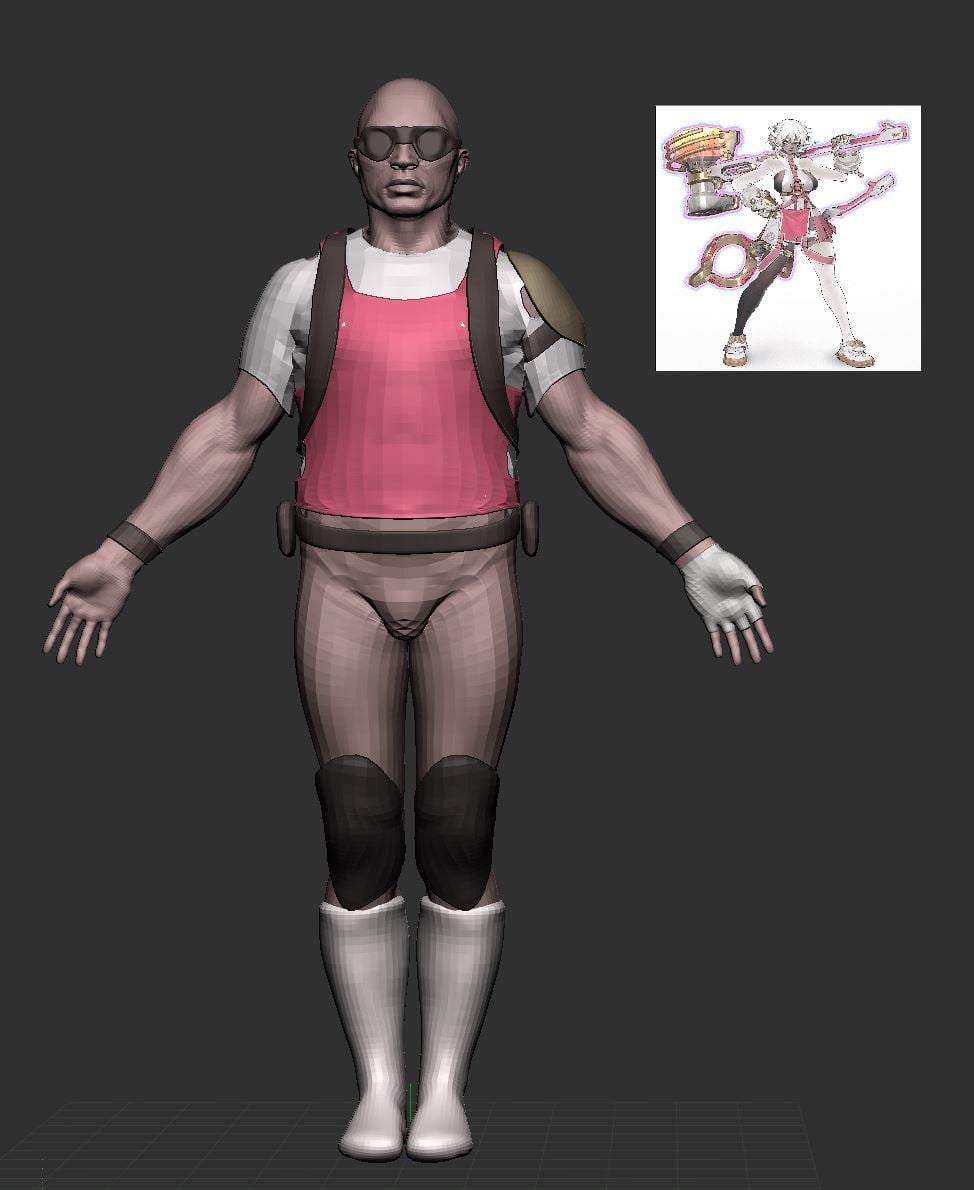 at this stage i would recommend blocking in colour; it'll help with grouping details and getting proportions right; you can drag your concept in as a texture, apply it to a plane, then colour sample the texture (shortcut c) and go from subtool to subtool, rbg > fill
>93918 results