Search
-
Re: How to get rid of Zbrush Model;s black "wet" Marks
 try: Turn off polypaint. It's in the menus on the right in default UI. You can also turn rgb on in the brush settings, set color to white and go to color>fillobject. It might be mrgb and you painted a different material in that streak, but it's usually just poly paint.
 -
Re: Creating hand painted character textures in zbrush
it has the same basic controls for pressure sensitivity affecting size/opacity as ps. fiddle with the settings and see what you get out of it. i prefer the viewport canvas in max because i can work on a psd with that but polypainting has its benefits as well. -
Re: What is benefit of using substance over zbrush
Zbrush's polypaint is also painting vertices, so if you have a low-poly mesh you won't be able to paint at any resolution you choose. Substance Painter paints textures so you can do any size you want/need. -
Re: Zbrush poly painting sub tools workflow
 Those tutorials are old. Programs like xnormal gained the ability to import and bake polypaint data on their own, so your highpoly sculpt doesn't even need UVs. It's a lot less to worry about and should free your workflow up quite a bit.
 -
Re: Sketchbook: Gregory Stoffel

 Here's the 2 timelapses of the complete creation of Mer-Man, the 1st one is about the sculpting and posing in Zbrush and the 2nd about the Polypainting in Zbrush, rendering in Keyshot and final compositing in Photoshop. http://www.youtube.com/watch?v=VmTOL5z79hw http://www.youtube.com/watch?v=svFq1V0A0u4
 -
Re: Creating realistic eyes in Zbrush

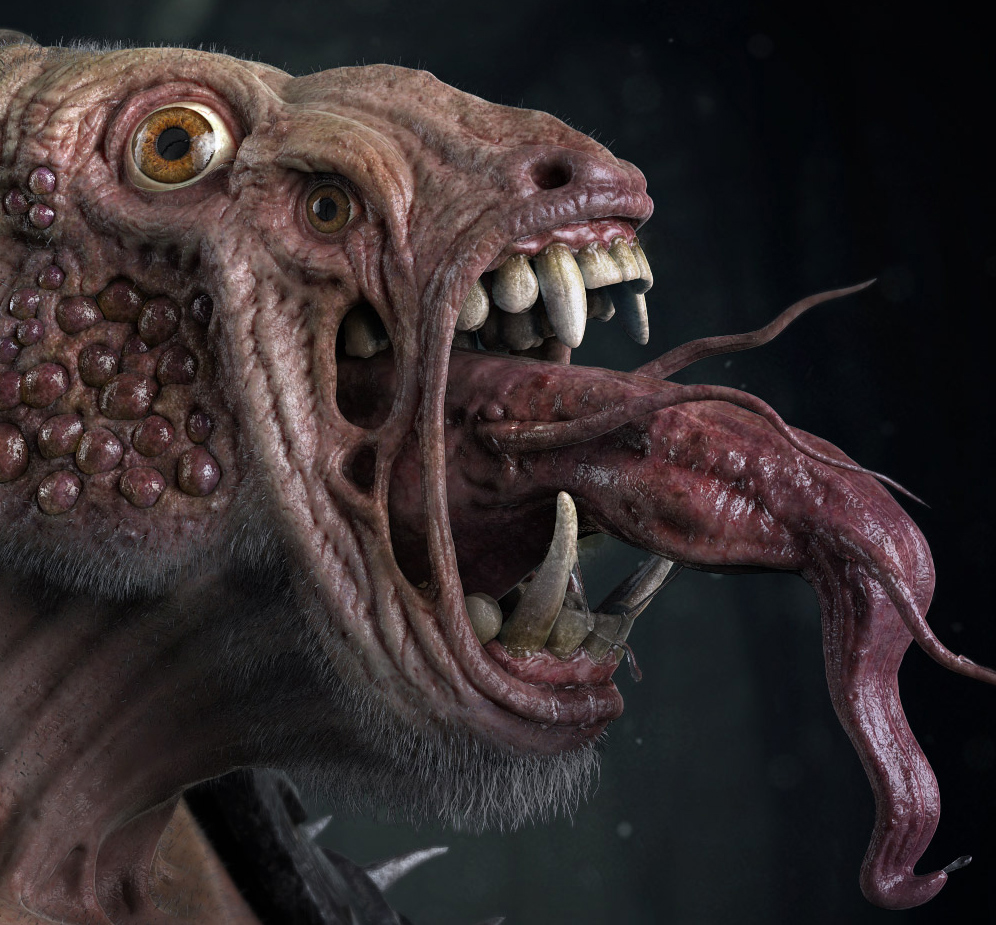 Also, once you've polypainted the eye you can mask by intensity and sculpt the mask as displacement which enhances the realism of the reflection. Here's an eye that I made in ZB recently as part of this creature. You can see the displacement effect that I'm talking about.
 -
Re: Artist hate him. Discover a secret technique to produce a handpainted effect in a matter of minutes.
 IT evovles Masking techniques/ materials i have created specialy for the technique and some basic polypainting techniques that is connected with the materials. all of them work as one to have final results, its a lot faster hours faster than sit down and handpaint eveything :)
 -
Re: Texturing hands
 I paint a base texture in zbrush using poly paint and then slap a photo texture over that to add a bit of realism. The good thing about polypaint is that you can get rid off all the seams as well as getting a clean base for your overlays
 -
Re: Coming Soon - ZBrush 3.5 - A Comprehensive Introduction
 Part 1 is just what you see in a DVD Release. Part 2 will come later and will be creating a full character and polypainting it. You can see part of it at the end of the video sample, its going to be really cool! Thanks again guys for everyones support.
 -
Re: Cloth Is Hard - Crits Needed
 Whoops, here's some shots of where it is now. He needs skin detail, some non-broken toes, and polypaint at the moment. The feathers in the headdress will be alpha'ed. I like how the leather turned out, but not the cloth. It still doesn't look like a real material.
>2626 results