Search
-
Re: How computer games are made (video)
 Interesting program, its always cool to see what other studios look like. Though I feel for the artists/animators who made it on camera, theres nothing worse than pretending to make your job cooler than it actually is! Producer X says Now make sure when we come around to rotate the model in X,Y, and Z, lol!
 -
Re: Feeling really useless atm (trying to model; Zbrush)
 Yes like the others said, you are trying to do everything at once. To get a solid base to work from I suggest using zspheres initially. While dynamesh is amazing I find it is really more for advanced sculptors. The disadvantage of dynamesh is it doesnt let you go up and down in division levels from the get go. I made a…
 -
Re: [WIP] Feedback on my first modular wall prototype (ProBuilder) + anime-style ground texture attempt

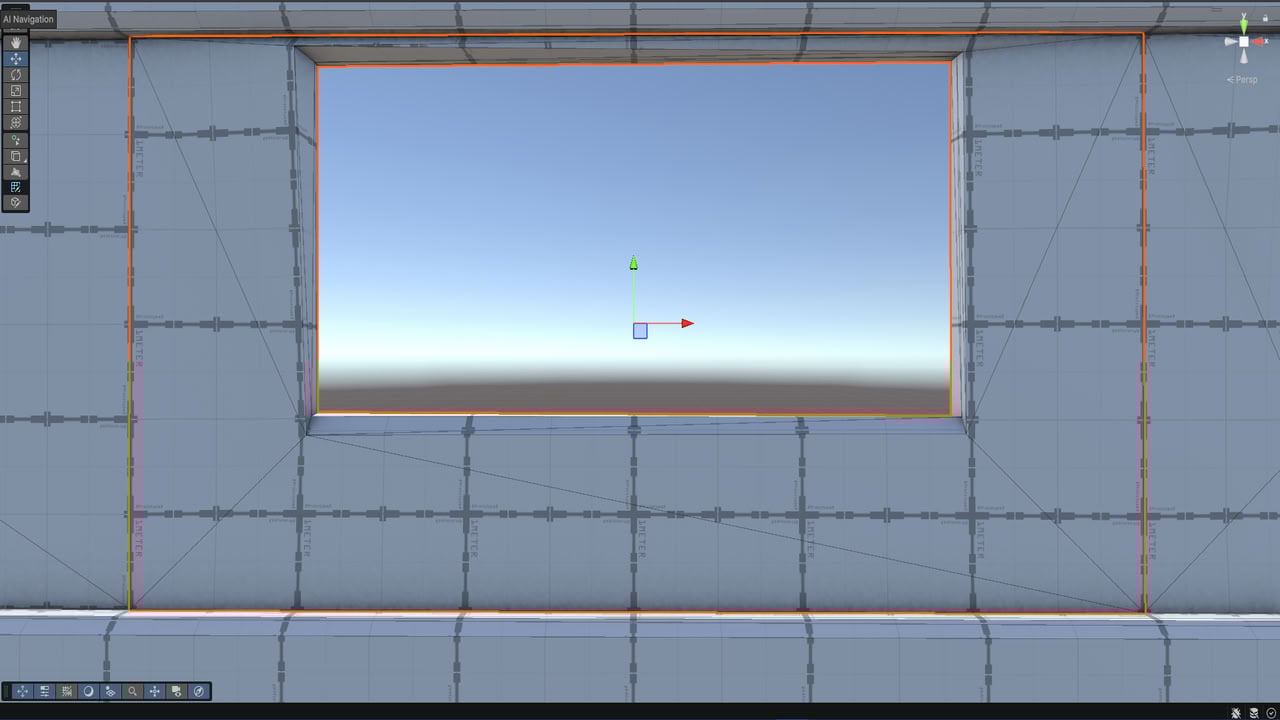 Eric, thanks for recommending XnView MP! Also, following your advice, I’m uploading screenshots directly to the forum instead of using external hosting services. Here are the same images that were previously on Imgur, now embedded:
 -
Re: [Demastered Movie Diorama Challenge] Spirited Away [ FINISHED ]

 Here's more screenshots of the chihiro's scene on differents angles, for the ceiling I did a tile texture (size 64 x 64 px). The floor Is a tile texture too (size 128 x 128). I'll do the ilustrations of the wall like decals I hope this idea works, and the decals about the floor for every character and assetsI must work…
 -
Re: Autodesk 2012 trials
 Awesome. I've downloaded it and I've been playing with it for a few minutes, but I can't seem to be able to get the Direct X shaders to show up. I'm always working on the 2010 version of 3DSMax and there the Xoliul shader works. Do you guys know how to set it up here or if it's possible to get some sort of real-time shader…
 -
Re: Unreal in my web browser! Yes please...
 Well 3D Ripper DX only works with Direct X 9 and below for now, and I'm pretty sure flash would be using something else since using Direct X would be windows only. There are similar tools for open GL but I wouldn't be suprised if Adobe is using their own thing. Since flash is so widespread, I wouldn't be suprised if some…
 -
Re: Student looking for critique
 Assuming that seam is just not perfectly placed vertices on the 0 X coordinate, here's what you do. 1) Grab all the edges that you need to be centered. 2) Select> Convert Selections > To Vertices 3)Put "0" in the X coordinate box (the Coordinate boxes are to the right of the quick render icons ABOVE the shelf.) >> Your…
 -
Re: [UE4] Deus Ex Corridor
 I got a quick question regarding your usage of stationary lights. How can you have so many stationary lights overlapping? When I try that I get a red X over my lights when 4 or more overlap. Those lights with the red X turn automatically into movable lights. I've said it once and I'll say it again. Super sweet scene, man!…
 -
Re: Introducing Knald - Open Beta!
 Knald is awesome. Very slick and intuitive. I'm a bit of an outlier and ideally would use it for integrating normal maps into displacement maps that are usually 8k x 8k sometimes 16k x 8k. Obviously you're limited by on-card VRAM, but are there any plans to implement a cpu fallback option for larger images? Until gpus with…
 -
Re: Making sense of hard edges, uvs, normal maps and vertex counts
 Quack: I used lights and I flipped the green channel (Xnormal bakes in x+z+y-) and Maya is supposed to have x+y+z+ =) . I Used Averaged Projection (If i got EQ correct, that means by using the cage in xnormal, is just as using average projection). My main problem is mainly knowing when and where to set the hard edge.…
>30195 results