Search
-
Where to start? Zbrush
 Hey, I posted here onece before but with onely some 2de art. I have now aquired a 3d modeling program (z brush) and am ready to learn. Does anyone know where to start? I would prefer doing a simple rendering of a male human. Any pointer or links to help full threads would be apreciated, thanx!
 -
Zbrush Question: Ttweak a silhouette of a shape
 So here is my current mesh shape. I'd like to edit it in zbrush by tweaking the shape to something more like this, how would i go about this? I've tried using the move brush, but I only effect the front of the shape and not the back of it, would be cool if i could effect all of the object within the Z axis.
 -
Re: Overlay image for reference in ZB?
 Z 4r4 let's you add references to the grids now (while letting you offset them, etc.). The image plane plugin should still work on it and older versions. You can also add an image to spotlight and turn off spotlight projection. Or slap an image on the document or new sub tool
 -
Re: zb4 noise bug, quick question!
 Hi MightyPea, no my model have no uvs yet, I read someone had a similar problem and just went to --deformation -- unify (x,y,z) hit surface noise again and now got it to work!!! ....I am no really sure with is this happening but ok! at least it works!! thanks for your time.
 -
morphing w/ zbrush
Ive recently tried using the morph target brush w/ z brush on the low poly when I subdivide it to avoid loosing the form i worked so hard on. but I noticed when I go up subdivisions again it happens all over. Is there a way around this? any help is apreciated! thanks! -
Re: 3ds Max/Zbrush: Proboolean + Dynamesh hardsurface workflow tutorial
 Yep, i did this last year for a realtime visualization. The CAD models just need to be exported with a high resolution so dynamesh creates round shapes out of cylinders etc.. Or do you want to create a lowpoly direclty with z-remesher? That won´t really work.
 -
Re: [ZModeler] How to bevel single edge ?
That's the kind of operation that can't be done in a single action with Z-Modeler due to how it would create n-gons. You would have to resort to workarounds; either how you've done it, or by using ZModeler to delete the top and bottom faces, bevel the now-opened edge, and then use the close action to re-cap the shape. -
Re: Sketchbook: Celosia

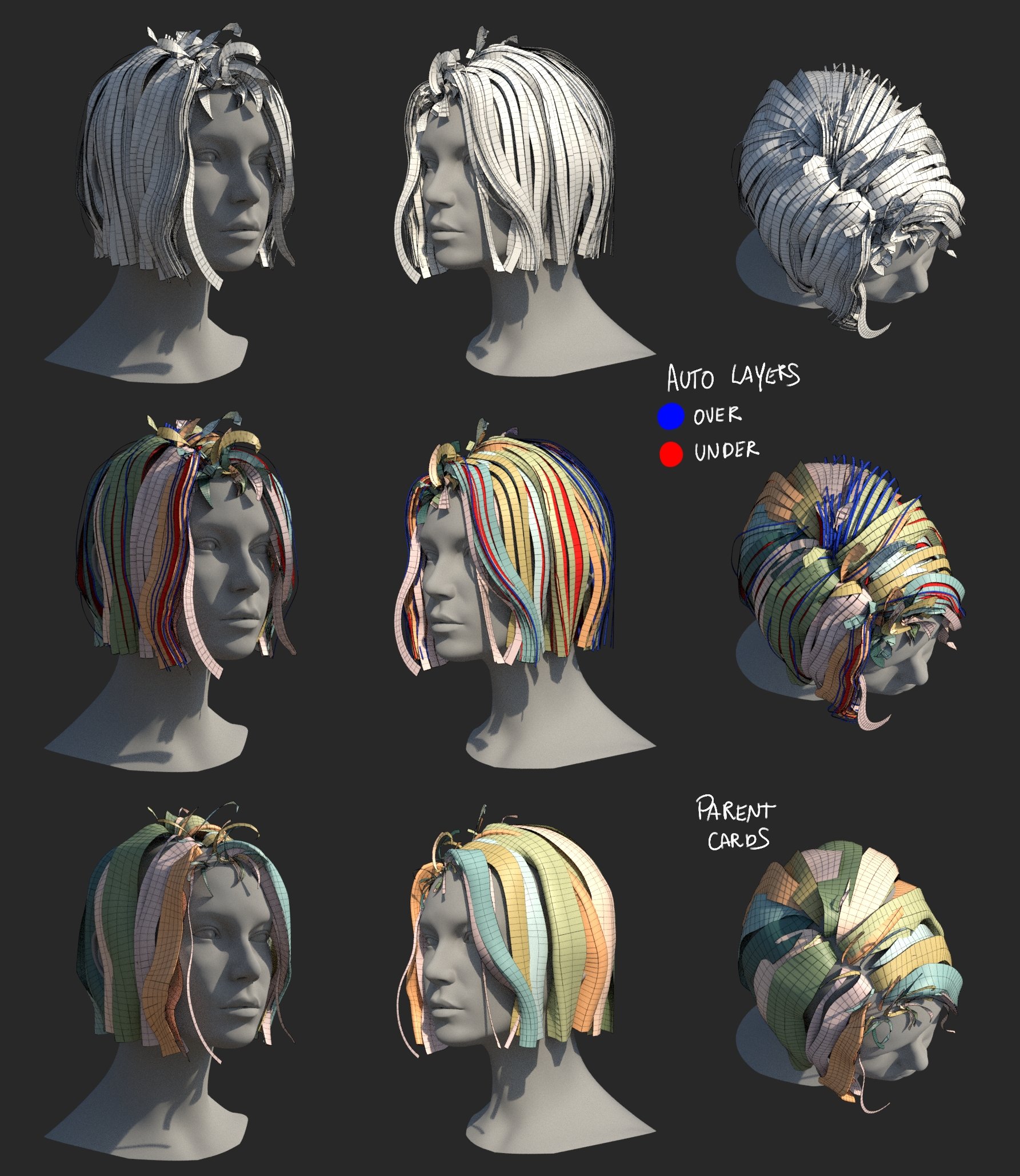 Eric Chadwick said: Turning it into a gifv is a clever workaround, thanks! I edited the post with the new link. ------ I'm doing the nodes equivalent of refactoring code, still a work in progress, but I got a few interesting things to show. Technically I already can easily create hair with them, I just want to wrap up some…
 -
Re: zbrush non square tileable technique?

 if you use default z brush plane primitive and your target texture is 1x2 you can use 2 and -2 in Array for x axis (using append new button) and 2 and -4 for y axis. Also duplicate the original plane before this overlay scale up. You would be able to use it as a crop factor after you "grab" it , and then texture > crop and…
 -
Issues with Zbrush re-topology
I'm taking my first go at using Z-brush for re-topology tonight and am having some issues. Whenever I export the re-toplogized mesh and open it up in 3ds max, the faces are all screwed up. There are overlapping faces, revervesed faces, it's really ugly. I'm not quite sure what I'm doing wrong. Any ideas?
>45476 results