Search
-
Re: What are all the methods to texture game ready assets (methods studios actually use)?
 And everything in between those 3 Also a lot of resuing of textures with atlasses/trimsheets You could also look into decal workflows
 -
Re: [FINISHED] Urban Japanese Street - Evening
 Yeah, looking back, I definitely could've masked them. I'll show the trimsheets in the breakdown I'm working on. Thanks for the feedback Thanks! I'm currently working on a breakdown. I'd like for it to be pretty extensive with every step of the way covered, so it might take some more time
 -
Re: The Bi-Monthly Environment Art Challenge | July - August (79)
 @Fabi_G Excellent work on it! With the trimsheet you created it seems like it would be easy for you to create plenty of variations with just that one texture set. :D
 -
Re: Using a normal map for beveled edges along with tiling textures for bigger assets?
 I think they are beveling the edges and use custom normals, no bakes or normal map for the main geometry. And also using trimsheets for details.
 -
Re: Very large UV shells. Please help

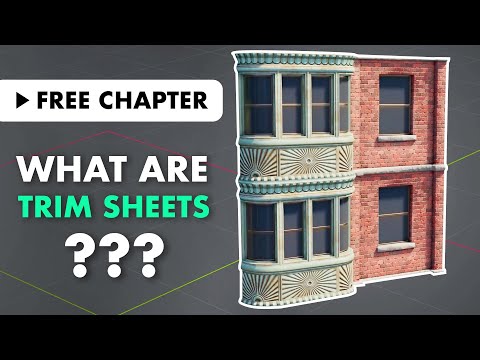 if you need a unique texture on all faces, you will need to scale them down and/or break them up into more textures/materialsif a repeating texture is fine, take a look into "trimsheets" and tileable textures ( https://www.youtube.com/watch?v=uUJShalzWy8 quick google search, didnt check content)
 -
Re: UE4 Environment - Warhammer Gothic Cathedral - Feedback and crits needed

 Just changed the brick texture and textured the hanging encensor! I also added some first VFX for the atmosphere; next step: the trimsheet!
 -
Re: Model Topology/Method Question
 Good rule of thumb is if an edge loop doesn't effect the silhouette and isn't being used for UV seams(mirroring,trimsheets, etc) then collapse it down.
 -
Re: Project: Infinitesimals - An Indie Game Art Development Log
Love it!!! Haha i can feel the long UV pain coming with these inner parts :p You go for a trimsheet and tilable combination to texturize that badboy? -
Re: Sketchbook: Yoon

 switching it up with some texture work, been playing a lot of destiny lately and want to create something destiny themed. FloorTexture and trimSheet in the works. (in Unreal)
 -
Re: Trim sheet - Substance Designer, Help.
 Set the outputs of each material properly to what you need. Then pull in the graphs of those materials into the new "Trimsheet" graph. Your individual materials will come in as their own material nodes but will still hold the link to their graphs. Then you blend these graphs together using the method above. Your Explorer…
231 results