Search
-
Re: GoZ
 Nothing spectacular, but I Goz > Modo, Export obj > Silo, extruded, saved. Cleared Modo, imported obj from Silo, Goz > Zbrush and it worked.
 -
Re: Sketchbook: Amanda Melville
 A project focused solely in Maya for a Model and Texturing class. This project focused on tools used in Maya and understanding the basics such as understanding how to manipulate geometry with extruding and using bevels. Beginning to understand texturing in UVS are introduced.
 -
Re: Monthly Environment Art Challenge - Nov. & Dec. 2016 (45)

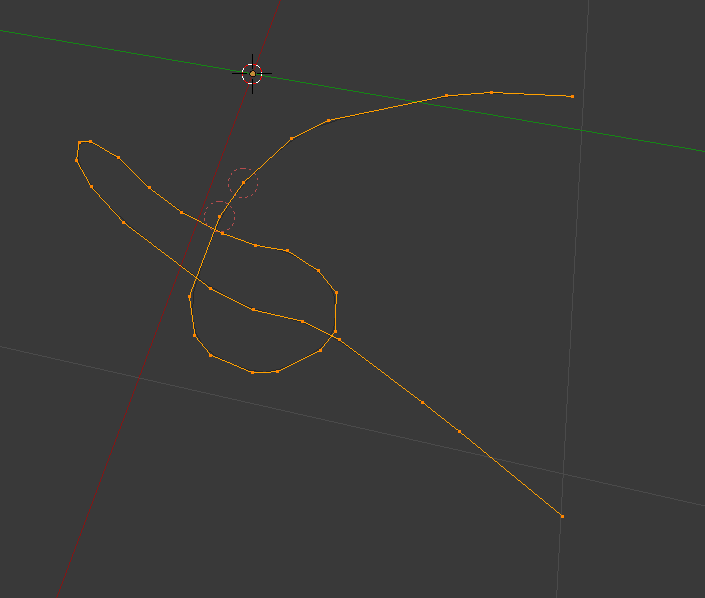 @Thatsimokid I think the best looking way to model a knot would be to make it as close to the real thing as possible. You could make a knot out of a curve and then extrude it. Like this (little rope thing as an example): to
 -
Re: Game Asset | T-28 Heavy Tank | University Assignment | Loads of images, warning!
 Push it lower. The antenna's should use alpha maps (thus should only be 1 tri). those extruded lines on the back have got to go. I think ur underestimating the power of normal maps.
 -
Re: Dumbest mistakes you've made in 3d?
 ..I did all of them I think...haha here's mine....thinking that I could model anything just using by using adobe illustrator, and exporting vectors to max, then extruding faces...model done!
 -
Re: Modeling shoe laces, boot laces... etc.
 What I do is similar to Emil's method. I use some lines with sharp corners and add extra vertices where the laces are bent, then subdivide and extrude. Here's a pic from a recent model of mine:
 -
Re: Issues with Merge Vertex Tool in Maya
 I had a few verts pull that a while back, find a bunch of them, and merge to center. If that doesn't work, grab the edge and extrude it, see what it was doing (is it all messed up?) then kill it with fire or delete it.
 -
Re: Workshop # 1- alexl
 What I did was create the outside with plane shift-extruding, then boolean the holes out, then you can use a shell modifier with the inner amount set to the right amount, then add edge loops on the inside of the circles.
 -
Re: Optimus Prime
 [ QUOTE ] that is really cool, I would really like to know your process for modeling this, especially the tread in the tires. -Neil [/ QUOTE ] for the tires, i model the thread flat, extrude the bumps and then bend the track on 360
 -
Re: Maya - How to scale two edge loops equally?
 If you want to add even edgeloops to an odd shape you can do it using extrude and adjusting the offset value https://twitter.com/sprunghunt/status/1335050347841130497
>3549 results