Search
-
Re: [Riot Creative Contest 2017] - Callum Faulkner

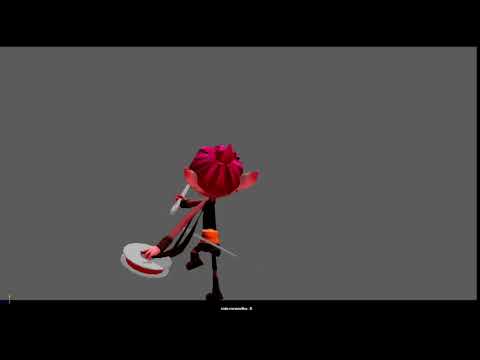 Reply by calllum · · Home› Contests & Challenges Archives› Riot Creative Contest 2017› Riot Creative Contest 2017 - AnimationQuick Update, Changed the initial lunge to a arc, started cleaning up some of it. added in a quick constrain to the thread to show it attaches to the enemies, though this doesn't look to good. https://syncsketch.com/sketch/17d009553a74/#322302 https://www.youtube.com/watch?v=5DlLF0N_nfg
 -
Re: Most useful shortcuts nobody knows
 maya ctrl click one of the arrow to constrain the axis when moving, for example ctrl click y axis will change the 'yellow box' in the middle to xz plane, so it will always stay on the ground when you move something from perspective view.
 -
Re: Maya like camera movements in 3D Max?
 those buttons are all I use to move the cam in max, middle mouse: grab and move view up/down left/right ctrl+alt+middle: zoom in/out alt+ middle: rotate shift+rotate/move cam- constrain to first axis you move on are there any other controls you refer to?
 -
Re: Modeling with just a few specific polygon shapes (so they keep their proportions)
 For the brute force approach. I would make a rough camel-shaped model, and N "mirror" thin-box pieces, then constrain them to the camel surface, duplicating and sliding them around as needed. Then just select all the inner faces of the boxes and make the lowpoly from that.
 -
Re: Can do Edge Slide & Clamp in 3ds max ?

 Yes, you can Edge Slide in max. You need to use Constrain to edge and move the edge around. I am pretty sure you can also clamp but not sure where, haven't used Max since I moved to blender last year.
 -
Re: Crits please! Uberren's portfolio.
 I think it is super solid! It is very constrained to that art style, but it seems like it is what you want to do :) Start applying, you aint gonna have problems ;) Awesome work man! Maybe consider doing some character art in the same style?
 -
Re: [3DS Max] Rigging and Bones
 It doesn't actually make any difference as long as it's all zeroed out.. I imagine that later on in the videos they're constraining everything to point helpers etc. - the orientation of those is what will affect user interaction. If in doubt though - do what Paul neale does ;)
 -
Re: What Are You Working On? 2013 Edition
 Here's a painting I kinda forgot about a while back so I picked it up and tied the knots together. It was great fun to do. I just felt like mixing different styles and working without constrains and this is what came out :P I'm calling it "I told u so" for no apparent reason at all *_*
 -
Re: T Pose
 I agree with kanga. Your pipeline should allow the modeler to choose the best pose for deformation, which is an A-Pose. As Mark Dygert stated, the rig pose and the bind pose don't need to be the same. I use the T-Pose for rigging and Mocap import, the exportskeleton, which is only constrained to the rig is skinned and…
 -
Re: What is wrong with this image
 I actually really like the image i have no complaints about the posturing, people do in reality act and move in all sorts of ways and the positioning as we see it now is believable. Its good that the image doesn't constrain its self to much to artistic rules. I like the lighting and the dual split between characters.
>8071 results