Search
-
Re: Understanding averaged normals and ray projection/Who put waviness in my normal map?
 Hey everyone, just read through the entire thread and looked up some tutorials to make my own normal maps, but they all turn out looking like this: Does anyone know why this is happening? I followed this tutorial to the letter, but my result didn't turn out that way…
 -
Re: Understanding averaged normals and ray projection/Who put waviness in my normal map?
 Thanks for the wayback link @willdebeast, that made it a lot easier to replace the images. The links were lost when dropbox nuked the public folder feature. Of interest to most who will read this thread, I wrote an extensive tutorial that covers this topic and many other common baking issues. It's geared towards baking in…
 -
Re: Understanding averaged normals and ray projection/Who put waviness in my normal map?
 @Artbyv This is the tutorial Im following ATM, and still the same results. I feel it has to do with averaging my cage, in the video he does not average his cage he only pulls the normals out. If I just pull the normals out and leave the normals of my cage hard I get the typical seams along the edges. If I soften the…
 -
Re: Understanding averaged normals and ray projection/Who put waviness in my normal map?
 3 Point video tutorials! Between yourself and Perna and Vahl you'd make a fortune :) Plus it would be good information.. there is a lot of mediocre half correct training material floating about these days.
 -
Re: Understanding averaged normals and ray projection/Who put waviness in my normal map?
 EQ be my valentine :) seriously thanks for this man, been going through the wavy cylinder thing recently and that has just helped me so much, I concur that you 3 point folks should get some video tutorials out there.
 -
Re: Understanding averaged normals and ray projection/Who put waviness in my normal map?
I'll give this a go. I'm a Maya user and can only find tutorials on this for 3DS Max due to the tessellation modifier 3DS Max has. Is there any kind of plugin for Maya for this? Would just be cumbersome for me using 3DS Max just for that modifier hah. -
Re: Understanding averaged normals and ray projection/Who put waviness in my normal map?
 hey guys. ive been searching on polycount about this problem and i noticed that there isnt a clear answer that what is the solution. ive got this problems on all my models. would be nice if someone could give out a video tutorial about that(max if possible). thanks. here are afew examples of my models:angry: :
 -
Re: Understanding averaged normals and ray projection/Who put waviness in my normal map?
This was some great information. I am still a rookie at modeling, high to low poly modeling in particular and I noticed that you mentioned creating a "model for your low", which I assume is a thread similar to this or perhaps a tutorial. Regardless, I'm having difficulty finding it. Could you post a link please? I would… -
Re: Understanding averaged normals and ray projection/Who put waviness in my normal map?
 Long story short. You don't have enough bits per channel to accurately represent the normal map. Look at this interactive page, you can clearly start to understand why you are getting those artifacts. http://www.cambridgeincolour.com/tutorials/bit-depth.htm Solution: Don't save normal maps as JPEG. Save them as TGA. If you…
 -
Understanding averaged normals and ray projection/Who put waviness in my normal map?
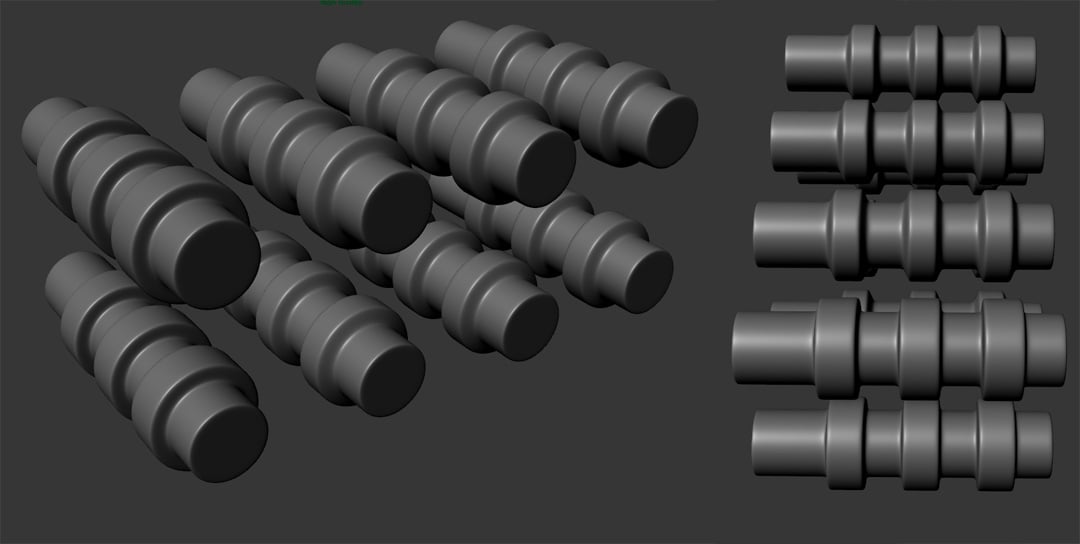 Of interest to most who will read this thread, I wrote an extensive tutorial that covers this topic and many other common baking issues. It's geared towards baking in Toolbag, but most of the Basics and Best Results sections apply universally. Check it out on the Marmoset site:…
12 results