Search
-
Marvelous Designer. Some noob questions...

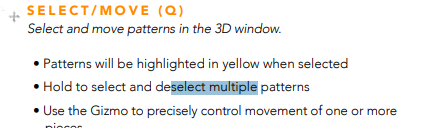 Hi! I recently started learning marvelous designer, and I'm already got stuck on basic controls. I can't for the life of me figure out how to drag and select multiple objects in 3d view! It says right here in the manual: But no matter what I try, it doesn't work. Selection rectangle doesn't appear. I can only click on…
 -
Re: Marvelous Designer. Some noob questions...
I'm really struggling with the camera in MD. I can't seem to find a way to center its pivot on a certain object. Only when I directly click on something and place a gizmo dot it starts to rotate round it. But as soon as I deselect, it goes back to rotating around god knows what and controlling it becomes a real pain in the… -
Re: Marvelous Designer. Some noob questions...
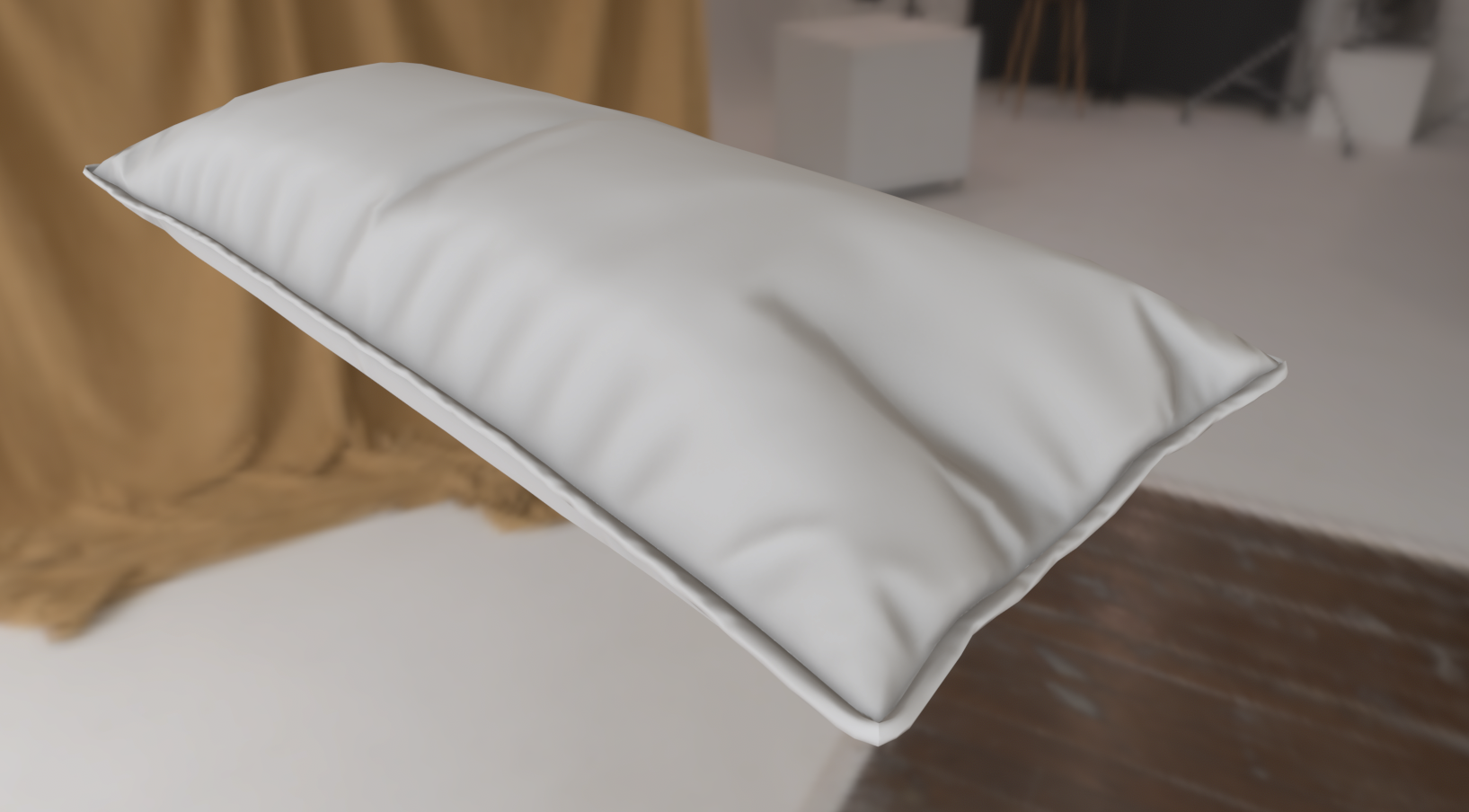 Thanks for the advice! I guess making the piping in maya along the curve of the seam would've been easier, yeah. I already made them in MD the way I mentioned before - by creating tubes from separate rectangles and then stitching them to the edges of pillows. I then switched them to quads, exported as highpoly; reduced…
 -
Re: Marvelous Designer. Some noob questions...
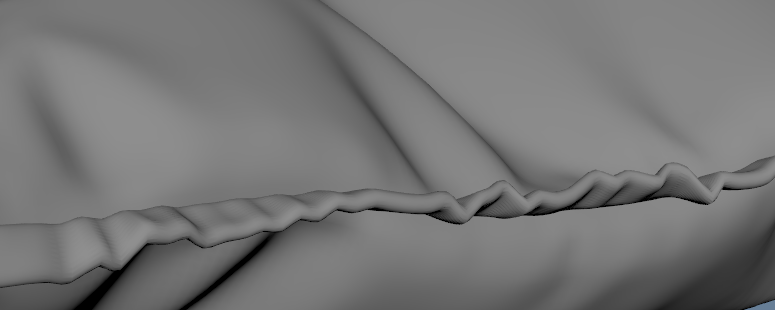 I have another question. Can I somehow create a low-poly mesh for piping? I want to make sofa pillows with thick piping along the seams. The problem is, however, is that I can easily make a low-poly version of the pillows themselves inside MD, but I can't seem to find a way to reduce the topology for piping. And doing…
 -
Re: Marvelous Designer. Some noob questions...
 I never had to make pillow pipings but when I need do to similar small seam-adjacent details I leave them as seams (or even use proxy piping if I need their volume to affect something in the simulation) and when the garment is ready: 1. I export it to my 3D software of preference without any proxy pipings if I used them.…
 -
Re: Marvelous Designer. Some noob questions...
They meant hold the key then click on the objects. It's quite possible the docs are outdated or they just failed to review it and omitted "shift" from the "Hold to..." sentence. Q doesn't work here either, but I'm using MD on Linux through wine so things can be a bit different. You can use shift instead, that's the default… -
Re: Marvelous Designer. Some noob questions...
I'm sorry for this misunderstanding, I'm not accusing you of anything :D I just naturally assumed that "hold to select multiple objects" means a selection rectangle... like... in literally every other piece of software on planet earth. -
Re: Marvelous Designer. Some noob questions...
You have to ask the devs. I'm not responsible for their choices nor the docs, which I agree aren't good. Where is it written in the manual MD supports click and drag to select in the 3D viewport though? Because there's nothing in the screenshot you posted. -
Re: Marvelous Designer. Some noob questions...
Hold what? Q? Holding Q doesn't do anything. Holding control and clicking selects multiple objects. That's not what it says in the manual though. If there's really no way to use selection rectangle to select multiple objects in 3d view - that's just stupid. Why not? :\ -
Re: Marvelous Designer. Some noob questions...
As far as I know there's no way to drag and select in the 3D view, and the manual doesn't seem to imply there is. You hold and click.
10 results