Search
-
Re: Low poly baking issues (NEW)
 If the rotation isn't applied to the mesh you can work in local axis mode by either selecting it in the transform orientation dropdown in the viewport header or by pressing the axis shortcuts twice if you leave it as global. It works even when you constrain the scaling to two axis by pressing shift+axis letter. Example:…
 -
Re: Low poly baking issues (NEW)

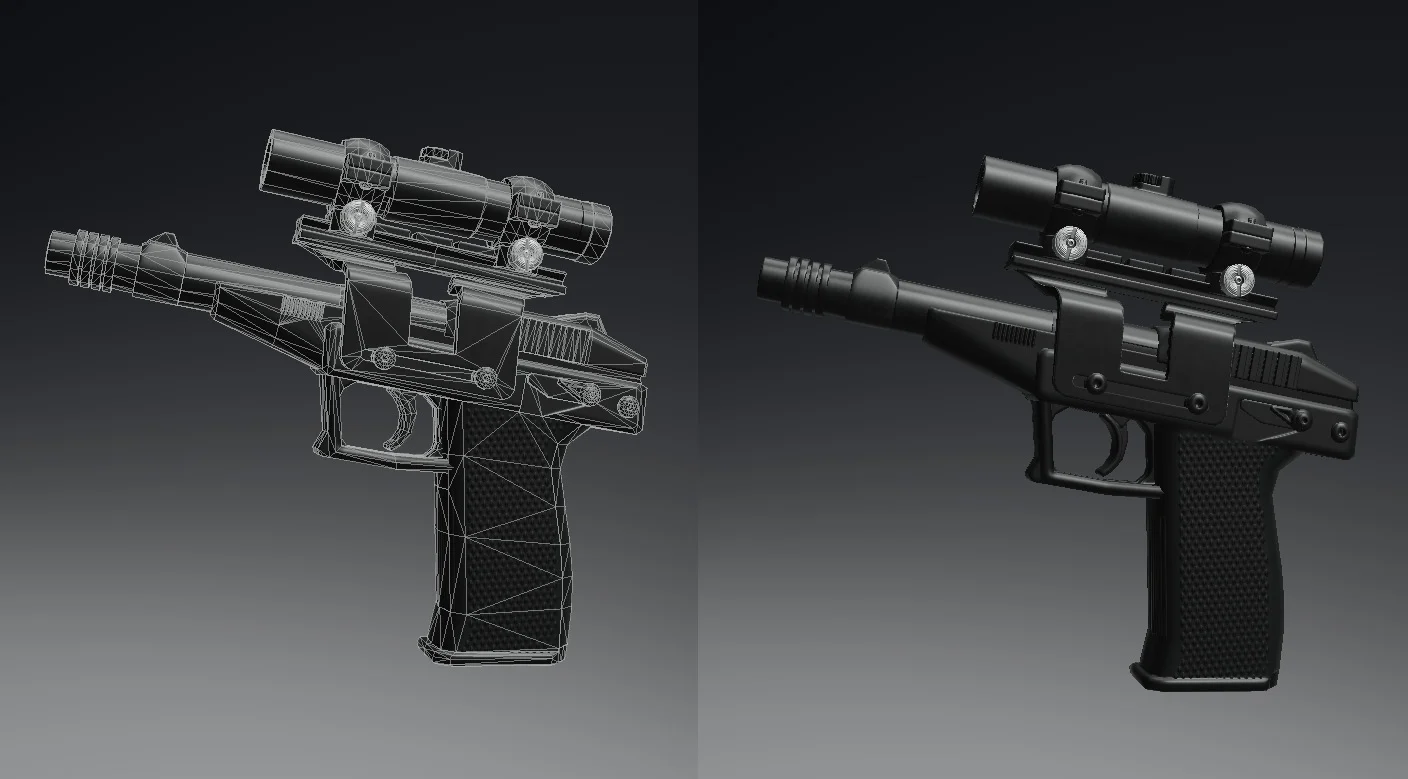 Thank so much , really appreciate your time! I should clarify, * The reason it's faceted (not smoothed) in the Blender file is because I was only focusing on trying to find out where/why the stray verts are coming from. Before i noticed the problem, I had been Smoothing and Triangulating it all for export as .fbx file. My…
 -
Re: Low poly baking issues (NEW)

 If it shows up in Blender, then select it in UV sync mode, that way it'll also select it on the model and from there you'll be able to identify the problem with your geometry. But if it isn't displayed, then it's probably some other geo issue that you'll need to find through some other kind of inspection. And of course…
 -
Re: Low poly baking issues (NEW)
"The .fbx file you used is exactly the same as the one i have used..." Nope, there is no such thing as "the same as the one you used" because FBX exporters have dozens of features, and my own default scene setup is at a scene scale and units very different than yours - meaning different exports. And, as a matter of fact… -
Re: Low poly baking issues (NEW)
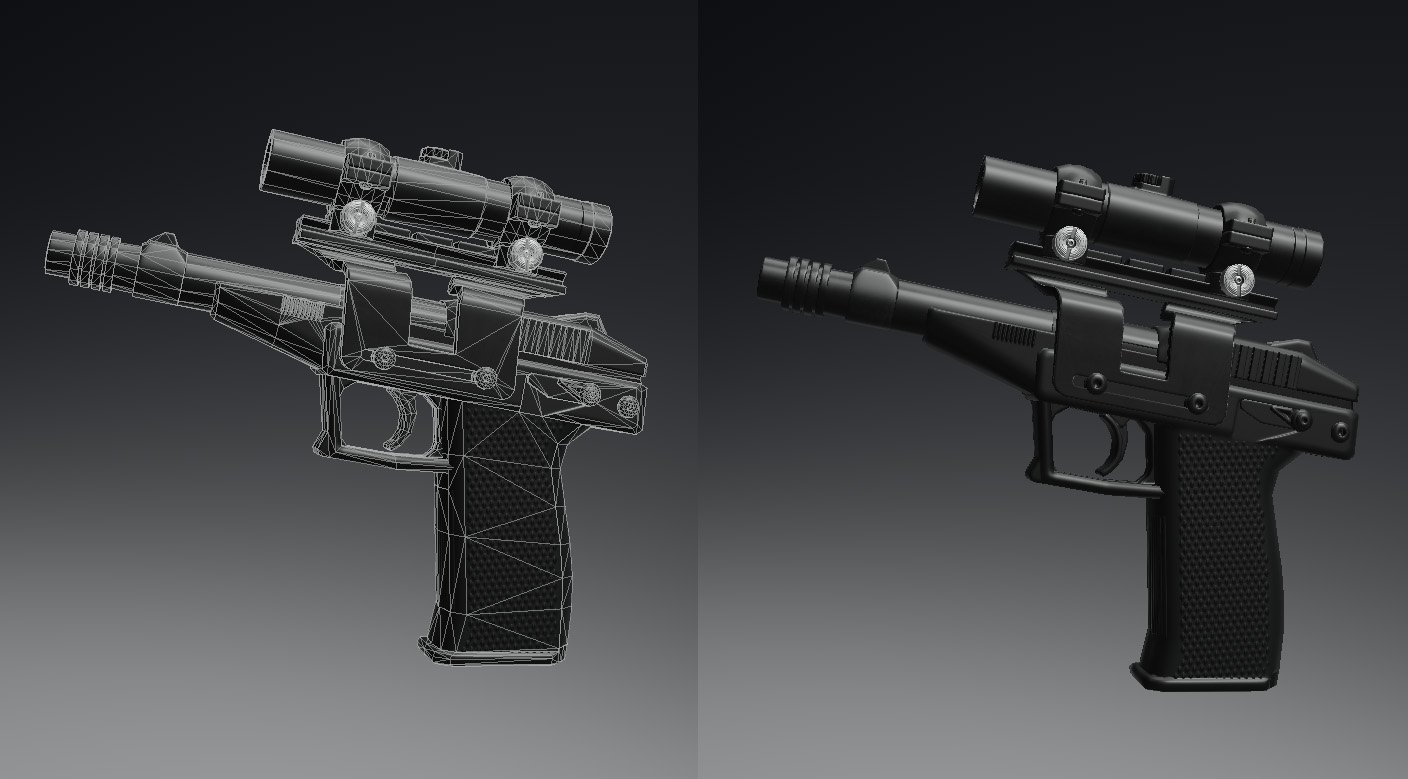 Thanks, i'm still new to blender so haven't learnt about baking in that. I don't have Toolbag. I'm gonna try separating the cap as you suggested, I was working on my own assumption that keeping things connected together as UVs as much as possible was the 'right' way to go, for no other reason than it 'felt right' >_<…
 -
Re: Low poly baking issues (NEW)
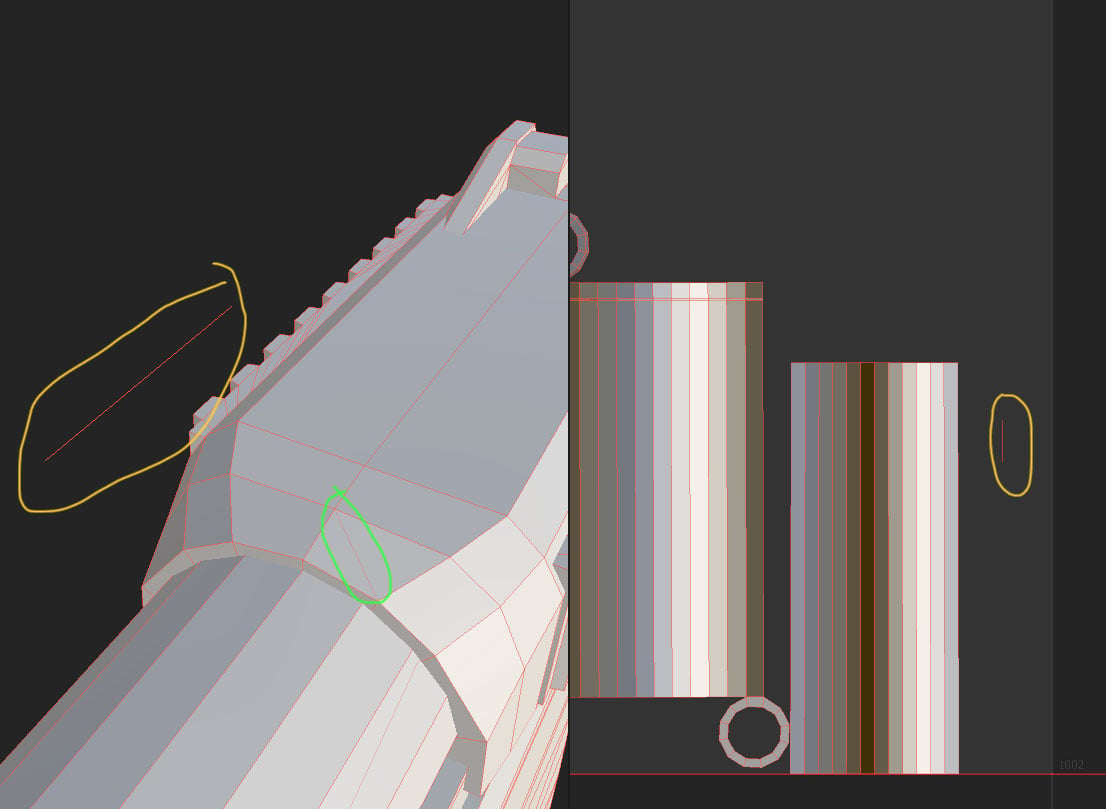 SCRATCH ALL THAT... the vertices will just appear randomly no matter what. Deleted the (what i thought) was the issue part from the scene in Blender. Exported it.... Now i just get the vertices (circled orange) appear on another part of the mesh, and i spotted an edge (circled green) that is just randomly there despite not…
 -
Re: Low poly baking issues (NEW)

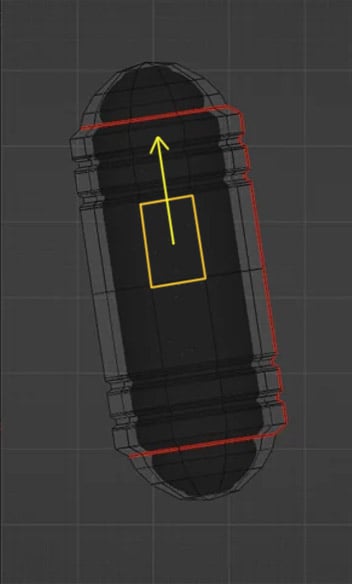 In Blender you can move edges, edge loops and vertexes along any edge direction ( with auto UV correction). So world or local coordinates , axis being tilted it's all irrelevant . You just hit G double time + Alt and hover over an edge you want as a sliding direction and get yellow track lines appearing representing…
7 results