Search
-
Trimsheet normals inverted when rotating UV islands

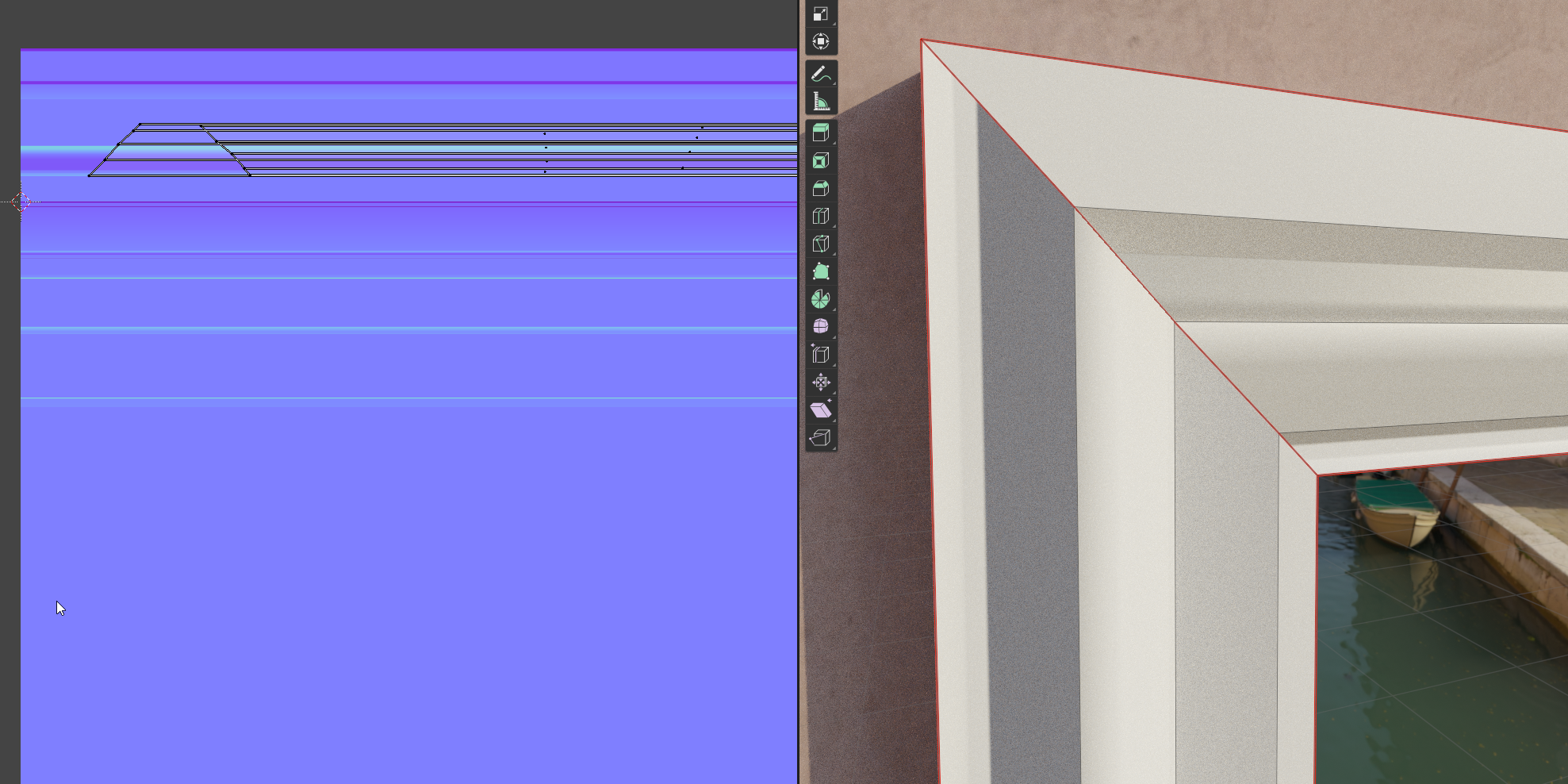 I find myself stuck with a mistery that is making me loose hours of work without any progress whatsoever figuring it out.I'm making a modular environment and I'm making some trimsheet textures. In this specific case let's take a door frame made of three pieces (two vertical, one horizontal on top. Everyting is cool and…
 -
Re: Trimsheet normals inverted when rotating UV islands
 @birb I tried rotating in object and edit mode in every way I can think of, but it didn't invert any normals, as it should be.
 -
Re: Trimsheet normals inverted when rotating UV islands
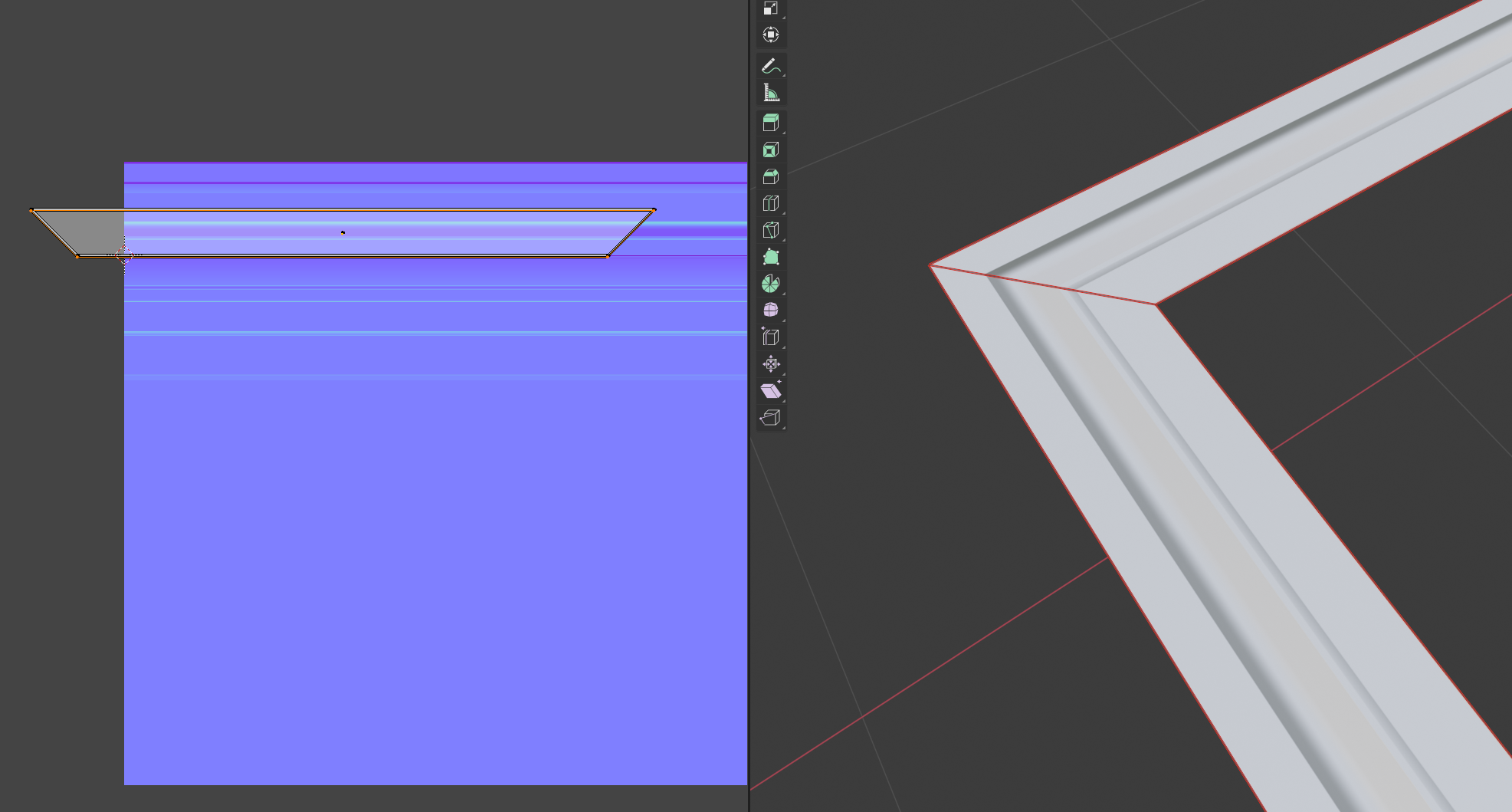 I agree, it doesn't make sense. I cannot recreate this either, it's working as expected for me. Did you rotate in edit mode or object mode and applied transformations? Which version of Blender are you using? I guess there are no modifiers on the object?! Would be best if you could share an example file.
 -
Re: Trimsheet normals inverted when rotating UV islands

 Rotating the mesh components doesn't necessarily have the same effect as rotating the normal map or the UV islands. If it did then tangent space normal maps wouldn't work on anything other than static objects because in-game meshes are often required to deform and rotate. The assumption that the UV islands and normal map…
 -
Re: Trimsheet normals inverted when rotating UV islands
 I was told the same in another thread! I actually thought about that in the beginning, but I dismissed that theory thinking the conversion from tangent to world space wouldn't be affected by the rotation of the UVs. I did another test and turns out that's what it is. So now I'm wondering if there's any way I can get an…
 -
Re: Trimsheet normals inverted when rotating UV islands
You can't just rotate a normal map. The texel values need to change as well because they represent vectors and not colors.e.g. if you rotate a red texel (facing right) 90° it should become green (facing up or down, depending on whether this is a normal map following DirectX or OpenGL conventions). Blending and painting… -
Re: Trimsheet normals inverted when rotating UV islands
 Now it makes sense, I recommend to develop a habit of looking at your stuff in different lighting conditions frequently. On a side note, you can use a RGB curve to change the normal swizzle.
 -
Re: Trimsheet normals inverted when rotating UV islands
I've had similar f'd up mesh orientation dependent normals with some random assets that I've had to deal with inside UE4. Rotating them in the world normal debug view you could clearly see that the normals change based on the angle. Importing the mesh to Max and resetting explicit normals (and then re-doing correct… -
Re: Trimsheet normals inverted when rotating UV islands
 @FrankPolygon this is gold, thank you! I've thought about it more since the first two answers, and indeed I came at the conclusion that it didn't make sense. If normals couldn't be rotated then they would be world space normals, which are an entirely different thing, and it would mean that any object with a normal map…
 -
Re: Trimsheet normals inverted when rotating UV islands
 Tried it out myself, I get the same results at @TheSteamDyer. Here's a maya scene for others to check it out. Keeping an eye on this to see what the quirk is. https://www.dropbox.com/s/nrphhrexfc63daw/wonkytrim.mlt?dl=0
20 results