Search
-
[Maxscript] Script not functioning with macroscript.
 So I have a basic maxscript or command that I am building out a context sensitive script with later on which is here: if selection.count >= 1 do<br> collapsestack selection Which works as intended when Evaluating it through the script editor. It will collapse the stack no matter what down to my editable poly. Which is what…
 -
Re: [Maxscript] Script not functioning with macroscript.
Okay awesome, I tested it with a toolbar and it worked. Turned the keyboard override off and it worked, same with the active checkbox. I see what you meant now thank you @monster. As I'm building out this small script I basically wanted the the Extrude tool to function when in face mode and the stack to collapse when in… -
Re: [Maxscript] Script not functioning with macroscript.
 There's nothing wrong with your script. So it has to be a hotkey conflict. Here's some things to debug: * Putting your operation on a toolbar and see if it always work. * Turn off Keyboard Shortcut Override Toggle and test * Disable the "Active" checkbox in the Edit Poly Group.
 -
Re: [Maxscript] Script not functioning with macroscript.
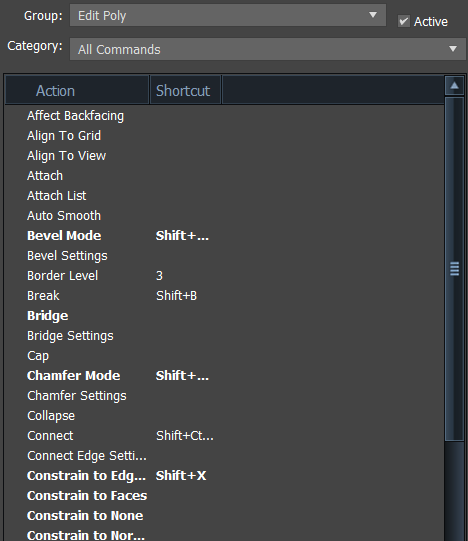 Okay so I went through the Edit Poly group as well as the category of the same. Basically all the ones relevant that I could find and this is what I found. This one is the Main UI group with Editable Poly Object group selected. Upon pressing that hotkey it does nothing to my stack regardless of top modifier. I was able to…
 -
Re: [Maxscript] Script not functioning with macroscript.
Look in the Edit Poly Group and Category to see if that hotkey already is in use.
5 results