Search
-
Anime Process + Shader Techniques

 Been doing lots of studying lately on making shaders and have decided to go the route of making an anime shader for Unity in the style of both 2D anime (in order to achieve a particular look) and also a shader in the style of Zelda Botw (in order to learn how to do fancy lighting stuff with ramp shaders.) Here's 2…
 -
Re: Anime Process + Shader Techniques
 Did you check out Unity Chan toon shader 2.0? it's a pretty great shader implementation for Anime style, and you can see the full source code. (it was created using shader forge, with a bit of manual coding)
 -
Re: Anime Process + Shader Techniques
 That's a complex subject. Anime look are actually full of exceptions, see for example the eyebrows that are on top of everything. That's the same for the lighting : 2D artists will simplify a lot the lighting scheme and also won't be steady in the way they apply them which is the exact opposite of how a standart shader…
 -
Re: Anime Process + Shader Techniques

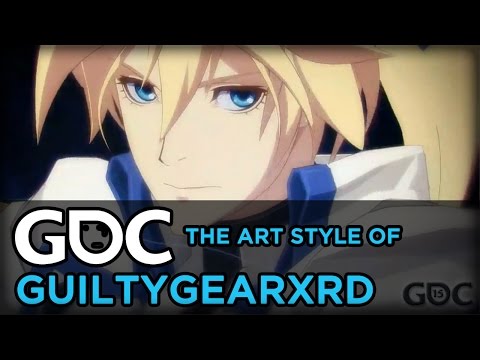 For reference, the Guilty Gear Xrd GDC presentation is this: https://www.youtube.com/watch?v=yhGjCzxJV3E They mention a few things in there, maybe this helps: - They preferred to use vertex attributes (colours and normals) instead of textures to store information because it was easier to edit (instant feedback) and these…
 -
Re: Anime Process + Shader Techniques
 Sorry, I didn't realize -- yes, exactly that -- I know enough that I can make rudimentary shader code, I'm just looking for operations/math/advice/direction/etc that might help me to achieve something like the above images/examples, especially with the constraints I've mentioned (performant enough for many onscreen chars…
 -
Re: Anime Process + Shader Techniques
 @RN Despite remembering them saying that stuff, apparently I still really needed an experienced eye on that video to help me see what I was missing/overlooking in shader terms (still very new to shader design), so thank you! I forgot to mention I'm trying for a lower-poly version of this technique (so your initial advice…
 -
Re: Anime Process + Shader Techniques
Excellent advice. That's the idea. I just wanted to be sure I started with the right fundamentals and guidance to take me down the path to the place I want to eventually arrive. After all, practicing something poorly leads to being an expert in poor practices. This is unfortunately all too common in the indie world, so… -
Re: Anime Process + Shader Techniques
 Doesnt shaderforge support outlines by default?
 -
Re: Anime Process + Shader Techniques
 After studying the shader to the left extensively (along with other various tutorials), this is the result: It is still a little ways away from what I was going for. First off, nice dark outlines done in the style to the left are hard to achieve on low-poly (there are angles where they appear broken, looking something akin…
 -
Re: Anime Process + Shader Techniques
 Right on - so in my opinion what you have to do at this time is not so much diving in and trying to recreate any fancy shader, but rather, using a very simple one (with just a hard light/shadow separator, and without advanced light pooling control or highlights for now) and see if that even works well visually with your…
22 results