Search
-
Re: Brush group organizer for Photoshop - MagicSquire panel

 Sweet! :) Those are good ones! The profiles and data folder path editing will come with one of the new versions! And yes, just published the new update! It brings in more display modes for brush/tool lists. Click the new button to switch between them.Also you're able to assign custom colors to the groups by manually…
 -
Re: Brush group organizer for Photoshop - MagicSquire panel
 New update! MagicSquire 2.3 is out now! Magic Eraser - convert any Tool or Brush into an Eraser with one click! Keeps shape and other parameters. WHAT'S NEW: Magic Eraser - turn any Tool into an Eraser, Advanced Group Export to .tpl/.abr with cross-conversion, new Color Picker for Groups, more! - Alt-click now works with…
 -
Re: Brush group organizer for Photoshop - MagicSquire panel
Thank you for the feedback guys! :) Glad you liked it! More features are coming with the next updates! -
Re: Brush group organizer for Photoshop - MagicSquire panel
Thank you for the request! Sure, the extended Photoshop Tools support is coming with one of the next updates! It will include Eyedropper (right now it supports only "drawable" presets like Mixer Brushes, Smudge/Dodge/Brush tools etc.) please stay tuned! Please let me know if you have any other… -
Re: Brush group organizer for Photoshop - MagicSquire panel
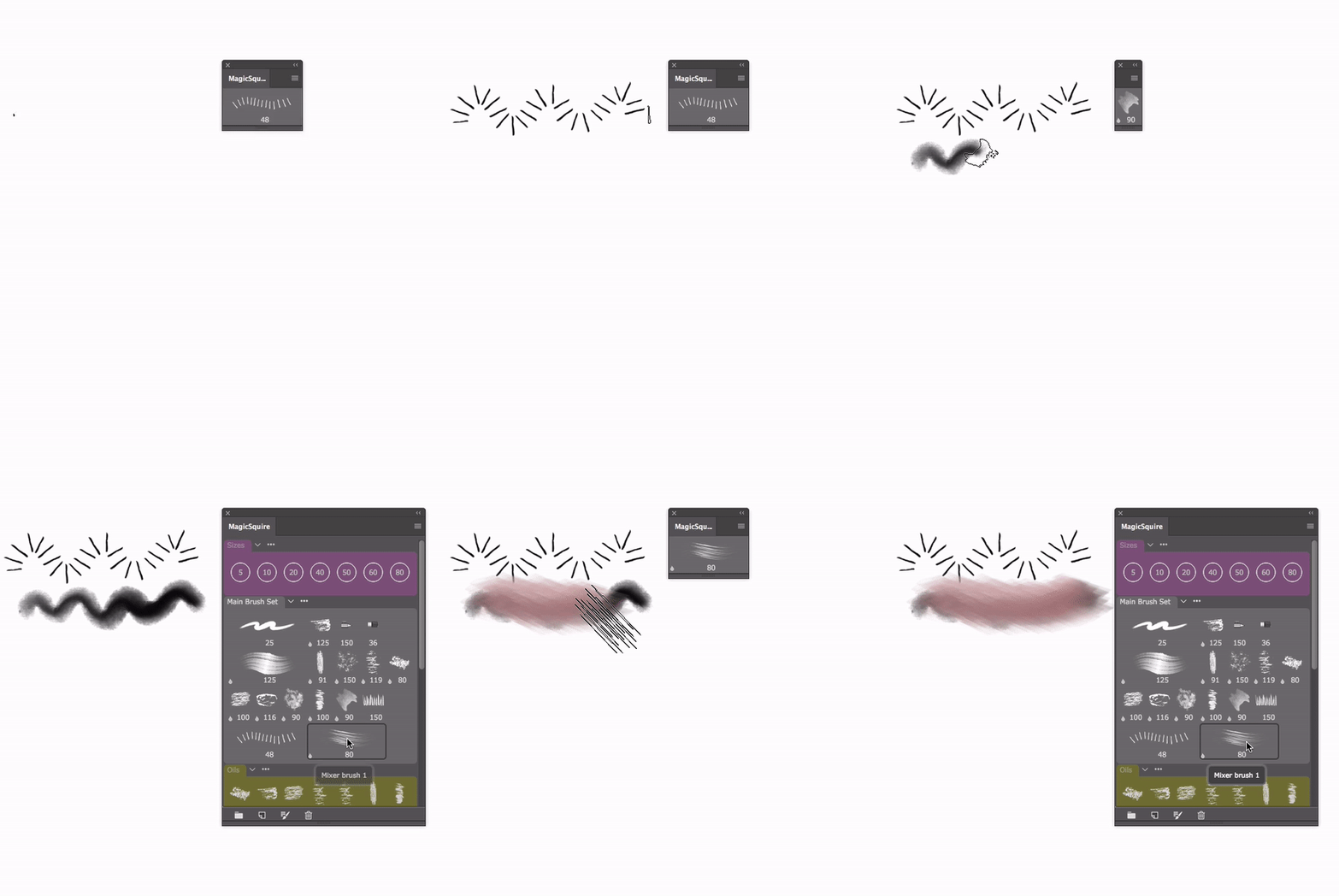 New update! Version 1.3 introduces innovative Compact Mode that lets you use MagicSquire instead of right-click Brush preview in Photoshop! Keep panel in a form of small icon with current Brush preview and expand it to full view by hovering your mouse over it. Also in this version:- ALT-click the brush to use it as a Tool.…
 -
Re: Brush group organizer for Photoshop - MagicSquire panel
 New version 1.7 is here! It brings 2x-5x performance improvements, ability to load multiple brush files at once, new default group colors! What’s new: – Various optimizations and speed improvements to UI & loading brushes, in many scenarios speed improved by 5x, especially on Photoshop CC 2014/2015/2017 – Loading of…
 -
Re: Brush group organizer for Photoshop - MagicSquire panel
 MagicSquire is an extension for Adobe Photoshop CS5/6, CC, CC 2014, CC2015, CC 2017, CC 2018. It gives you much more flexibility and more features than Photoshop does. - You can assign colors to brush groups - Update existing Brush Presets - Search Brush/Tool Presets by name and then work with them: - Display preset…
 -
Re: Brush group organizer for Photoshop - MagicSquire panel
 MagicSquire 3.1 & 3.2 updates are live! – NEW! Right-click on the brush to quickly move it to any group, pick group by name – NEW! Directly drag’n’drop .abr and .tpl files on the panel to load them as groups! Works only on Photoshop CC and higher – Added new option in the menu – “Optimize brushes” that rebuilds brush…
8 results