Search
-
Re: Animating lowpoly grass clusters
 Do just that: keyframe animate/clone/offset the keys. This is basic animation. Do you have any experience animating? Export to sketchfab as .fbx and bake the keys. The sketchfab site has a set of simple guidelines to follow.
 -
Animating lowpoly grass clusters

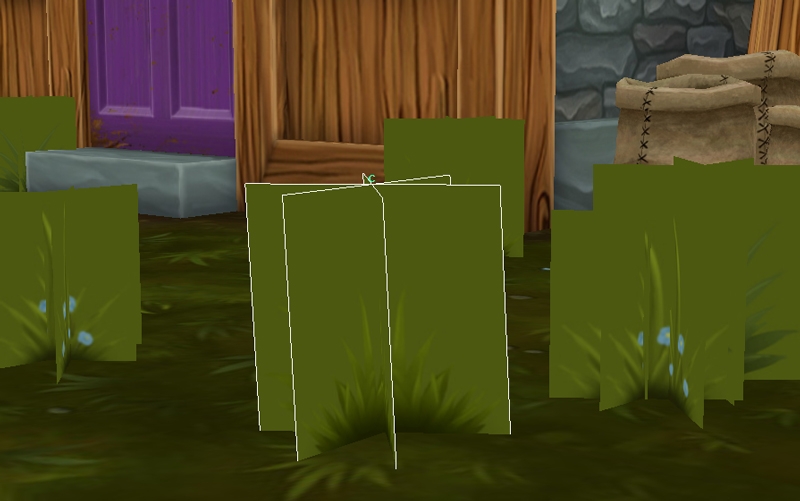 I have a lowpoly scene with clusters of grass that I want to put a little sway into. How do I do this so that I can just duplicate the grass and offset the animation here and there? Or am I doing this completely wrong? Suggestions?
 -
Re: Animating lowpoly grass clusters
Duplicating the object doesn't bring over the animation because I'm animating a cluster of vertices at the top of the grass. If I make the duplicate an instance I get the animation, but then I can't offset the animation because its all driven by the first cluster (unless I'm missing something there). Now, I can Duplicate… -
Re: Animating lowpoly grass clusters
The issue with both of those ideas (and I think instances will work once it's saved out for Sketchfab), is that all the grass would be waving at the same time. I need to be able to offset the animations. -
Re: Animating lowpoly grass clusters
 It looks like they might support instances, have you tried that? Another solution is to combine all your grass meshes into a single one, and then either bone or cluster animation for the whole set. You'd only need one cluster/bone (well, two bones), but you can't rotate them. Or blend shapes.
 -
Re: Animating lowpoly grass clusters
The trouble is that Sketchfab animation is limited like most game engines in that you can't import constraints/custom attributes/controllers/etc. It only accepts baked vert anim from bone hierarchies. -
Re: Animating lowpoly grass clusters
I apparently wasn't very clear-headed in my previous reply, sorry about that. @KeirKieran SouP has a TimeOffset node, but it connects to a shape node, which you're not going to be able to do with instancing. Gonna agree with musashidan that all the grass meshes will need to be unique anyway. So this TimeOffset node would… -
Re: Animating lowpoly grass clusters
 Can you place a bone at the top of each grass clump, then drive those bones with an animated noise pattern?
 -
Re: Animating lowpoly grass clusters
Yes, Eric, I'm on Max aswell but I know that Maya/Max .fbx process is pretty much identical for SF. So any controllers driving bones, and ultimately verts through skin mod, will bake. -
Re: Animating lowpoly grass clusters
No, that won't work for Sketchfab, but I'm just using Sketchfab as an easy export/display. This video is really great and I'll definitely work through it. Thanks a lot.
15 results