Search
-
Re: Physically based rendering in games
 @almighty_gir if your using the cubemap blur technequne that was posted in post #154 did you change the custom code to point to lod instead of bias? in the custom node changereturn texCUBEbias(PixelTextureCube_0,float4(BiasInput, rough)); toreturn texCUBElod(PixelTextureCube_0,float4(BiasInput, rough)); that seemed to have…
 -
Re: Physically based rendering in games
Hi, I just fell on the thread's link on facebook. I am a lighting artist and I have been working on Remember Me with Sebastien Lagarde. We just did a session at gdc europe talking about how we used PBR to match the concept art. We just uploaded this video that shows the different textures (and 2 debug view modes to spot… -
Re: Physically based rendering in games
Well several things: 1. UE4 is still in development. Even based on public information you can see they changing lots of things. 2.In general, PBR is simpler. I dunno how you would find contructing hacked materials that suppose to looks nice be cheaper than simple PBR material that consist of 4 nodes ? To be perfectly… -
Re: Physically based rendering in games

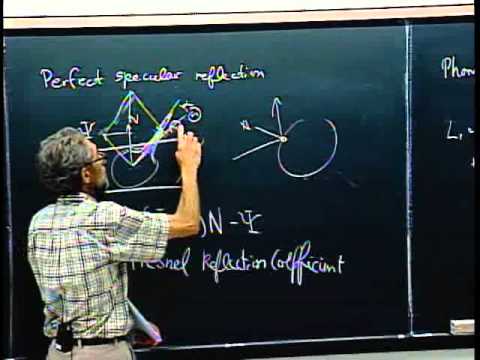 Not sure how useful this is, but it seems like it provides a good understanding of how the new shading model works, including the code. Even though I don't do any coding, I love learning about new things we may see, as well as staying up to date. [ame=" Reflectance Distribution Function - YouTube[/ame]
 -
Re: Physically based rendering in games
Did you mean on this? Page 10 from course notes Edit: Beaten. -
Re: Physically based rendering in games
 you'd need to normalize that result right? so in code it's: float3 m = normalize(L+V) right?
 -
Re: Physically based rendering in games
http://seblagarde.wordpress.com/2011/08/17/feeding-a-physical-based-lighting-mode/ check out the X-rite passport Macbeth chart. -
Re: Physically based rendering in games
 in most of these cases m simply = ( L + V ) e: which is kind of confusing in shader code, since we define our roughness as "m" :V
 -
Re: Physically based rendering in games
 FYI here are the links to slides/course notes from SIGGRAPH physically based shading course 2012: http://blog.selfshadow.com/publications/s2012-shading-course/ 2013: http://blog.selfshadow.com/publications/s2013-shading-course/
 -
Re: Physically based rendering in games
ya because of this i tend to work on normals and lighting first, and flick back and forward between previewing my scene textured, and with just flat grey. the detail lighting mode for the ue3 viewport is very usefull for this
23 results