Search
-
Re: Photoshop lazybrush?
 I just tried Painter X demo and it seems to have gotten a lot better since the last time I used it, you might like the constrain to path option they have. Of course a lazy brush like what zbrush 3 had would be better. Alex
 -
Re: Chain array / spacing
 creationtwentytwo, did you ever pick up Modo? You could use the Constrain to Path and Duplicate script there's even a video tutorial on how to use it to make a bicycle chain. After that you could bake it down to a low poly model and animate the UVs/textures in engine.
 -
Re: Question regarding Rigging a character.

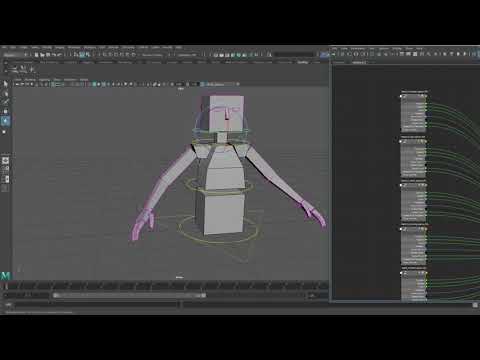 I don't have Malcom handy right now to check his, but it's a generic concept called Space Switching. The basic idea is that you have something constrained by multiple sources, connected to a custom attribute that toggles the weights for each source. https://www.youtube.com/watch?v=a4QlD7oPf6E
 -
Re: Maya: how to snap an object in the midpoint of multiple components?
Hey ned_poreyra, it's not as convenient as the 3D cursor in Blender but you can use a cluster to quickly setup a selectable/snapable object at an average component selection. 1. Select components 2. In the Rigging menu set, select Deform > Cluster 3. Snap or constrain object to the cluster Best, CJW -
Re: animating object within another (MAYA)
 thanks for the tips guys, unfortunately i cant really be specific as this is for contract work. Stradigos: would love to be able to do this in post however it's for realtime deployment so that one is ruled out. ended up strategically placing rivets on the outter layer then constrained them to clusters on the inner chamber
 -
Re: Tomus - Workshop
 I had to dicontinue this set due to time constrains on my side aswell of tehcnical difficulties which emerged (mainly not enough tris budget to give this set propper shape). Only thing that i saved is this sword which i have published today: colab & concept: ShorkGamer
 -
Re: Facial rigging - Baking animation from a parent to a child? (3ds Max)
 The bones (helpers) you want to export need to be constrained not parented to the offset controllers. Page 15 of the PDF you linked to. Maybe you can post a screenshot of the hierarchy in the schematic view so we can get a better idea on how you set up your scene.
 -
Re: Maya 2016
 If the house is supposed to be rough and rocky, this sounds like a good case for ordinary hardsurface modelling, and to test Mayas sculpting (will probably improve in the future). If youre not constrained, I would look into substance designer and/or painter for the map baking and texturing.
 -
Re: New ZBrush @ZBrush Summit
 No, I want to be able to select a single vertex and just move it. None of the brushes are good at that. Also, having to switch to a tab to constrain to an axis is bad; I know you can customize the GUI but still, it's like the stone age.
 -
Re: deleted
 We're lazy people; do you mind also posting your reference photos that you're using? regardless, I'd look into midpoly modeling. This may help you think about your modeling in a less constrained way.
>8071 results