Search
-
Re: Main Character Chick
 The zbrush bit doesn't need even poly distribution at all - you just want to make sure there are enough polygons in the areas you want to add the detail in. I usually subdivide certain areas on my mesh where I want more detail before I take it to Zbrush. This allows me to have enough polygons for super detail, without…
 -
Re: GTX 580
 Well, it may not be a problem with your card but rather with the software. Maya's viewport is honestly rather crappy and will start chugging when you get into the million polygons range on even the strongest computers. Viewport 2.0 is much better at polygon crunching though so check out if you still have performance issues…
 -
Re: How do hair cards render into hair & fur in game engines?

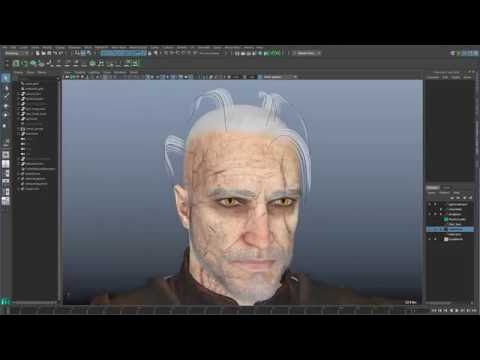 I dont have much experience with 3ds and especially hair in 3dsmax. However what i have seen most people do is generate hair clumps, which then get baked to polygons with an alpha map. With these textures already baked you then create your actual hair using polygon strips. Maya has tools to create spline based hair and…
 -
Re: Zbrush exporting insufficent memory...
 When it comes to retopologizing, you really only need enough polygons on the target to create the shape that you want the new mesh to conform to. There would be no need to export the highest subdivision with a few million polygons when more than half of those wouldn't even be changing the silhouette. As for decimation, it…
 -
Re: Marmoset Toolbag - MASTER THREAD
 A polygon is one sided, it's face normals only point in one direction. When viewed from the "back" in a game engine you will see right through it. To counteract this you make a duplicate of the faces that need to be seen from both sides and flip their face normals. So you end up with two polygons occupying the same 3d…
 -
Re: Questions for the pros
 I don't know how this works for other people, but as for myself, I always think of the kind of game that I want my model to be in, and then take screenshots or find other kinds of pictures; I model by level of detail rather than polygon count and it works rather well. The problem with a fixed polygon count is that if you…
 -
Re: texture sheets
 If 3ds Max, quickie way to apply two textures is to drag a material from the Material Editor overtop some selected polygons, select the inverse polygons, then drag a 2nd material onto them. Presto! Automagical multi/sub-object material. To output the wireframes as painting guides, you can use a feature within UVW Unwrap's…
 -
Re: Can you vertex paint nanite meshes?

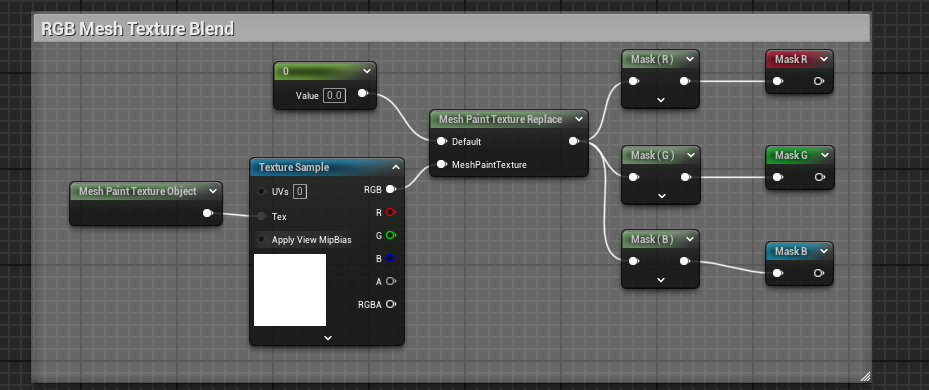 As mentioned you can vert paint nanite meshes, but you have to "apply" the vert paint which will make every instance of the mesh in the scene take that exact vert paint (any different vertex data breaks nanite instancing between meshes, ie be careful with spline meshes as each segment is not instanced and so on), so if…
 -
Quads Vs Tris
I've been trying to model very low polygon figures that can work in Poser (Stop moaning.), or be exported to a game engine. >5000 Polygons. The trouble is I've used to working mostly in quads and avoiding Tri's like the plauge, but game engines seem to require only tri's. A 2000 polygon figure istantly becomes 4000 Tri's… -
Re: Beginner Sculping, tips and suggestions ples
 Ohh noooo, using that merge trick is a bad idea.. You are creating so called "lamina" faces. Go to mesh > cleanup and set the cleanup effect to "select matching polygons" then uncheck everything and check "Lamina faces" and click apply. Notice how every polygon is being selected? Another way to find out, is to zoom in on 1…
>10645 results