Search
-
Re: Polycount website very slow?
 I thought it was just my crappy South African internet, but it's somewhat nice to see it's not only me. Getting this 9/10: "Error 118 (net::ERR_CONNECTION_TIMED_OUT): The operation timed out."
 -
Re: SOLVED: How to use already made diffuse in Quixel?
 the Albedo base map slot is the word you are looking for, at least for 1.8 and below. It's towards the bottom of the stack where you import all your bake maps before starting the project.
 -
Re: Question about UV grid size in 3DSMax?
 @TorQue[MoD] yeah mate. The added 1 pixel border in UE brings it back to 128 again. Even so, this doesn't relieve the fact that lightmaps are a f**ing pain in the arse! :)
 -
Re: [Portfolio] - Harley Wilson, Environment Artist
 Good site design. I really like it. Needs 140% more work (and only put up finished stuff) Never show WIPs in a portfolio. That's what a process blog or polycount is for.
 -
Re: [Maya] Aim constraint does weird things
 I had to put it to 90 from 138~ .. now it points right but I still don't understand why it's rotated after the aim constraint. Is something wrong with the values from the child?
 -
Re: Vray or Mental ray, for photo realistic characters
 Ironbearxl: Try turning up the subdivs on the lights and materials. Default should be 8. I would try 32 when testing and then turn it up to 64 or 128 for your final render.
 -
Re: wacom sensetivety
 I'm using: photoshop cs (1) wacom intuos 3 A5WIDE pentium4 3.2 HT 512ram gforce5 128 pen mode is smooth as a babies bum. no delayed trails here.
 -
Re: Strange UV error
Thanks for all your answers, it helped a lot. The simplest way I found was to resize the 1024 atlas to 128 and then map it on the models. Then switch back to the 1024 atlas, and it looks good enough. -
3ds Max/Zbrush: Proboolean + Dynamesh hardsurface workflow tutorial

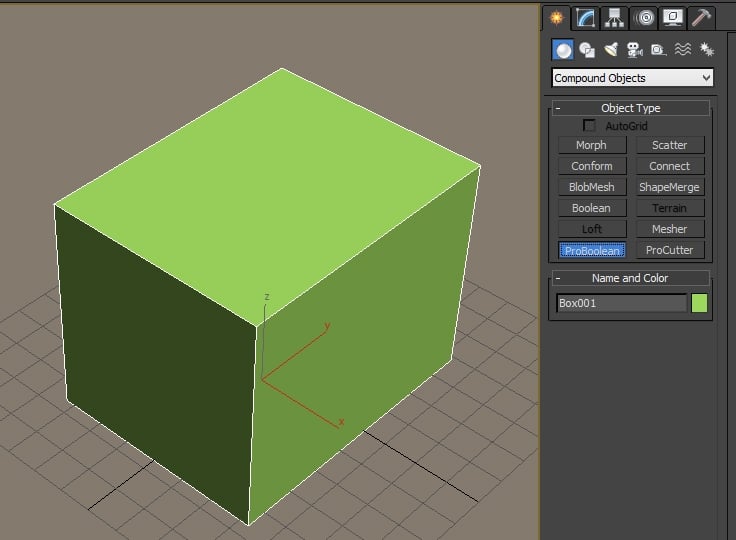 This is a process for creating hardsurface game assets, automating the highpoly and lowpoly stages as much as possible. Using this technique the artist can spend more time focusing on form design, less time on tedious operations relating to subdivision or optimization. I've been doing this for a couple weeks and received…
 -
Re: [Question] List of Cameras for Photo-sourcing Textures
 Yeah I recommend the 50/1.8 more for general photography and because it's so cheap. Its a great lens to learn about DOF control and things like that.
>2505 results