Search
-
Re: Crocotile 3D - a new 3d modeling tool that acts like a 2d map editor!
 v.1.2.9 * Added: new Object Mode Constraint option in the settings. When editing an instance of an object, this will prevent selecting/editing of tiles that are not part of the object. * Changed: The Active selection key binding is now Shift+Enter. There is also a new key binding for the Object Edit mode (Enter). When you…
 -
Re: Rigging help
 Got it fixed. just had to edit the leg in edit mode and move it forward a bit so now got it working.
 -
[3ds Max Script] miauu's Modifiers Presets

 miauu's Modifiers Presets allows you to create presets for almost all modifiers available in 3ds Max. The UI of the tool is embedded into the modifiers' UI. You can create as many presets as you want. Each preset can have its own custom notes(comments). The presets can be used across multiple instances of 3ds Max. Some…
 -
Re: Which 3D-Software fits our needs?
I tried to study Cinema a decade ago and came to similar issue with inability to directly control/edjt polygon shading, vertex normals, baking projection and do reliable export with edited vertex normals after that. But I remember there were a few 3dparty plugins for vertex normal editing that could fix all this… -
Re: do you soften or harden beveled edges on hard surfaces?
You need to split UV edge when you split vertex normals along an edge (i.e make the edge "hard" or in 3d max terms set different smooth group in adjacent faces. For a videocard it's no difference would you just split the geometry ) Beveled edge on the other hand allows you to keep smooth shading across it. So unified… -
I made this node based tool
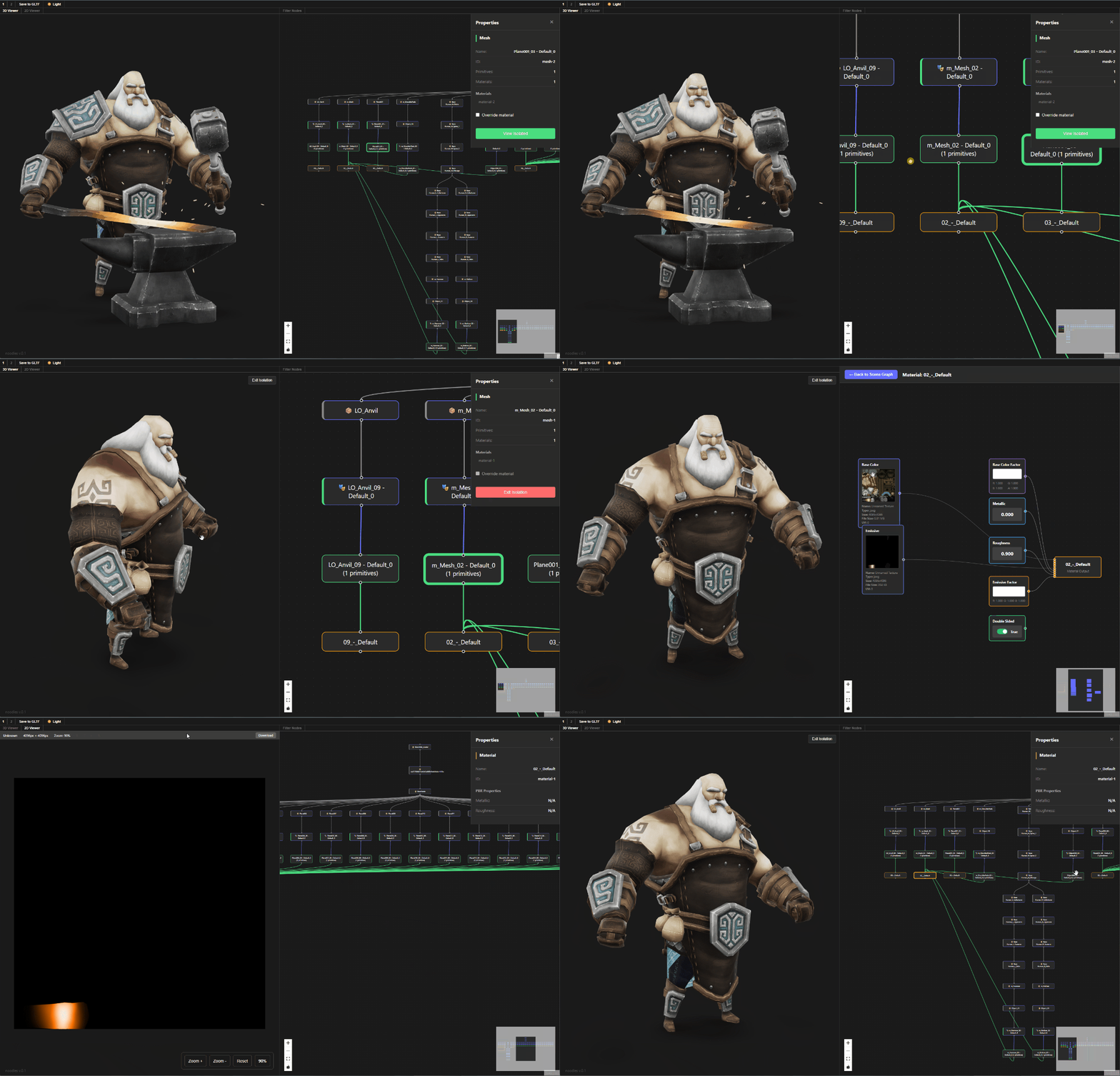 Hi all, I've been working on this node based gltf viewer because nodes are cool af, you can check it on the link here or you can go to this demo link. Its still work in progress so its in read only mode, you can inspect the scene but cant do any edits.
 -
Re: New MaxScripts
I've updated my site with some new scripts. Check 'em out and let me know what you think. The one I personally use the most is Render View. It's a lot like the Maya render buffer that saves your renders as you do them and let's you flip back and forth between them. If you turn on the "Auto" checkbox for a scene, it'll save… -
Re: [ZBrush] OVERHANGS WITH SMOOTH GROUP BRUSH/POLISH GROUPS
 Now a client or lead comes and asks for changes and you do that again. A chamfer modifier (or shader) would remove the need for this process entirely, keep it a ton more lightweight and easy to edit
 -
Re: The Bi-Monthly Environment Art Challenge | November - December (99)
 Hey everyone! :) Wanted to start out by saying what fantastic work everyone has done on this challenge. It's been incredible to see not just the progress being made but the process breakdowns that are so beneficial for more junior and senior artists alike. There are definitely some techniques I've picked up that I hope to…
 -
Re: Photogrammetry (3D Scanning) Diffuse Texture isn't "seamless" after Photoshop adjustments (Shadows/H

 For the RGB to LAB conversion,look up LAB + Program you use. I use each channel data and copy that into Layers. Copy the contents of the LAB channels into Layers and lay them ontop of each other. Disclaimer; this is more of an averaging of the Shadow and Light information within the A and B channels. With additional HSL…
>35069 results