Search
-
Re: [wip] stylized environment
 thank you AzzaMat for those links. will try it out later, .. i recently heard of an art test for this kind of environment. And one of the guidelines was to use a total resolution of only 1024x1024. Some of those assets have a 256x256 resolution (i.e. the ones in the image below) I thought this might be a good practice.…
 -
Re: Dynamesh Problem
 Instead of the subdivision levels you need to reduce the resolution slider in Dynamesh. Since you've got it set to 512 ATM, try 256. The actual resolution is dependent on the model's size, shape, bounding box etc and is never really consistent (annoyingly). Start low and work your way up to the highest resolution that…
 -
Re: BRAWL2 [Character] R&M, iam717

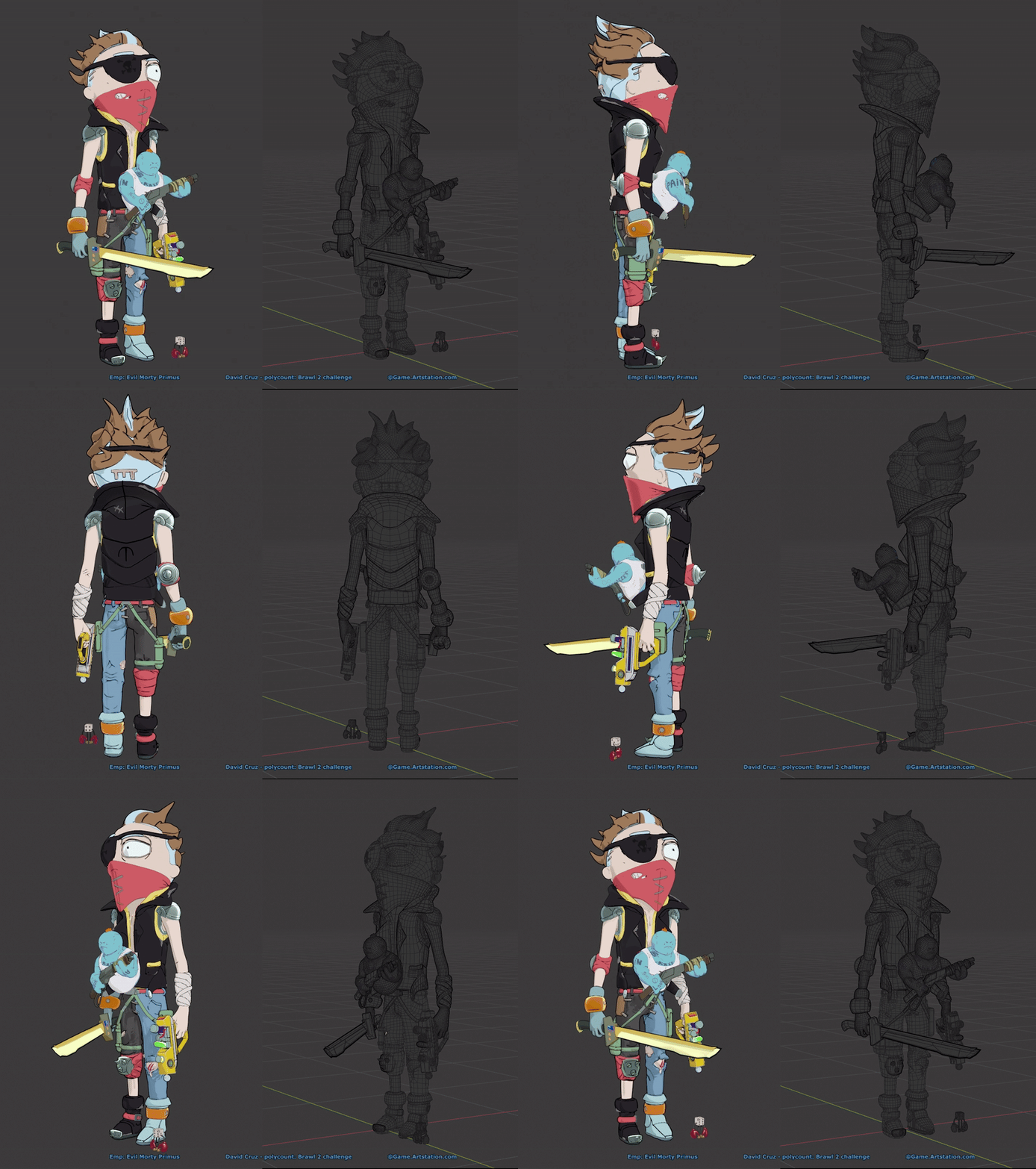 High resolution versions here: (entry is all EVE) https://www.artstation.com/artwork/98LNlO This is a lighting version with lights / shadows and wireframes. This is the beauty (for now since i didn't get to posing a dynamic pose and such, but if i can i will upload one before the time, if i did not then i will work on this…
 -
Re: 3D's max projection method
 That's exactly what's going on with Viewport Canvas. Except no need to use Photoshop. There's no quality loss, if the texture is high enough resolution. What's the resolution of the textures for these assets? That artist may be working in a higher resolution (say, 2048) and showing beauty renders using those high-res…
 -
Re: Really bad asliasing
 Usually a good trick for anything aliased. For example, say your texture had aliased edges, try working at double the resolution. When you scale it down, it usually takes away the jaggies. That's why I mentioned taking screen caps at double the resolution. :) You can use the command (in the ... console variables) custom…
 -
Re: xNormal Batcher
 Hi, Just wanted to report a little bug, if you are already in the needed resolution in the set all setting and you want to change the resolution of your objects, you have to leave the current resolution and choosing it back as it doesn't refresh if you just click on it. And a feature I'd like to see is an option allowing…
 -
Re: Help preparing a high-poly mesh for printing (dynamesh/decimation master?)
 Without seeing the whole model its difficult to give advice. Trouble with creases and corners is only a question of resolution. Dynamesh reduces the model to a vertical and horizontal raster so the trouble you are having with detail is only due to the resolution you are dynameshing at. Also dynamesh is size dependent. If…
 -
Re: [WIP] female sculpt
 I'm swapping in and out of higher and lower resolutions, sometimes forms in lower resolutions end up with stretched faces which make the next subdivision divide messy, in which case I go into a higher resolution to get better results. in this case I needed to do so for the nose, and its worked out okay I think. anyone got…
 -
Re: Maya Transparency wont display in viewport
 Ok! So i actually found the solution to my Probleme B! It had to do with the hardware Texturing tab in my material. If i set the Texture resolution to anything else but Default. it will take the coordinate of my meshes UVs and tile it according to the resolution i specify... So that explains that! But this raises an other…
 -
Re: Monthly Community Noob Challenge January 2014 (15)
 @Higuy: You could try increasing the lightmap resolution for your static mesh. by default its set at 32 pixels which is pretty small. Double click your static mesh in the content browser and a window opens(I forget what the dialog is called) and it has the setting to increase lightmap resolution. Edit: I should clarify,…
>11326 results