Search
-
Re: psd tga, etc. preview in vista 64-bit
 just accept that the windows explorer was never intended to shine in this area, just use XnView as a browser with a crazy amount of file format support and some scripts to convert and batch process them. Personally I always hated the windows preview: slow, creates temporary hidden files + very limited.
 -
Re: Tga to PNbloodyG
 Doh! Looks like I forgot to keep the 'delete aplha channel' & 'save as png' in the action script. You can add those to the action if you want, then when you run the batch process in PS, it'll save them all out as png's where you want them.
 -
Re: best pdf or you tube channel to learn c# unity
 I started learning with the tutorials on the unity3d page (http://unity3d.com/learn/tutorials/modules/beginner/scripting). After going through a bunch of those tutorials I had enough understanding that I could at least know where to look when things came up that didn't make sense.
 -
Re: X-Men: The Last Stand
 i enjoyed it, though the script was pants in alot of places, and the bad day?night bit at end was stoopid. forgot to watch on at the end so iu didnt see whateva it was DOH did see a trailer for Miami Vice. wowowowow, i want to live in neoen pink and blue from now on.
 -
Re: How could i unwrap this?
 Yeah it's got some bad limitations for sure Certainly useful though - I use it all the time. I'm going to start learning maxscript soon, so I'll be looking it over as well. Though I'm sure someone here know already knows the scripting can take a peak?
 -
Re: Maya Ref Editor + revision control system + telecommute
 Might be worth looking into setting up a Maya MEL script to link into the "Reload Reference" command in the Ref Editor right-click menu, whereby it does an SVN Update on the referenced file through the command line, then reloads the reference - might save a bit of time if you're updating/refreshing a lot.
 -
Re: Quick back and forth between Modifiers? (Max)
 I know what you mean, I almost made a post on PC asking for someone to right a script for me so I could have a shortcut for it. But I figured it would be a bit too much to ask. It certainly would save a lot of time in the long run to have such a shortcut.
 -
Re: Modo 401 is here! :D
 I just finished installing Vista 64bit to take advantage of this, hopefully I won't regret going over to Vista. I'll get back to you on how it's working for me, 1st I need to redo my key bindings and see if the scripts I like to use still work.
 -
Re: WANDERING EARTH CONCEPT ART by Utopies Selectives

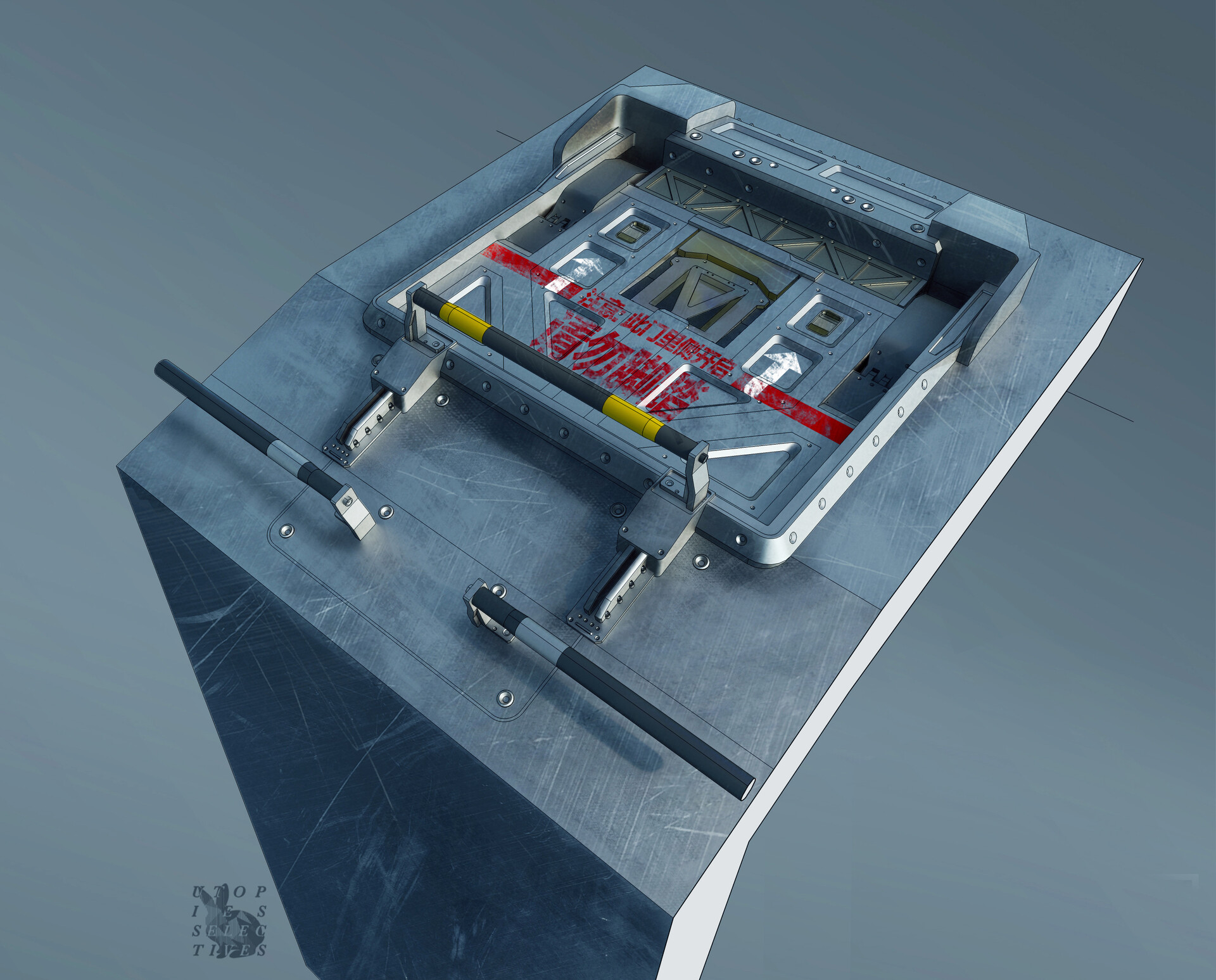 WANDERING EARTH - Cargo hatches details In the early script, a lot of the action happened around the hatch so I spent some extra time to make detailed drawings of those areas. Eventually it didn't matter so much! Made using Sketchup and some texture bashing.
 -
Re: 3ds Max Bitmap fit not scaling correctly
 Did you create the plane the same dimensions as the image res? For instance, the image is 1048x768 pixels. Create a plane 1048x768cm and it will align perfectly. Then just scale the plane to match the scene. There are also numerous free scripts for blueprint setup on Scriptspot. I use Noobyzors BP creator.
>11556 results