Search
-
Panelizer modifier - Topology based panelization for 3dsmax.

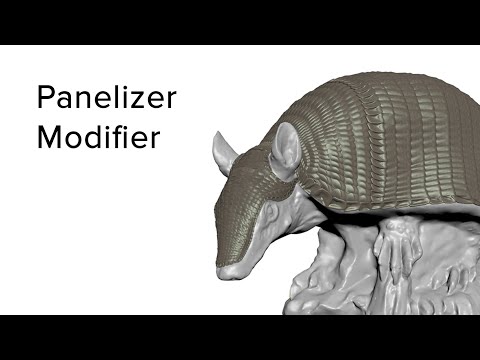 Hello! I would like to show you my 3dsmax Panelizer modifier- my best mcg script in my opinion for now. It is based on bilinear vector interpolation and lightweight in structure which allows it to work fast. Hope you like it! https://youtu.be/XxbMtQ42jm4 https://gum.co/panelizer
 -
max project features - used much?
 Hello folks, I've had a dig around but I was hoping to get a broader idea of how commonly people use max's project management features? So, who uses them and how does it go? Who uses the vanilla features and who uses some scripted solution? Cheers! cw
 -
Some help finding a program
 Hello, I am New. Yesterday one of my teachers showed me a fairly new, and powerful normal making tool, and I forgot to write down the URL. It uses a script in ps to work. I know it isn't crazy bump or the Nvidia ps plug in:icon_question:. Any help would be appreciated.
 -
[Maya] Cutting a mesh all over where there is a texture?
 Hello all, Anyone know of a plugin or script that cuts a mesh with a texture (black and white lines) inside Maya? I know Maya can do that with the texture to geometry, but its quite clunky and slow. And it's not necessary what I'm looking for. Let me know if you can help.
 -
HLSL magic
 In an attempt to take some load off other people at work (and beef up my skillset) I've committed to learning HLSL shaders. I've done a fair bit of scripting/coding over the years but I wouldn't call myself a programmer. Does anyone have any recommendations on books/sites to check out to get started?
 -
MayaCE3: An enhanced exporter from Maya to CryEngine3
 For those not looking at the official Dev forums, Seith has been creating some magic scripts to enhance the 'workflow' of the original Crytek ones. I have been helping beta test and he has now released a new version. http://seithcg.com/wordpress/?page_id=973 :thumbup::thumbup:
 -
Relax like XSI for Max?
 in Xsi the relax tool keeps the form/volume of your geo which is awesome, just wondering if theres any scripts out there for Max that can do this? so far the only work around i have is to copy the geo , have the copy selected as the surface in the freeform graphite tools and then use alt+relax. thanks
 -
Crytek - Sigraph 2012 Studio workshops online
 For those of you who weren't able to attend Siggraph this year Crytek held 3 workshops for their new Cry 3 Engine. You can find the files/tutorials here: http://www.crytek.com/cryengine/presentations The tutorials covered the following:* baking destruction animations * particle effects * and max scripts Enjoy
 -
Animator - Seattle - Valkyrie Entertainment
 Valkyrie Entertainment is looking for talented Animator to work in our downtown Seattle Studio. Key skills: Principles of Animation Hand keying Rigging Bonus: technical skills/scripting - reel with walk cycles Take a look at some of the things we've been working on to get an idea of the types of projects you may be asked…
 -
Photoshop quickly saving Textures
 I know a few years back there was a multitude of Quick save scripts for textures but it seems that they don't want to work for CC ... or at least after mucking about with QSM, Quick Save Maps and Vtools none of them will work... Is there a new one that does work or a workflow that I'm missing to make saving out Textures…
>11555 results