Search
-
Re: Gun Case
 its coming out realy nice but it seems like you barely captured the panels in your bake. the edges are way too harsh on them. id say go back and soften them up and do a rebake. also in the front, the 3 indents youve got (making sort of a U shape) have wavy edges, probably due to your cage when baking. that can easily be…
 -
Hiring Speedy Artist to make World War 2 Bunkers.
 Looking for someone who has good rock and concrete surface experience. Ideally you should have Zbrush experience as well. You'd only be doing the High Poly work. We'd take care of the Loly Poly work along with unwrapping and texturing. Please get in touch with a showcase of your previous work experience incorporating such…
 -
Re: Haunted House for my horror card game Desecrated Deck

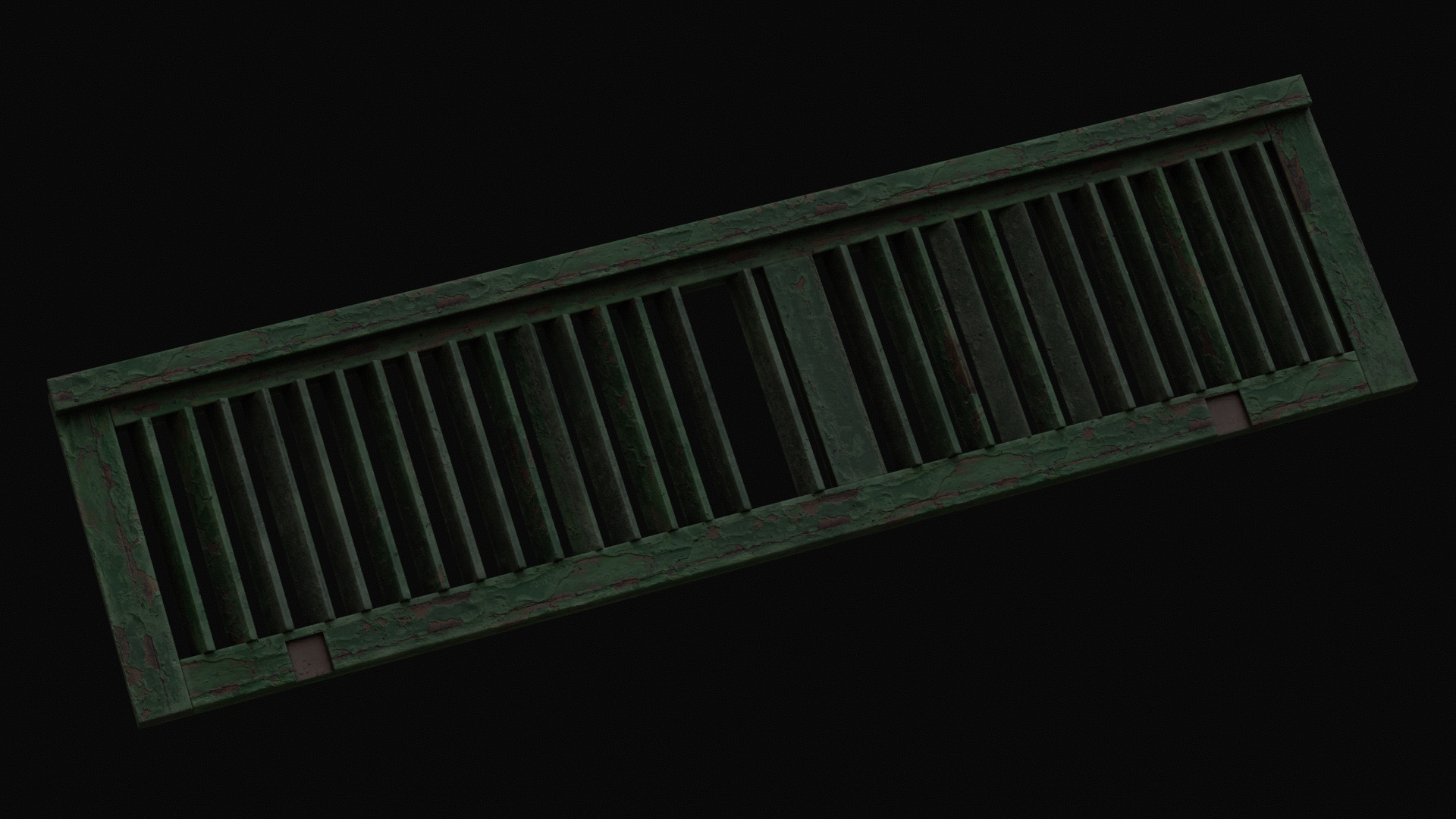 Today I did some test baking, optimized the UVs, and tweaked the shutter textures a bit — just to get a feel for where this is headed.
 -
What's a "gray ball pass" in making HDR panoramas?
 I'm working on processing HDR panoramas into lighting and I'm trying to find out what exactly a "gray ball pass" is good for and how it works. I know they use it in movies, you take an HDR photo of both a chrome ball and a 50% matte gray ball and somehow fix and normalize extreme lighting conditions, like direct sunlight.…
 -
[Marvelous Designer] What Is the Proper Workflow Using, MD, ZBrush and Maya ?
 Hello everyone, I am wondering what is the best workflow for character modeling using Marvelous Designer with ZBrush and Maya ? There are many sub-questions I have related to this question : * For the final character model, should I use thin or thick clothes ? * When do I apply thickness ? Marvelous Designer gives you to…
 -
Blender Python (2.79): Index Vertices Based on Their Bone?

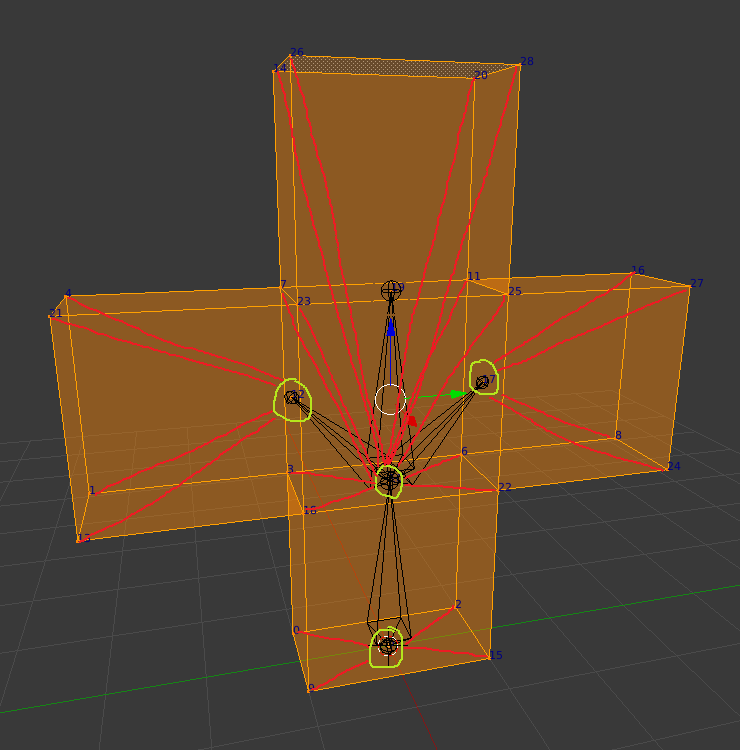 Hello, everyone. I'm writing a Blender Python script for exporting custom models to an old video game engine's model format. This is something that I've been struggling with for awhile now. So, I have a test model that has been rigged. However, I need to change the vertex indices. Unfortunately, Blender has no option for…
 -
Re: Feedback on my textured 3D Chair prop

 You have to remodel this. That's not how cushions insert into the base of the chair. The silhouette of it makes it look more like a pile of sand than a fluffy but wrapped around cushion. Also, I'd get normal maps done for this prop if you can. High poly to low poly bake. It's a decent start, but there's so much room to…
 -
Re: Urban Scene (hopefully will be unreal ready)
 ok uv unwrapped textured and remodeled pieces of the building. I will now take this building and make 3 sets using the pieces modular on it right now , and bake out 3 unique light maps. right now just diffuse, need to make normal and spec as well Well hopping im hitting the quality mark so far 1- 1024X1024
 -
Re: [UE4] ROME | CHURCH of SANT'IVO

 Hi Larry, I have experience the same frustrating issue you have with seams appearing in your level. To help you better I have a couple questions. What engine are you using? Are you using baked lighting? If so, do you see these seams before or after you light bake? Seams are usually caused by a few things, your models are…
 -
Re: Difference between Object Space and World Space normals?
Looks like you already answered your question? No difference if object local XYZ axis look to same direction /aligned to world axis . So just make sure your object has no rotation in world space before baking it . Substance designer does re-bake properly from a world space having Y (green) up . Maya style I am guessing.…
>114959 results