Search
-
Re: RGCA - Epic Battle Intro
 Reply by Onizuka_Eikichi · · Home› Contests & Challenges Archives› Reallusion Game Character Animation ContestThe particles in Iclone are really useful and fast because its realtime. I use them by making a "smoke" render pass. Making the background color black. I also change the items in the scene to black. The renders will be composited as screen/add mode over the rgb render pass. It adds that extra depth to the scene.
 -
Re: Bombay
Looking forward to this one, we just got back from backpacking in India - sensory overload! The scene feels good already. Panel beating on the auto rickshaw would add some flavor later. Are you going to work with one main composition or detail out the whole scene (interior spaces etc?) -
Re: [UDK] Swamp Tree Village... with crystals and stuff?!
Yeah im having a hard time trying to figure out if its just mist or water in the scene, maybe a little more definition. I also agree with Selaznog, more colour variety, even just different greens would greatly improve the scene and give more depth. Looking nice though :) -
Re: [Finished] Desert Portal

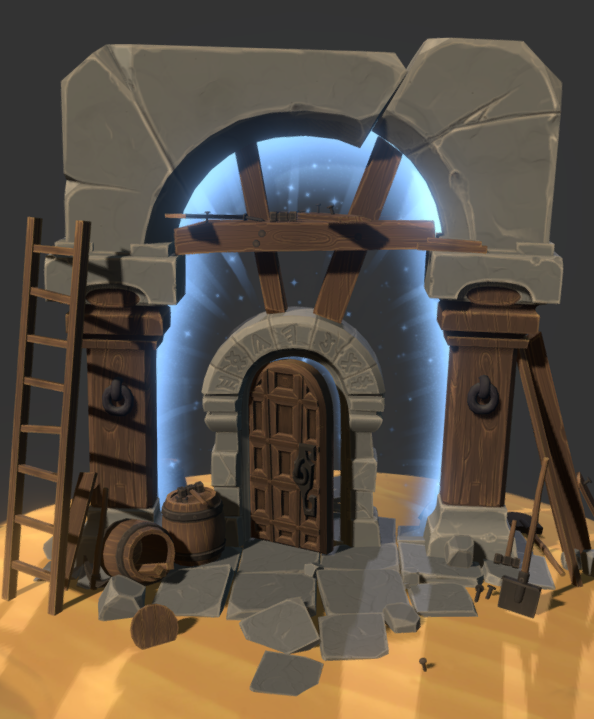 Update: -FInished textures -More composition tweaks -Added sand layer to the most of the objects textures -Sand plane tweaks No sketchfab update for today, just some screens of new FX on old scene(would be nice to have some advices on this): Planning to add some sandstorm around the scene as the finishing touch.
 -
Re: [Portfolio] Pieter Mans
Okay, maybe not leaves from leaf clouds ;) But glowing dust particles? The scene looks very static except for the waterfall which makes these two parts look independent from each other. If you would have something else moving around in the rest of the scene I guess it would be more coherent. -
Re: The Shack...
 That generator has some issues with normals in the first image (can't tell in the second if you've fixed it or not). It's a bit of a bare scene so I wouldn't call it done done (not portfolio worthy yet). If you're trying to make a whole scene your environment is lacking a lot and the terrain looks like a blobby heightmap.
 -
Re: Sketchbook: Gabriel Kessler
 I was struggling to come up with an Idea for a scene for a while when I stepped on my nes TMNT game my daughter left on the floor, so I decided to make a Dock scene with the Turtle Van and some mousers and stuff. I started with the mouser just so I could complete a model.
 -
Re: Space stations (+HD video)
Again thanks for suggestions. Yes I should play more setting them up for animation. Didn't really spend time playing with scenes, just tossed the models in and dropped some lights here and there. Didn't want to overdose the scene since the goal was to show it as close as possible to how they will render in game engine. :) -
Re: How is Blender with Unreal (UE5) these days?
 Blender works well for environment assets in my experience: Stable, divers toolset for blockouts, pbr preview and modifier stack. I use an addon for batch exporting. It's true that the performance dips when scenes get heavy. In that case splitting scenes and using file linking often helps. Didn't create skeletal meshes for…
 -
Re: Dawn Engine
 I would say the scene looks great thanks to the "artists' skill and effort" . We really don't know about the engine itself. For example what is the average FPS for mid-tier PC would this scene be ? These times you need to "look good" and "run faster" if you know what I mean ;)
>27387 results