Search
-
Re: Modo coming to linux?
 I've watched a few tutorials now, good ones from places like Digital Tutors (for example), and Modo will do bad things to the mesh and the guy has to fix it. For those of you who never have trouble, I am jelly. :) But the problems go away with a button press so no biggie...
 -
Re: Requested Sub-object level is out of range
 Rescale Elements seems to have worked, thank you. If you have any tips that you can give me, that would be great. And if you have any tutorials that are as in depth as Millenia's I'd love to know about them as I've learned more in that one tuutorial than I have in two years of formal education. If I have any more problems…
 -
Re: Arms & Armor: Questions & Answers
 Reply by Loutrattitude · · Home› Contests & Challenges Archives› Arms & Armor, Chivalry: Medieval WorkshopI second this question. Question of my own : I never used Steam Workshop, nor Chivalry SDK, is there a way that someone provide a step by step guide to publish your creation on Steam? A: We have provided tutorials for these things here. Please let us know if there is any confusion, or any way we can improve the turorials.…
 -
[Blender] [Addon] Animation Retimer
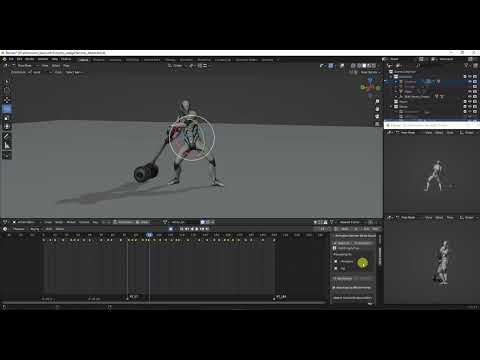 small addon that helps retiming the animation in an easy and intuitive way tutorial https://youtu.be/lfWiZvuM_oc?si=miI4DMnxvMN-G9hM download https://github.com/evilmushroom/AnimationRetimer
 -
How to make World of warcaft models/textures?

 I have been searching over some informations on internet how to make world of warcraft or wow-like style models and textures. I could not find public documents or .pdf files that are officially published by Blizzard. For example - Steam has official .PDF file and tutorials for their Dota2 models, textures even shaders.…
 -
Re: Maya user learning 3DS Max
 Thanks Bonebrew! You where bang on with your answers :) Haha If I got good with Max then maybe but I think it would be better done by someone learning Max. I feel that allot of tutorials miss out the "simple" because the tutors don't even consider that simple something as they long forgotten about it.
 -
Re: Speed Animating Thread
 jfeez@ Thanks for the advice, I'm watching digital tutors tutorials and will definitely check out the survival guide and thanks for the link it's very helpful. @anthonymcgrath - I can see how bad it is now, I'm going do some 2D studies and get try again. I'll look into that book as well, thanks.
 -
Re: Maya 2014 help !
 Well I want to learn Maya from zero! And thanks everyone for suggestions, I'll do my best to find some tutorials..Digital Tutors seems like a good place to start + Maya's user's guide. Quick question : how do I import my Maya work in Zbrush 4R5??
 -
Re: Answered: Quixel Suite 2 Training and Questions
Any news when are coming the beginner tutorials, but any ideas if you´re going to partner with learning places as Pluralsight/Digital Tutors? One more question if I learn Quixel Suite 1 and then follow up the workflow primer I´ll basically know how to use Quixel Suite 2? -
Re: The Club Environment Task
 [ QUOTE ] I believe they are refering to something like Chris Holden's tutorials here: Texturing Sinlge Page Vs. Multiple Materials (Max 8) http://chrisholden.net/tutor/tutors.htm What's this for? An art test? [/ QUOTE ] Thanks for the link mate, and yeah its a task they have on there site.…
>20133 results