Search
-
What modern texture software can paint/project across multiple materials ( not UDIMs) ?
 While each of materials having its own UV and texel density ? While keeping same or synced node pr layering system across all those materials and automated export.
 -
Re: poops substance fiddling thread
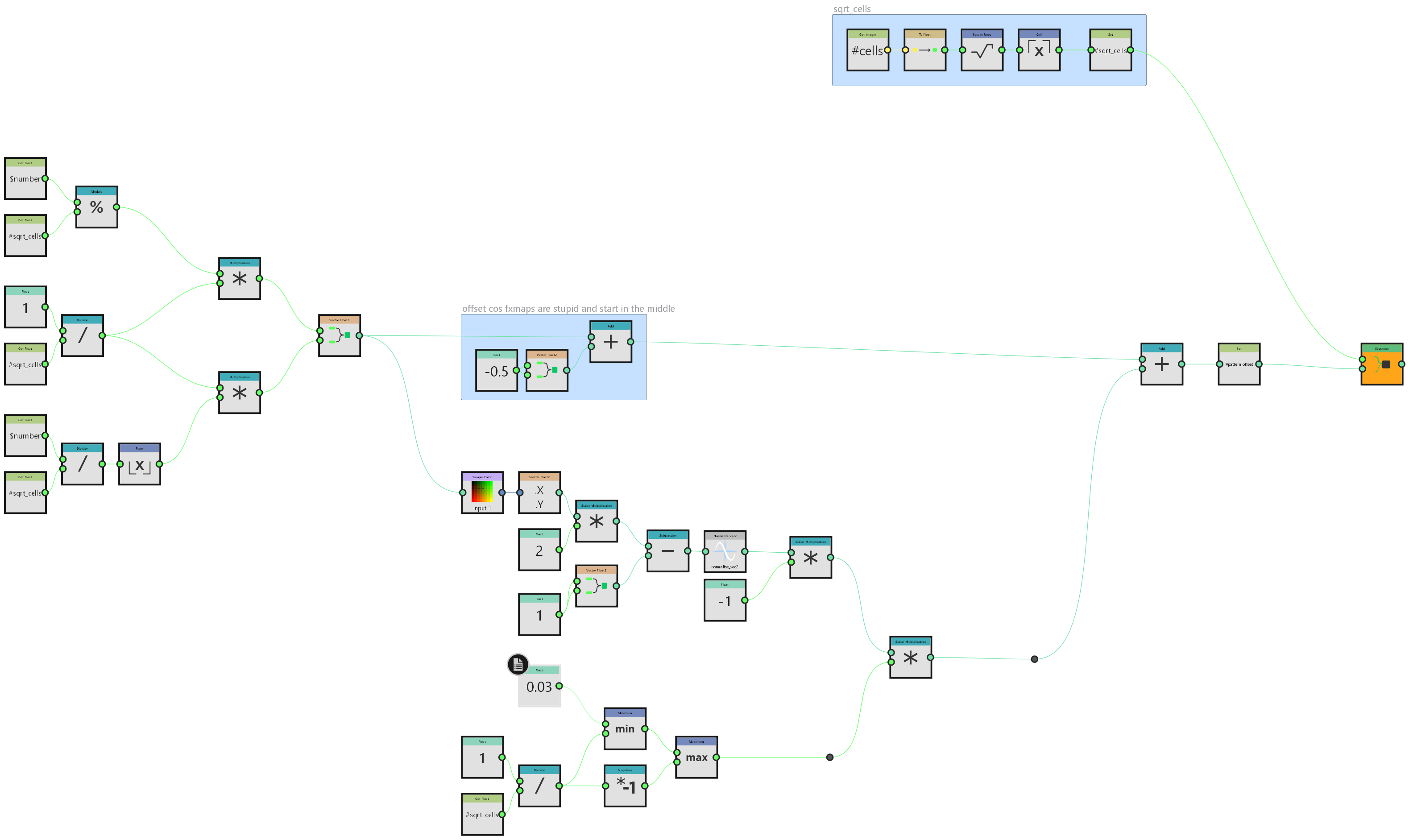 i did this primarily because I'm going to need it at work on monday but it's a neat enough trick that it's worth sharing here generally speaking I don't do a lot with fx-maps. most things can be done better in pixel processors if you apply enough maths but in this instance I will need to take advantage of their inherent…
 -
Python Maya Coding: Help!
 Hey everyone, Stupid easy, but I can't get it to work I'm trying to import maya.cmds as maya USING the userSetup.py file. I'm in the right file path {C:\Documents and Settings\<username>\My Documents\maya\2016\scripts}, but it won't load when maya opens up (tried maya.ls(sl = True)) Can anyone help?
 -
Re: how to edit a generated mask?
You can also paint in the layer mask itself and have your generator as a part of the mask stack with multiply blending mode for example. You can also paint a mask on some layer in the very bottom of the stack , set anchor there and then use fill in your target layer mask stack with a link to that anchor. Sometimes it… -
Re: Forest Environment
 ok finally i found the time to setup a quick example ok this was very fast, very simple it'll work in your case also, had not much time for setup... here we go diffuse alpha normal ok now you create a new material like this: 1 is a simple texture sample, so you either go on the right tab to texturesample (if you want to be…
 -
Re: Soldier Tina
 Like I said, there's is nothing I can technically criticize here, it's really very good, and I realise that my comments can be read as being mean or nasty, but that was never my intention. I also agree that you should do whatever you wish, I was simply highlighting what some art directors were saying. I won't mention which…
 -
Re: Python for maya - Renaming and Skinning Multiple joints
 Hey John, sorry didnt see the bump. So reason why it doesnt work is because geo is a temp variable that is referenced in the for loop (You can call it later in the script too but it would be the last object in the selection list or objects passed in. What you want to do is seperate functionality into functions. This way…
 -
Re: 3DS Max + Vray - render text and finished images
 Okay, here is how i got it working A few notes to whoever may need it: Image resolution is 360 x 240 Despite this, image took 40 minutes to render The golden parts took insanely large ammount of time to render Textures used are in 4k quality I did expect my laptop to burn at somepoint but it did well... I used substance…
 -
Re: Shader fiddling (getting rid of blue)
 Well, standard normal maps range from -1 to +1 also. Also I have no idea how your dot products are doing anything with the output of those mask nodes. The mask should function like the hlsl component swizzle, just outputting a floating point scalar. The dot product is only valid between vectors, so something has to be…
 -
Re: Texturing car tail lights

 That would look something like this: This is done using the above mentioned method - bump offset node in unreal / parallax, and opaque material. Note how the reflection of the light source stays smooth because the normal isnt directly applied to the material. If you are working with unreal by any chance, you could also use…
>37262 results