Search
-
Re: Max vs Maya
 MoP: Yes the viewport speed is improved and 2k8 and I didn't mean the comment to come off as degrading it for the user, even though that is how it did. The fact is that the viewport is faster, that is what matters for most people. It was more meant to demonstrate it wasn't any significant refactoring of the codebase but…
 -
Re: AI Art, Good or Bad? A (hopefully) nuanced take on the subject.

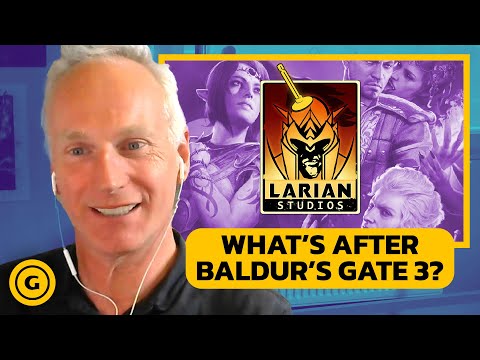 I think Larian Studios is using generative AI correctly and ethically. https://youtu.be/Gy9P2HPF9ss?t=534 1. Automation of tasks nobody wants to do (voice editing, animation retargeting, cleaning up mocap) This is an excellent usage of generative AI, and what we should absolutely be striving for. 2. Whiteboxing…
 -
Re: handplane - new tangent space tool in public beta
 Been playing with this recently - it's very handy. Nice to be able to rely on the solidness of object space maps. My only issue is the wording of the interface. It works but doesn't often leave me feeling confident that what I've picked is right and what the options I'm fiddling with are really doing. The presets obviously…
 -
Re: The Kriss
 It's a bug in the 3.11.0, sorry... it selects the hxGrid map renderer by default(which is a distributed renderer that requires the agent.exe running on the cluster of computers + one running the coordinator.exe). It's solved in the 3.11.1 beta 1 and in the final 3.11.1 that i'm going to release in 2/3 days. To fix it…
 -
Re: max 2008 unwrap uvw
 You might be able to improve this really easily, depends how the Max 2008 unwrap ui is handled. Here's how I did it in Max 8 with Chuggnut's tools: 1. Open up 3dsmax/UI/Macroscripts/Macro_UnwrapUI.mcr 2. Look for the line where it says "macroScript OpenUnwrapUI" ... again dunno if this is just Chuggnut's tools or Max…
 -
Re: Noob 3dMax Q's, stuff I used to do in Maya
 #1 select one of the 2 faces,- hit shift + drag it to the center so that 1 edge of it is in the center of the window - check copy to element when you release the mouse button. Now select again 1 of the 2 faces you have selected in the screenshot and hit the "hinge from edge button". In that dialogue click the select…
 -
Re: 90ms on landscape subsystem tick in a world partition level
 All true but it's not a rendering issue. the amount of time on the gamethread seems to be directly related to the number of loaded tiles I'm made the project workable by building HLODs, only loading a relatively small number of tiles (8x8 = 40ms) and using the show HLOD in editor toggle its significantly slower than 5.3…
 -
Re: Color profiles in PS and srgb
Photoshop doesn't know anything about normal maps. It treats them as regular images assuming the values are in srgb space by default. But it doesn't matter usually because color profiles are are for show on screen. The pixel values stay same. And if you use some blending modes they just do whatever math they designed for .… -
Re: Texture in blender
 Hi! It's not an texture issue, but related to the scene setup. The material preview viewmode uses an environment texture for lighting and reflections by default. The render preview viewmode uses a flat color by default, which is set under "World Properties". You can set it to use an environment texture too:
 -
Re: Maya Hotkeys - Bane of my workflow.
 Ok, icky fix, but it works. It was in the first place I looked, it just seemed like it was a bad idea. There are 26 named commands that get treated special and have their default hotkeys listed in menus, such as "File>New Ctrl-N" in Maya 2012. These are the hotkeys that will revert back to default behavior if you have…
>10216 results