Search
-
Re: Lighting low poly characters for render?
 What I meant by no lighting was remove it entirely so you only get the color map colors, no shading. Quickest way to do this (for the viewport only) is to go to the Customize menu, Viewport Configuration, and change the Rendering Level to Flat. Doesn't work for renders though, for that you have to do it in the material…
 -
Re: Character - Guard
 Your model looks great! But you could get away with removing some more polygons. 21K is way too much for a model like this and from what I see on your wireframe there are alot of edges that don't affect the sillouette as much as one would think. The pads on the knees is a pretty good example. From what I can tell by the…
 -
Re: Swedish Restaurant (Gökboet)
 I've got the 3DMotive tutorial on modular building as well. It's quite good, and I can't imagine working any other way now on buildings. I can't tell if the windows in your building facing us (on the corner) have any geometry or depth. They look carved out of the wall (i.e. just a normal map) and it doesn't sell me on the…
 -
Re: Q4 Patriot
 Haha well my computer can barely launch Q4 -and so does my office machine since a Quadro is not really the best pick for gaming- hence I have no clue about these framerate issues guys The complete model is around 3300 triangles, not too high not too low I guess Yet it is true that the multiplayer maps I have seen in Q4 are…
 -
Re: WIP - End of the Alleyway
 1. cramped composition I feel crammed into this scene. It's a tight perspective, starring into a corner. Instead of saying "hey I'll model 2 trash cans and a brick texture and call it an alleyway." get a solid reference and recreate a scene. http://www.flickr.com/photos/eviloars/3464541482/…
 -
Re: Autodesk Launches 3ds Max 2009
 Actually I was ranting about the fact that it took Autodesk so long to implement decent support for high polygon models compared to xsi in the viewports. Simple as that. I suspect they did this for Maya I would hope so but I would be surprised if they did. I was not making Max vs XSI comparison but a comment on why the…
 -
Re: Props and stuff!
 Bumping this one back up... It was a little more time consuming than I had expected so I couldn't update it as I worked on it (sorry!). This ended up being a small group project (2 people) and was handed in last Thursday - but I'm still going to tweak the textures and lighting during the next couple of weeks (school…
 -
Re: Long Lost Member's Website
Very, very blurry. That's my main impression. Which is confusing since your textures are pretty nice and sharp. Right now it looks like you done tiny, tiny renders and blown them up in size. Presentation that hurts your work, no lightning, many tiny images with a few of them having no focus at all on the models themselves… -
Re: The Bi-Monthly Environment Art Challenge | November - December (81)

 @AD_3D Nice work! I don't have anything to add on the Time Bomb piece as I hadn't delved into that model but generally it looks really awesome! Superb hard surface modelling skills :) Very nice work on the roof of the tower! That cornice with the spiral looks great. It took me 4 tries and almost two days to figure out how…
 -
Re: How to avoid lumps when working with subdivided mesh
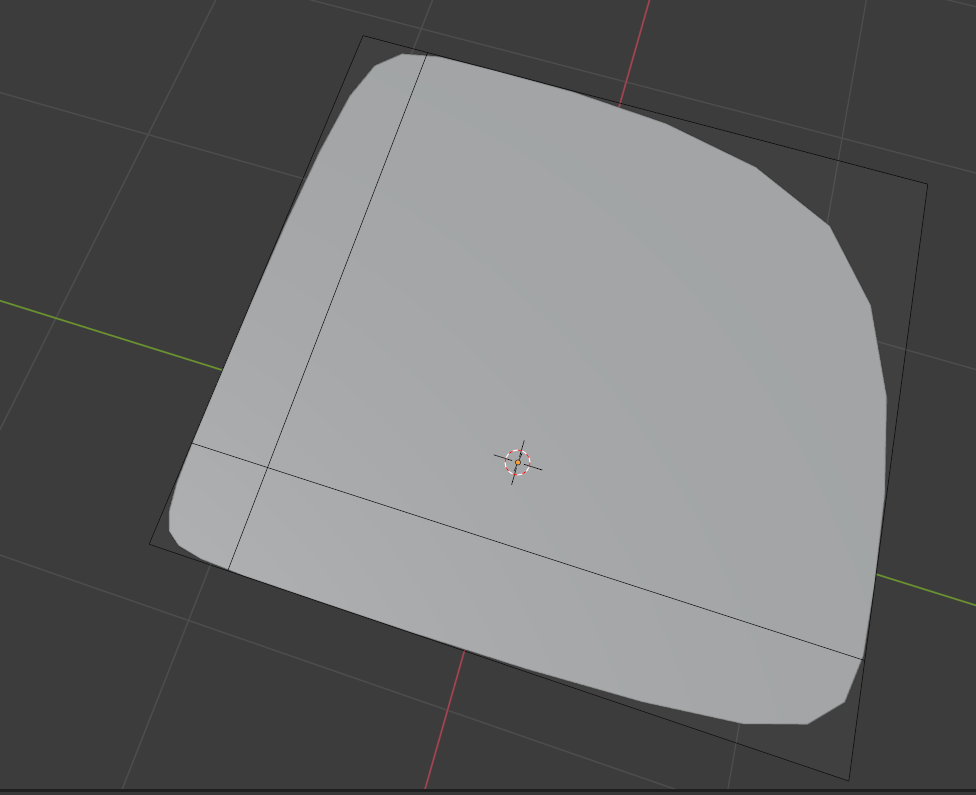 Uniformly spaced edge flow sounds like a good idea, but for car models there's alot of areas that need hard edges, such as the divider between the front seats and passenger seats. In order to get a proper hard corner on a subdivided mesh, you need one edge going vertical and another going horizontal. Which causes non…
>6850 results