Search
-
Re: Lord Raptor - Critique needed!
 Thanks D4V1DC! Yeah I'm pretty much going for cinematic quality. My textures are at 4096. I try to get a cavity map and am now playing around with a curvature map. Cavity map ends up making the creases light instead of dark like I'd like them.. I'm trying to make the DIF lighting neutral as possible. Is there any maps that…
 -
Re: Enlighten real-time radiosity
 deferred lighting is definitely the way of the future =) . 100s of dynamic point based lights with no performance loss, just place them where you the sunlight hits a surface and voila, realtime radiosity. I guess with this system the brightness of the points is determined dynamically by the sunlight projection around it?…
 -
Re: Prodigal son (fish).
 Thanks for all the comments, guys. All sound advice and I really appreciate all of them. I haven't done much on the fish, but here's the most recent render: Big version. Erik and Jack: These are good tips. However, I'm going to try some renders where I use a falloff based on highlights to blend in a metallic texture. Oh,…
 -
Re: UVW layout question (3dsMax)
 Most of the solutions you guys have provided (which I very much appreciate) cause the UV and anything I've mapped to stretch. I don't want to render a UV that is stretched because when I texture I'll have to compensate for the fact that things will be stretched. I guess I was just under the false impression that you could…
 -
Re: subdiv approximation smooth uv's issue
unfortunately no. basically what's happening is that I can't actually look at the Subd uv's because mental ray generates that mesh only at render time. the result it gives after rendering is that of changed uv's i'm 99 percent sure that it is merely smoothing my uv's when it converts to mental ray subd at render time. I… -
Re: Sewer WIP
 Thanks for the tip on the water Serp! And yea the FOV is totally different I feel. The one I'm using in Maya atm is 70mm camera preset. It's not by design, I felt that for the moment it looked good enough and it let you see everything better than the standard FOV. I actually have a second camera with a 35mm Anamorphic…
 -
Re: Hearthstone Board - Starcraft 2 Style

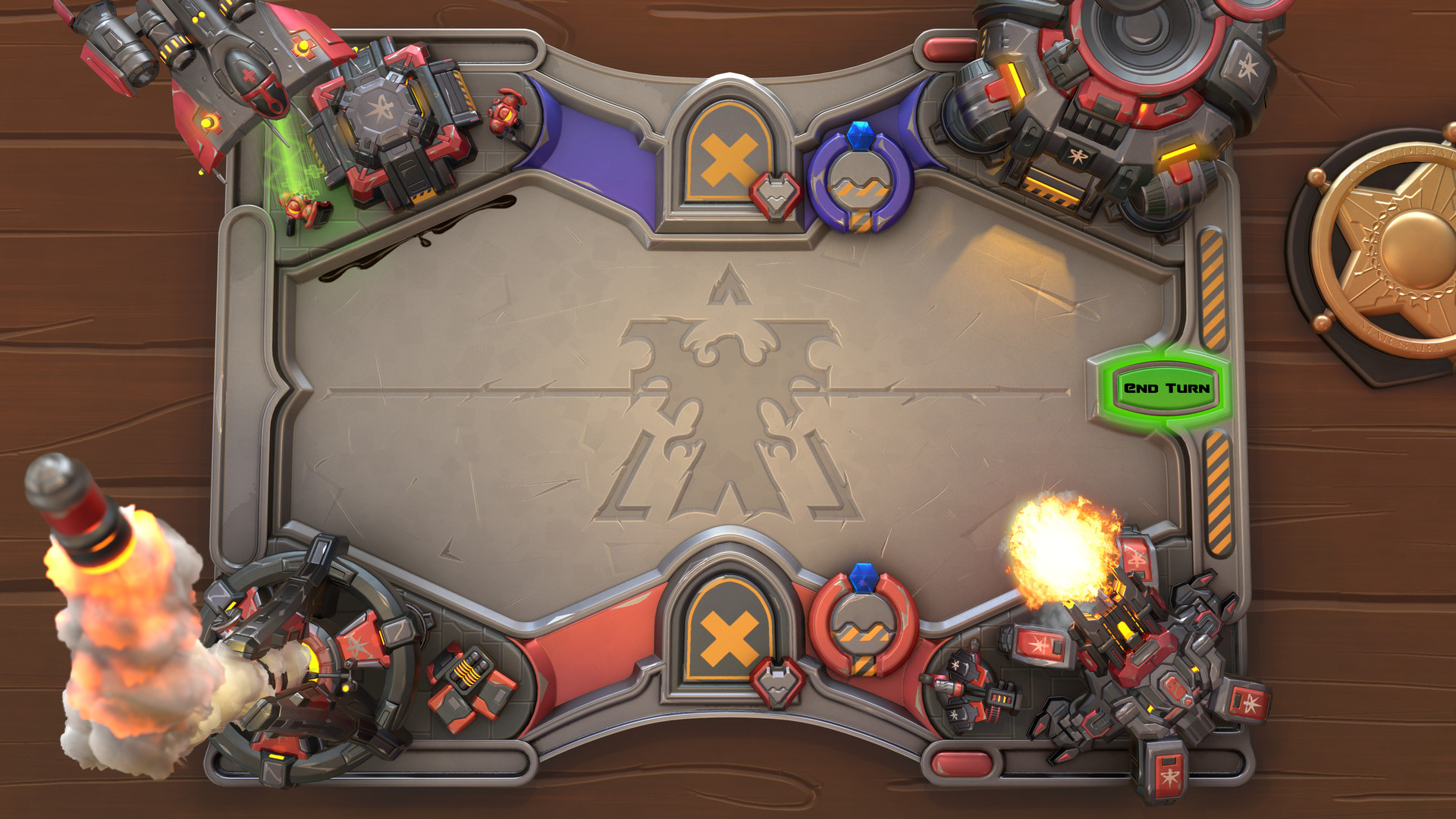 Hey guys :) I call this one done :) At my Artstation you can finde the whole scene inside Marmoset Viewer :) Final Render: Close ups: HR: I had a blast creating this! My workflow for this was rather basic, at first I created all the assets as highpoly models. At this point I started staging the whole scene, while creating…
 -
Re: Showreel compression grief
Hey, well at least it doesn't stutter! :) I think the 'motion blur' is vegas interpolating the frames (from 60 down to 30fps) and it is a little ugly now I come to look at it. Trouble is, I'm playblasting out of the Maya viewport - this isn't a render its all realtime cgfx shaders, so there is no proper motion blur to… -
Re: Demo Reel character (warmachines/ironkingdom char)
 Is this max or maya? If Max, change your render filter to Catmull or something other than area filter...it's blurring the hell out of your renders. Same with Maya if it is putting that stupid-ass filter on your texture maps. Either way, some of the renders aren't nearly as sharp as they could be. You also need to get some…
 -
Re: ///// (help)Skirt Filtering \\\\\
 okay I`m having problems again. <--short bus. even when I crank that shite up to 64, I see no effect. My workflow- I have the detail mesh (high poly) and the render mesh (low poly ) set up. *I select the render mesh, and open up the RTT diolouge. *I select the Detail mesh for bake *I turn of the cage (due my models hard…
>37791 results