Search
-
Re: Sketchbook: Domslice
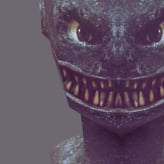
 I snagged a discounted copy of Marmose Toolbad for Cyber Monday - hoorah! Took it for a spin on a little prop side project I've done during my spare time.
 -
Re: Maya 2016 viewport - looks brighter than the material?
 It's the gamma correction on the viewport. Up in the toolbar for the viewport you'll see the dropdown that says sRGB gamma. To the left it says On. You can toggle the viewport color space on and off there
 -
Re: Unusual Texture Problem
 Looks like your UDK lighting is set to unlit (diffuse only) See on the top toolbar where the cube icon is selected? Select the cube icon immediately to the right of it.
 -
Re: Snapping in max 7
 I >>just<< had the same problem Open the constraints axis dialog (right click in the main toolbar to select it). Make sure the "Snap use axis constraints" is off.
 -
3ds Max 2010 docking windows?
![TorQue[MoD]](https://us.v-cdn.net/5021068/uploads/userpics/978/n9Y8GE4KMHMJB.jpg) Hey all. Just wondering if anyone knows a way to dock the Move by numbers window (or others) in max into the top toolbar? I use it all the time and it tends to get in the way just floating around...
Hey all. Just wondering if anyone knows a way to dock the Move by numbers window (or others) in max into the top toolbar? I use it all the time and it tends to get in the way just floating around... -
Re: Baking normals with artifacts in Blender
 These baking artifacts are caused by the convergence of a number of separate but related issues. Material artifacts: The material on the high poly model is generating additional surface information that's causing normal baking artifacts. Removing the material from the high poly model resolves this issue. The material on…
 -
Re: How to present high poly models
 bcottage: in the customise menu, assign the RenderConfigss entry to a menu or a toolbar. also, make sure you've edited the script to point to the correct path for your material library (and then reevaluate)..
 -
Re: Overwatch Style Minecart(WIP)

 I fixed your Sketchfab embed. For the next one, just copy the URL, click the (currently wrong-looking) Sketchfab icon on the right end of the edit toolbar, and paste.
 -
Re: 3Ds Max - Viewport camera settings?
 There's a Layer Manager, Eric, it's right next to the Align tool button in the toolbar. Alternatively there's selection sets as well. Use last command I don't know of, don't think there is ?
 -
Re: Max 8 Videos
 Ryno, Since Max 5 there is plus and minus buttons to expand and shrink selections. They are on the bottom toolbar under Selection Modes. It's also in the Unwrap rollout called Selection Parameters.
>5500 results