Search
-
Re: Need help with UV Unwrapping problem
 Did you relax the UVs yet? I'm at work so I don't have the time currently to fast forward through his tutorial (which looks great, BTW - good find! :) ) to reach the step you're on, but it looks like your UVs need to be relaxed. Give it a shot and see if that helps.
 -
Re: Issue with baking my normal map
 "Without it, dark edges around the hole were visible on the normal map." Just for the record, the normal map should show color changes (if there is smoothing to counteract). Obviously, it has an easier job when the smoothing is more uniform. The mesh you use for baking (generally) should be the mesh you export, at least in…
 -
Re: Modo: unifying uv shells scale
 Pack will scale them relative to each other but, yeah, if you don't have a decent relax done on the shells you won't get correct results. I don't know of another answer other than ... relax them flat and work the islands until they are as good as you can get them. Then pack.
 -
Re: How to align UV polygons sizes?

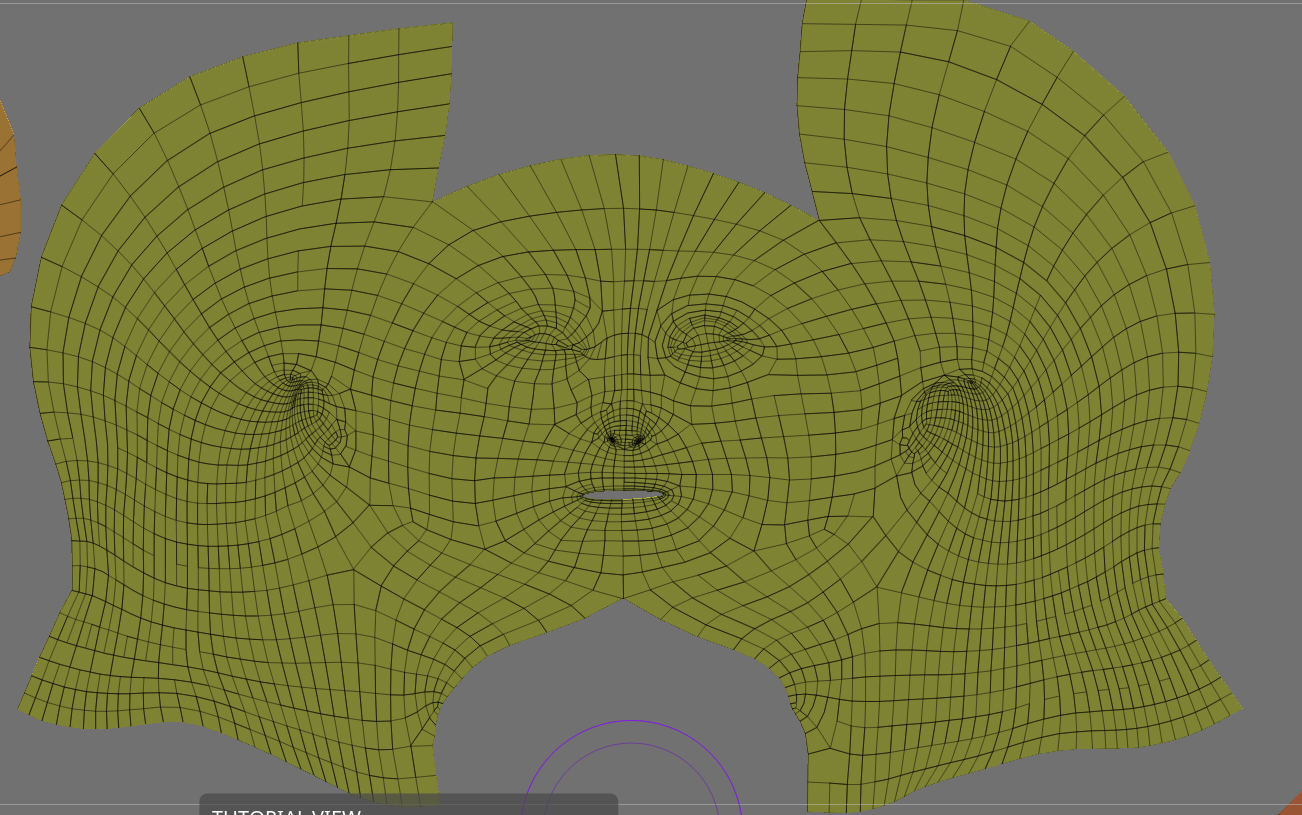 Cut that area out and relax it. Just be careful you don't have too much disparity between the texel density of the cut-out lips and the rest of the face. Alternatively, if you don't want any seams on the face, you could try unwrapping it something like this to give the face a bit more room to relax with.
 -
Re: UVW mapping a chain

 Hey thanks for the tip! By the way, can the uvw stacking work with mirrored elements as well? By the way, the texture gets stretched badly when it is straightened out like this, and relaxing the uvw makes the center tangle up. Should I add more vertical cuts before I use the relax tool? Pic:
 -
Re: Maya 'Pelt Mapping' equivalent?
 I think what you're looking for is called Relax and can be found in the UV editor under Polygons. There are pinning options and you can set the number of relax iterations, etc. I'm not sure what else Maya has these days. I mainly use Headus UV Layout, which is amazing but not cheap.
 -
Re: The People's War - WW2 VR Experience [UE4]
 Thanks for the comment :) they're definitely all good ideas. I will be working on this at uni until like March/April time so I have a while to polish this, at the moment I was just aiming to get most of the larger props in. I'll be sure to get more of the storytelling elements in as I get further in. I've been planning to…
 -
Re: unfold 3d magic
 Unless your company is paying the bill, four hundred bucks seems crazy for a simple Relax function. The less expensive version is just basic LSCM that you can find in most software these days. But if you guys say that this is the best UV relaxer on the market, then I'm sure it is. The only problem is getting someone to buy…
 -
Re: Hell_Chick 2.1 =arsh=!!!!!!!!!NUDITY!!!!!!!!!!
 Say it with me, Relaxed Fingers. Everything else has such a nice weight to it, and since I bet american rubles you won't ever rig this high poly, give it the pleasing look of semi relaxed fingers. That minor peeve aside, it's looky seeexy dude! If you like titties that is. Dirty stone ones. Put cloth on that.
 -
Re: 'Vertex' Tutorial - How would you do this unwrap?
 I think you can relax inner verts. In the 'Vertex' example it looks less uniform near the crotch area. You have pretty big stretching there. I think you can do that with relax and 'don't work on borders verts' or something like that :D . Don't know if it will be the best way but there is room for improvement.
>13900 results