Search
-
Re: Zbrush Creating a Projected remesh for outside of mesh
 It may not sound as fun as clicking a button, but it's not going to take more than a couple of minutes. Also, what do you mean by geometry on the inside? Are we talking about something like inside the mouth/throat bag? Or just where different elements overlapped? Dynamesh takes care of that.
 -
Re: 3D Coat Crashing on UV unwrap?
 If you or anyone else is willing to give it a try or check out the file, it's here. I'd very much appreciate it. Maybe someone who knows more than I can see what's messed up. It should crash as soon as you hit the unwrap button, no seams needed.
 -
Re: Bake AO to Vertex Color Maya LT 2018?
 Only way I know how to do this is to convert a texture map to polypaint (vertex paint) in zbrush. Just a single click of a button. Prerequisite is a vertex count relative to the texture map resolution, of course. Not saying it isn't possible in other apps, that's just one way I know of.
 -
Re: Lockjaw's Locker (Donkey Kong Country 2 ) remade in UE4

 Hey man, thanks! You mean the simple transition of going underwater? It's a basic post process volume. I animated both PP and the Water Plane in matinee, and the matinee responds to a Level Blueprint command (keyboard buttons in my case). If you have doubts let me know it =}
 -
Re: Kotaku: "Five Things I Didnt Get About Making Video Games (Until I Did It)"
 I dont think that would alleviate the problem Blond. The general public would still be super ignorant about the process and language of development. Its the same problem the VFX industry has, everyone thinks its all one button pushed and its done, so the work is undervalued
 -
Re: Portfolio website re-design feedback!
 Jobye, you don't need any "bars" single or double. you don't need the "down arrows" you don't need the red highlight on the email button. you just need great art. remove all the extra elements so that it gets out of the way of the great art.
 -
Re: High poly model to Low Model Help

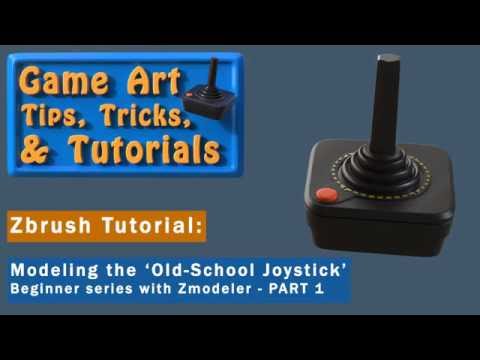 Here's a 5-part tut series I did recently for beginners, showing the low/high sub-D method of deriving a game asset. It's not just a 'push this and that button' but rather, I explain the why of the method. You might find it useful. https://www.youtube.com/watch?v=pILgoilN7vw
 -
Re: [Artdump] We have positive ID on Batman. He is kicking all kinds of ass down there.
 Breakdowns/Wires and flats is not something I can do sadly. All I have is a copy of the game and a print screen button. It might be possible if some ex-collegue at Rocksteady wants do it and are allowed to. I hope they do it at some point. There's alot of knowledge and wisdom in there from the guys. :)
 -
Re: Managing Folders in DDO
 You can move layers out of folders by ungrouping them. Holding down the "Alt-key" while clicking the "Group button" will ungroup the folder that is currently selected! Duplicating folders is something the dev team is looking in to at the moment! Let me know if you have any further questions!
 -
Re: Colt Dragoon pistol - cowboy pistol (crits and advices needed)

 Hello! :) Happy Holidays! Work is looking great :) Just thought i'd share a trick that may be useful (you may already know about it), but the button highlighted below will display all the edges over the top of your mesh, so you can show off topology easily :)
>10228 results