Search
-
Re: Hardening edges in Max
 What about using crease amounts when in edge selection mode? I am unable to see your linked dropbox images due to my firewall at work, but by increasing your crease amount on a selected edge will harden it similar to adding a chamfer. Might be a useful alternative?
 -
Re: LoDs: From how many tris does it make sense?
 No, im sure the information is correct. It's just, you also have to account for min-spec PC and consoles so the fact that a reasonably good GFX card can push X amount of triangles in X amount of time wont help you when developing for multiple platforms.
 -
Re: Anyone here work in Germany?
 Pretty sure netto means after taxes kwakkie. They are suggesting that you ask for a salary that would end up with 1250, or 1500-1700 in your pocket each month, not the full amount that taxes would then be deducted on. It's a way to give advice across countries with different tax amounts.
 -
Re: FaceGen: Nice for ref or for lazy modelers
Ahh excellent. The faces in Oblivion were definitely T3h SUCK. I found that with a heroic amount of adjustment in the character generation phase I could actually make someone halfway realistic/attractive. As for those NPCs... yeesh They used a vast amount of third-party software in that game, no? -
Re: Polyhertz's 3dsMax script - 'Quick High-Poly'
 Hmmm, is 0,069m the expected amount, or is it maybe some orders of magnitude smaller? I've updated the script to use worldUnits instead, but that shouldn't make a difference in your case as both Chamfer and InsetBySmoothingGroup use worldUnits so the inset amount should be just as small even with unitless input...
 -
Re: Information About Polycount & New Member Introductions
Hey guys! My name is James and I'm a animation major at SCAD focusing primarily on 3D. I have a solid amount of knowledge on hard surface modeling and an ok amount on organic modeling but I made an account here to just keep learning and get better. So yeah! -
Re: Bioshock Infinite
 I wish I could give my opinion on the graphics, but the massive amounts of bloom were in the way and I couldn't see a thing. I wish I could give my opinion on the gameplay, but the massive amounts of scripting were in the way and I couldn't see a thing there either.
 -
Re: postpro on game models
 I think post is a very important part of a beauty shot, and creating a good presentation takes skill as well, just right amount of contrast etc, good amount of sharpening to fit most monitors. With that said don't go all crazy and paint in stuff that wasn't there that's just cheating,
 -
Re: Note to Self - Sajeet's Improvement thread (Environment & assets)

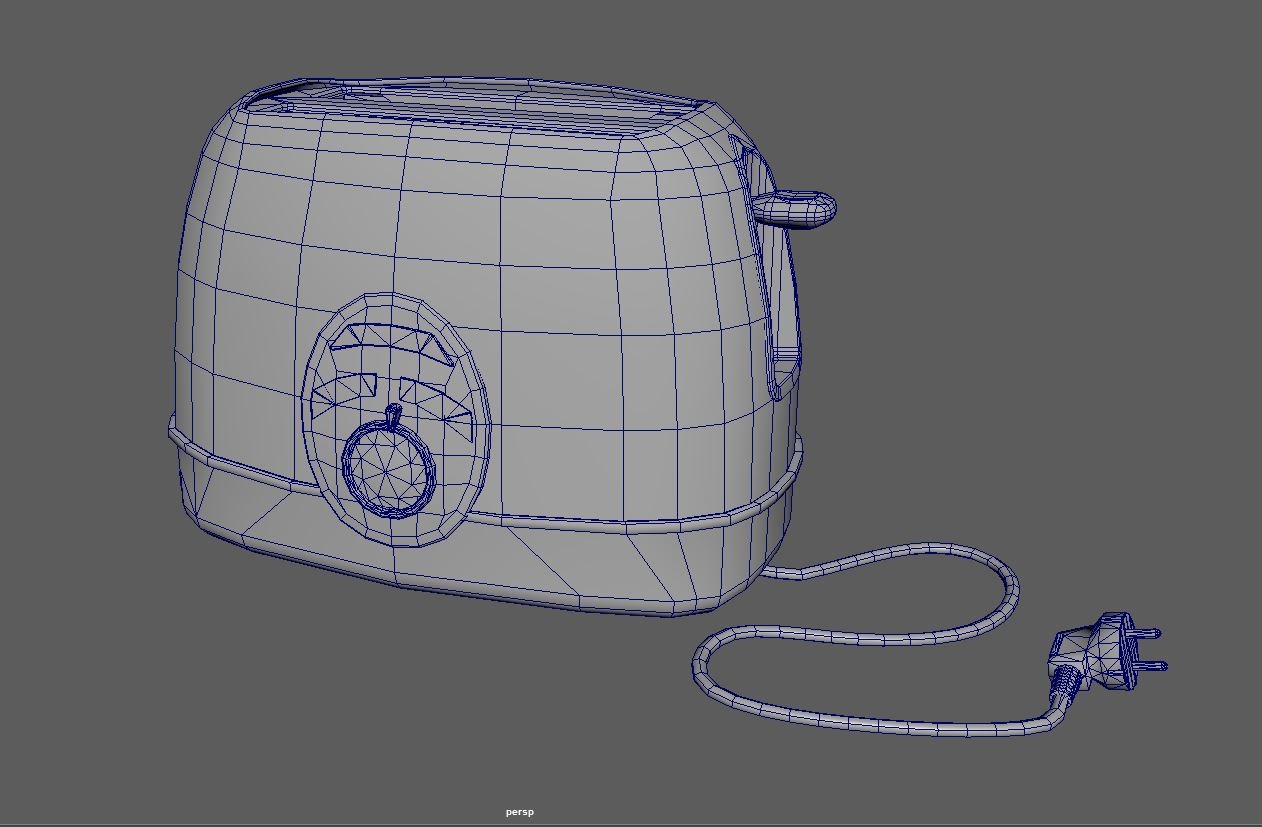 Looked over the mesh... smoothed out the shell with some more geo and reduced the amount of geo on the cable. Also going to start over with the texturing as i need to be more clever with the amount of layers im using, because my old computer doesnt handle to many layers in SP well.
 -
Re: A short explanation about custom vertex normals (tutorial)

 I'm experimenting with different chamfer widths. Here is a comparison. The left use 1 as chamfer amount, and the right use 2. Amount of 2 looks very rounded from close, but looks MUCH better from far even without anti-aliasing(2 left ones on the bottom picture).
>15640 results