Search
-
Re: Maya polycount visualizer on mesh

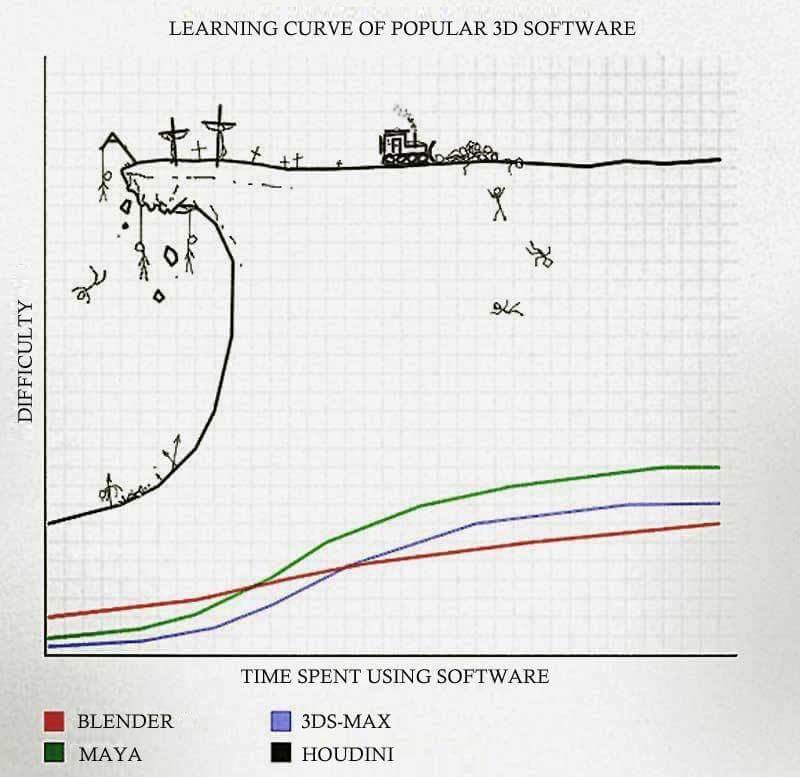 well i thinks it's the best option cause you will be able to isolate problems ... and solve them automatically ... :smile: if you have houdini question feel free to post them here also , i know houdini a little bit. You have to be very persistant when you start to learn hou, but this will be rewarded !
 -
Re: Exporting Smoothed Mesh in XSI?
 EDIT: For some reason I some how managed to botch the previous attempts at getting correct subdivisions. Apparently this builds polys in the same manner as the smoothing option does cause it's replicated the same form exactly as before, or as far as I can tell. I think that solves my problem, so thanks man.
 -
Re: [WIP] Line Of Sight
 Thanks for your input! I think I've solved most of the issues you raised in this update. I added a blur to the mask and a fall-off to the cones to help readability. I also swapped the blur effect with a DoF effect. I updated the webplayer build so you can try it out if you'd like.
 -
Re: xNormal reimagination
 A feature that could go further, is being able to do the same map types with different settings (along with custom suffixes per instance), which would solve the normal & object space normal thing and I know some people bake out multiple AO maps with different settings to use for different things.
 -
Re: Artifact Issue
 FIXED....Yipeeee!!! All of a sudden my maya file got corrupted, some of it's edges just vanished and there were overlapping UV's.I made new faces as suggested by Butthair and problem is now solved. Uploaded with ImageShack.us Pretty happy with this result and all pumped up to import my other creations into the UDK as well.…
 -
Re: PBR, IBL, (very?) Technical Question. Sphere vs Cube.
Have the engine use cmft to convolve the cubemaps: https://github.com/dariomanesku/cmft Also, check out ARB_seamless_cubemap for OpenGL to solve the seams problem. Depending on the engine min spec it might not be available in which case you'll need to slightly alter the texcoords of the cubemap lookup.… -
Re: ZBrush being inefficient at Merging and Exporting High Poly Mesh
 hey guys, thanks! yeah some people told me i can use Decimation masters, so i guess that probelm is solved. but what about my second problem, the part where i cant merge 2 sub tools because they are too large and heavy. anyone know how to fix that?
 -
Re: renderproblem on android export
 ok, now i feel stupid i´ve been trying to solve this for 4 hours and exported my project far more often than i wanted... while smoking i had the idea that maybe the scaling has something to do with it my model was scaled to 10%, which caused this rendering error
 -
Re: CryEngine is Finally Back ! :D
 I suppose the question is whether or not this is clearly stated anywhere in the Crydev docs ... If yes, problem solved ! On a side note, knowing that the industry is slowly progressing towards an accepted standard for TS normals is such a relief. It's kind of crazy to think that it took about 10 years to get there, with a…
 -
Re: UDK-Swirling particles, how?
 That's the thing, I have checked that box and it doesn't work. Tried some other things as well like setting the update time to "Fixedtime" instead of realtime. I think this might solve the issue where the particle goes completely nuts on my laptop (due to slower hardware) and runs just fine on the pc. That's not it either.
>14358 results