Search
-
3ds max terrain with texture mask setup
 hey all I'm having a hard time setting up a material that blends terrain materials together using masks. I have 3 textures (rock, dirt, grass) and i have 3 height masks that correspond to where these textures show up on my geo. What I need help with is setting up a material in 3ds max that functions similar to how you…
 -
Re: Feedback: Hair
 Nice! Welcome to Polycount! And thanks for starting a thread. It’s a bit bland without some nice lighting to bounce off the hair. Also really noisy. What renderer are you using, and can you increase the quality settings a bit? Some rim lighting could help a ton, look up 3-point lighting for ideas. We have some resources on…
 -
Re: Modularity In Game Environments

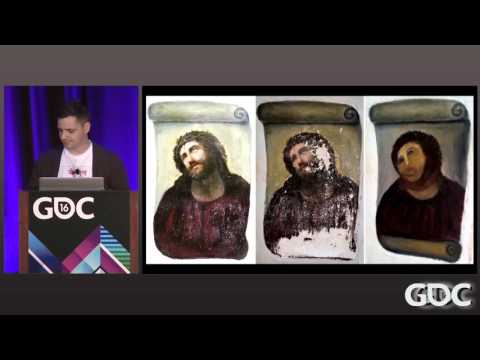 The GDC talk that some of the guys over at Bethesda put on a few years back is a treasure trove of info. https://www.youtube.com/watch?v=QBAM27YbKZg They also go over some of the history of their modular kits and the theories and decisions that lead them to work like they did. The thought process behind, why they made the…
 -
Re: Skin Shader - Realtime Translucency
 I see. But can I use the settings he posted earlier and get similar results using the sss skin shader in max? Also How do I even get started with this shader. Is It of the Dx9 material? Then will I get the same texture slots as he's showing?
 -
Portfolio Feedback, please let me know what you think of my site/work!
 Hi guys, I've just updated my website and I'm looking to get some feedback about my site, more specifically about the work itself rather than the site, but the site too, anything I can do to improve it would be good. With regards to the work, could you let me know what you think is my best piece and what you think is my…
 -
[SOLVED] Substance Painter slowing down PC
 [SOLUTION] https://www.reddit.com/r/windows8/comments/49m25w/80_of_ram_being_used_while_idling_memory_leak/ Original Post: Hi there So to kick things of, here are my system specs: Windows10 I7-3770K 16GB Ram Zotec GTX 1080 AMP Extreme Samsung 850 EVO SSD *All hardware testet for erros yesterday because of this issue - All…
 -
Re: Normal Mapping Question for the vets
 combine them in photoshop? just paste the map you made in crazybump/ndo as a new layer above your baked normals, set blending mode to overlay, then right click on the layer, select "blending options" and under "advanced blending" just untick the blue channel. play with the layer opacity to make it more or less bumpy.
 -
Re: V2.0 nDo Not Showing Same Options As Tutorial

 Hey @DarkEdge - I've attached an image displaying where the settings you desire are located! :smile: Just uncheck Minimal UI and you'll see those settings pop up in the NDO window. Let me know if you need anything else!
 -
Creating your custom Character for Unity
I guys, I am working on a project that is running into a few snags. Hopefully some of you can help me out with your wisdom that you have acquired over the years. So what am I trying to do? I have a human character that I have modeled that I want to bring into Unity and apply to our game. The way the Coders have set it up… -
Re: Working on texturing...
 That scaling is something I have yet to get down completely...I get that with everything...If I get a large image from, how do I know what size to make the wood? I thought that the display case wood looked good lmfao...Will try again though. On the glass, This is what I used then just turned the transparency in Maya way…
>122325 results