Search
-
Looking for Lighting Feedback on My UE5 Scene

 Hey everyone! I’m currently working on a cinematic scene in Unreal Engine 5 and would love some feedback—especially on the lighting. I’m still fine-tuning the textures alongside the lighting, but my goal is to create a soft, nostalgic mood—something that feels like a distant memory from the early 1940s or late 30's. I’ve…
 -
Re: Maya Shading $*&%ed
 It sounds like your normals are locked. Fixing this usually means resetting which edges are hard/soft, but it's probably the only thing you can do. Here's what I'd do (and this will preserve your skin weights & rig): 1. Duplicate the model & hide the original. 2. Select your new mesh. 3. Unlock the normals. Edit Polygons…
 -
Re: The Grime District
 thanks for the comments! Jessica: nope, building it all from modular textures sofar, except some tiny props here and there sofar. And another update, another angle of the building. tweaked various things, added more props.. all around poking on stuff.
 -
Re: Grid Paper - Art Dump

 pixelpatron a low poly sofa modeled in 3ds max, textured in substance painter. and rendered inside UE4.
 -
Re: 3 Art Tests
 Cory these are great. I love the sofa chair. Good luck on the job hunt.
 -
Re: Epic gives BigHugeGames extra life
 ^_^ Sofa king awesomesauce. I have (and will) buy every game they ever make.
 -
Re: Maya Hot Keys
 Pior, Crazyeyes: I just remembered since someone mentioned Soft Select and Symmetry (I guess you mean "Reflection" as it's called in Maya) - if you hold down CTRL+SHIFT and right-click you get the marking menu for that stuff - CTRL+SHIFT+RMB move down quickly toggles soft selection on and off, and CTRL+SHIFT+RMB move up…
 -
Re: Spark's Rage Art Dump
Totally sofa king awesome dude! Can we get the low rez assets tooo? :D -
Re: Game-Ready Vampiress Character — Geisha & Insect Hybrid (Finished)

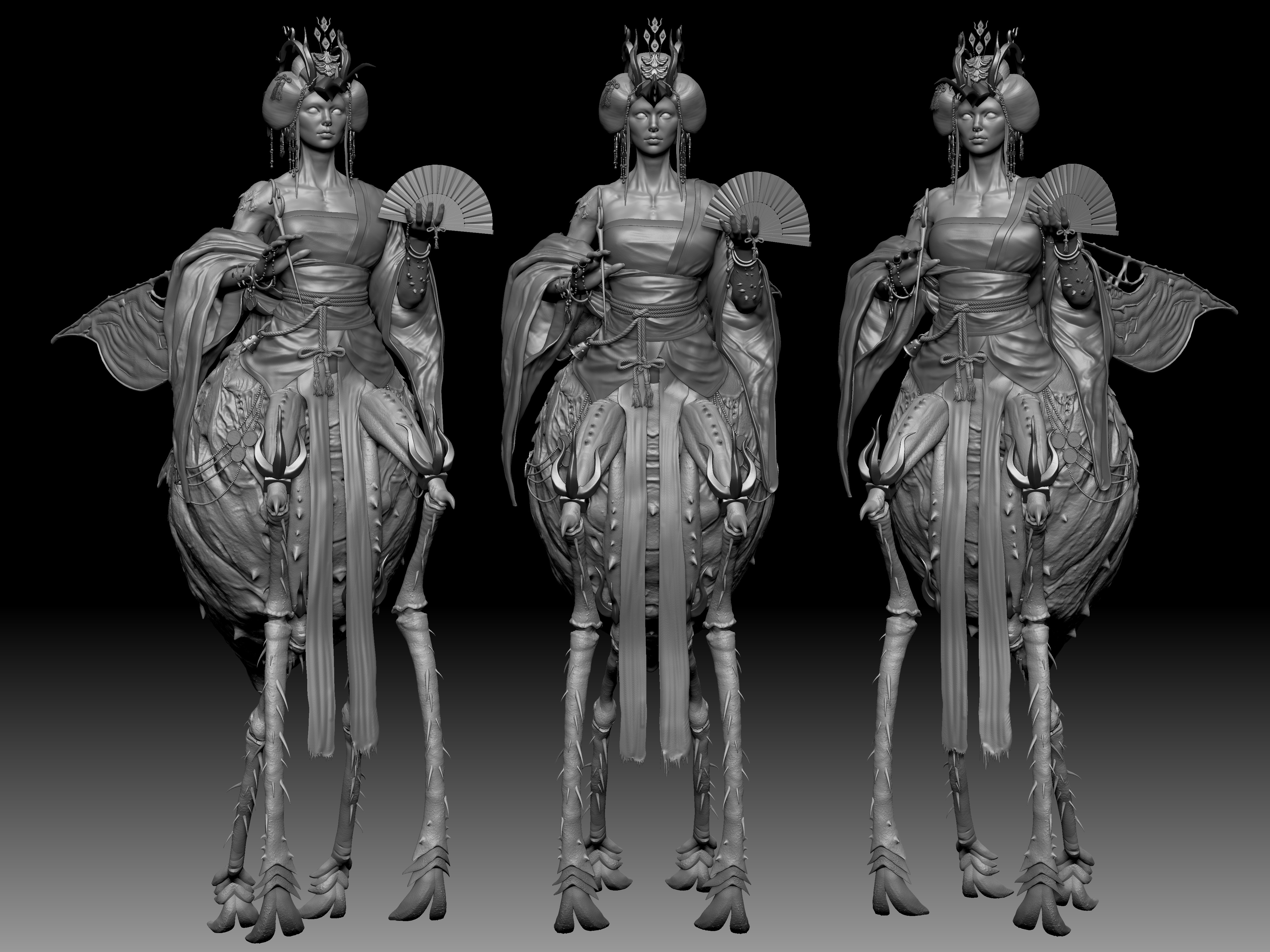 I began by blocking out the entire model, focusing on accurate anatomy and correct proportions. The organic 'bug' elements and soft meshes were sculpted in ZBrush, while the remaining components were created using both Maya and ZBrush. For pore detailing, I used Texture XYZ scans with ZWrap. The rest of the model’s surface…
 -
Re: Woodworking and other real world projects

 I made a small shelf to fit next to our sofa, now the lady can fill it with stuff :D
>7532 results