Search
-
Re: Free digital 2d environment/character tutorial

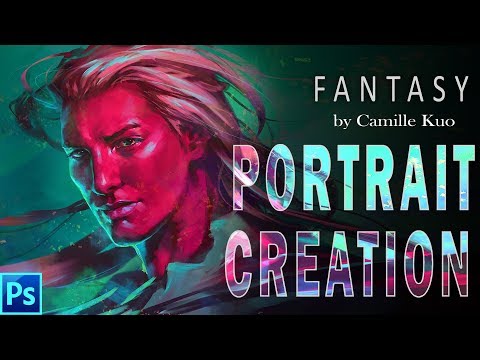 https://www.youtube.com/watch?v=9gbmb0ctEcI Complete demonstration of how to use photoshop default brush to paint a portrait from total start to finished! visit https://gum.co/LuWrs for psd source file and brush I used. My artstation: http://www.artstation.com/camilkuo
 -
Re: [UDK] Zelda Water Shader Help
 Awesome talk, thank you so much for sharing! You can get the spherified Cube in Maya by taking a default cube, selecting all the edges, beveling, pushing the fraction to 1 and then upping the segments btw. Just make sure you merge the verts afterwards.
 -
Re: mudbox - texturing multiple objects
 hey man, what you have to do is right click and apply a new material to each object...by default the they are using the same material...after applying the new material you can then import a texture for each and you should then be able to pain across them no problem.
 -
Re: Problems importing item into DOTA 2 - 3DS Max 2013
-
Re: Blade & Soul Environments
 The world size is limited to 524,288 UUs^3 which is 53 cubic kilometers at default scale. To get the maximum size, I'd be using streaming and subdivision of Z into 106 vertical compartments to give me a total horizontal playable area of over 5,500 square kilometers.
 -
Re: CGFX alpha masked LitSphere shader
 Thanks for the help guys, drew got it working like a charm, he rewrote the whole shader. Only thing left is to get alphablend technique to work with the hardware engine of maya. Currently it only works with the default rendering engine which doesn't render in software mode.
 -
Re: maya 8.5: color set editor bug?
 hey, its me from 2007 asking a maya question :D you can solve this by clicking the small x on the left part of the intensity scale graph, and it should pop back to original colours. I've no idea why the default is set to change the colour intensity..
 -
Re: Cyberpunk inspired motorcycle
I think for the sharp edges I was trying to see if my low poly needed to keep some round edges or needed to be sharp. For the material your right. I went with the default painted steel material in substance but wasn’t sure how the concept was intended to appear. -
Re: Thinking about learning Modo, but will Indie be sufficient for me?
 Hi, Sorry, I don't know anything about Modo but wanted to mention that Blender 2.8 has made left click the default now - this is in case the reason you couldn't get on board with it was due to the previous right click orientation. Good luck with your decision! :)
 -
Re: [Riot Art Contest] - Mecha Volibear
 Reply by Goldo_O · · Home› Contests & Challenges Archives› Riot Art Contest› Riot Art Contest - Character ArtMan, that's awesome, you've got a Karmans vibe to your armor with this combo of colours, I love it! :) My only crit would be that the white bits on his face are not helping to read a bear facial shapes, at least from default view. Looking forward to seeing more!

>10519 results