Search
-
Re: [Maya] How can I bake a Joint's scale into the Local Joint Orient values? (GfyCat example inside)

 Oh crap I didn't hit post! I hope you figured it out or this can be helpful to someone else. Yea that is to be expected. The flip isn't happening in the joint axis, its happening on the parent group/transform node, in some cases that can be pretty useful. But it sounds like you want to mirror AND flip an axis, like this:…
 -
Re: Why don't big film studios just use Blender?
 You say that because you have an already configured Blender, made after years of utilization and you are accustomed with its workflow. Just try to use a vanilla Blender and tell me if it's the way to present a professional software, select something and you'll notice that the tools works in a different way, C it's always…
 -
Re: Flying Boar Courier
 Really fantastic work. Watched them over and over and I have no critiques on the locomotion whatsoever. My only crit on the death animation is that the head staying neutral on the y and x axis through the entire animation. Making it a little less straight on and rotating it just a bit left or right after he's done crashing…
 -
Re: Hotkey for default camera view in Zbrush
 If you hold shift while you are panning your camera, it should snap to the nearest axis plane. You can assign a hotkey to something by holding Ctrl + Alt and left-clicking on any button. (You will get a tool tip at the top of the window) Be sure to store and save your new hotkey assignments under Preferences > Hotkeys. As…
 -
Re: mouse that's really easy on the fingers (super easy to click)
 All good, I'm trying it on my install of Blender. You model like this all the time? Not sure I like the extra step of having to hit X/Y/Z on the keyboard to lock to an axis. Also, how do you move stuff along a plane? Also also, this eliminates the need to click-drag for transforms, but viewport navigation still needs…
 -
Re: Radial symmetry in maya

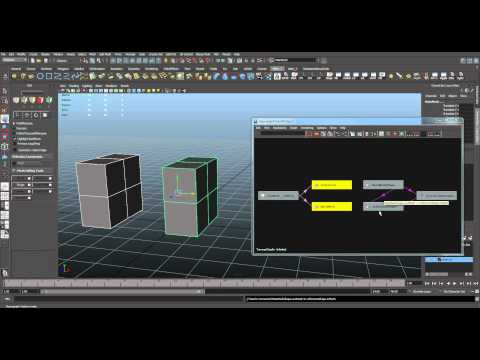 i dont know in maya 2015 will have this. its copy reference in bonus tools. what i do is extract some piece of cylinder. then i copy as reference. symmetry cut Y axis and rotate 45 degree. And the last is mirror with ctrl+shift axis X and X. i think in max kinda like that in stack modifier. i got the trick from here.…
 -
Re: 3DS Max 2012, vertex keep shifting/moving by themselves
For example i make a box that has 2 vertex on the x axis. from a meter or so away on the wireframe, they are lined up fine, and the move/transform tool says they are lined up correctly, but i zoom in and the damn things arent lined up. When i manually enter a coordinate for each vertex they will line up right, but i cant… -
Re: T-Pose - What people are using and why?
 Reviving this quite important thread, since I've had some problems with choosing the most optimal t-pose. These things concern me: - the importance of the anatomy on the armpit - polygonal angle on the armpit for normal map baking - humeroscapular rhythm (the movement of clavicles, scapulas and muscles related to the…
 -
Re: World Machine to UE4
That was the tutorial that I followed in order to build the terrain, got all the way to the video on exporting it into UE4 (had to find a more recent one because his tutorial was for UDK and didn't want to conflict the two) I managed to find a quick fix and just scale the X axis of the terrain which added more of the… -
Re: [MAYA 2016] Unlock / Lock normals changes normals? why? is there a fix?

 well, I mean, I've tried everything I can think of.... which is why I am posting here. I've just had another look at the model and I can't figure it out. Here is a pic and explanation.... A. Original unlocked normal B. Unlocked normal that has been moved along the verts normal Axis. (note how now the normals have been…
>5462 results