Search
-
Re: NYC Bridge - stylized (WIP)

 Been working on some light fixtures for the scene after work, will work on a few more over the next few days. I'm using generic trim-sheets for all the assets at the moment, I'l wait until all the elements are in to see if I need to make more.
 -
Re: Subway (UDK WIP)
 I think your cealing could be ok if it was not brick.. and make it like there are rock sheets around, and some are missing. indicating that it's covered to have that flat cealing look. But brick as it is would not be able to support it. Some ref pics of lighting and elements that you could benefit from.
 -
Re: Lost Artist Work Thread
 sure ObbieSkinner i will post some tonight, they are not textured like a game though i made them pretty high res and gave each section its own texture element because i wanted to retain the high quality like in film for as long as possible....
 -
Re: Texture to fit into uv template! 3ds or PS
 WHY must it stay 1280? Also, you may find problems if you size your texture sheet to fit a specific element of the texture, as many engines do NOT like it if a template does not have sides that are powers of two - 256, 512, 1024, 2048, etc.
 -
Re: Zbrush : Exporting subtools as separate meshes
 I did exactly as you said but unfortunately it imported it as one mesh in max. I even checked to see it had different polygroups in zbrush and it did. I can just select all the elements and detach them separately (in max), thankfully there are only several subtools.
 -
Re: [WIP] [UDK] SCi Fi Robot Fac/Scene
 I think actually the lack of focus in the lighting works in its favor, in the sense that it becomes less about a singular element and more like being dropped in the middle of this huge, confusing environment - there's an overwhelming sense of scale going on that I think is the main strength right now.
 -
Re: Sketchbook: Andy H
 @Fenyce - Thank ya! I agree, the tiling of the texture is quite obvious. I guess I was hoping that the shape of whatever model of pipes I'd put it on would hide the repeating elements. :poly128: (This is my new fav emoticon by the way) @AbKI, @Lyno - Thank you!!
 -
Re: Ornatrix HELP!! :(

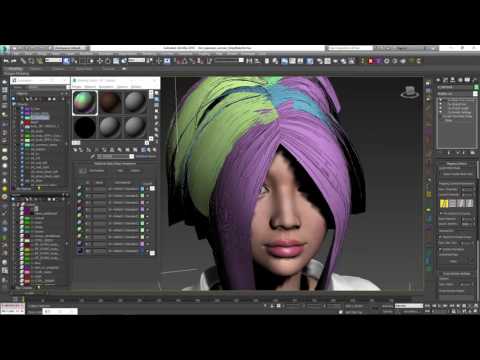 Thanks for the feed back, the tutorial I followed it can render overlapping elements but I dont know why mine is still overlapping. https://www.youtube.com/watch?v=1answy5ybCU I will try to move them from the 0-1 space maybe that could be the problem?
 -
Re: Pixel bleeding - no idea why
 You need to have space between the elements on the texture, and of course the uv islands as well. The problem is that the texture gets filtered and blurred across that line. This will become much worse with mip-mapping in a game situation, so you need need a hefty border between the textures.
 -
Re: The Hobbit
 it was AAAAMMAAAAAAAAAAZZIIINNNNNNGGGG haven't loved being in the cinema that much in a very long time.. watched it in 3D simply because they filmed it specifically for 3D didn't mind the 48fps. one thing that I did notice was the 3d layering was a bit off .. elements looked a bit flat at times
>11042 results