Search
-
Re: Little man and his lynx
 For rendering this you have a lot of options. You can render it as is in Zbrush, heres a pretty good tutorial I use: http://henningsanden.com/2013/05/11/zbrush-turntable/. You don't have to worry about the turntable part but you can go that far if you would like. You can just render a single shot that you want. Rendering a…
 -
Re: I have a feeling of strangeness in my eyes.

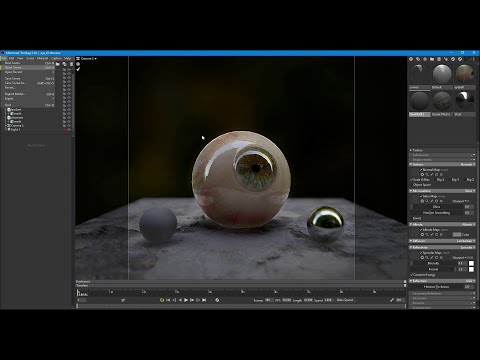 I would search more before purchasing tutorials. Tutorial - robotic voice though, starts with marmoset. https://youtu.be/f-MNFPrOiNc?t=1397 Hope it helps, i have no problem with the way you make eye, I hope you make best eye. My eyes will be watching for your best eyes, update.
 -
Re: making a car with an interior – workflow
 Thanks for the tutorials! Finally I finished my Volvo and I want to rig it. I see in tutorials that the wheels, car doors are separated meshes for the rig, but I don't really know when you should separate them for the rig or when it should be just by vertex group. I want the model to make it ready for Unreal Engine.
 -
Re: FINISHED - Ruger LCP 2

 To recreate a lot of metals used in weapons Painter alone is fine, you don't need to design it from scratch in designer. I recommend these tutorials to check out workflows for texturing and creating materials in painter: https://www.youtube.com/watch?v=8XRQ1nEPNzk…
 -
Re: How it is a made? Technique placed hard surface on model.

 OH, thank you very much :) It's really helpful thread, and I found tutorial about how this things works, with commentary, so i left it here. https://www.youtube.com/watch?v=tvo5QcMs4uc https://www.youtube.com/watch?v=66IGMnPgEW0 #decals #star #citizen #tutorial #floaters #hard #surface #you #tube #unreal #engine
 -
Re: King's Quest VII Remake - Falderal
 I love this theme! Are you using any normal maps? Those might help make it pop out a little more and give the shapes some more definition. This tutorial might be helpful. I'm not sure if it's too close to borderlands though... http://www.moddb.com/games/unreal-tournament-3/tutorials/tf2-shading-in-ut3
 -
Re: Baked Normal Map VS CrazyBump Normal Map
 im going through the modular building tutorial from 3d motive which doesnt involve any high poly modelling. basically importing textures into max and manipulating planes to create building silhouettes the importing into unreal. i'll be going through the high poly tutorial from 3d motive aswell which looks pretty good.
 -
Re: Sketchbook: Weaktea
 This a low poly house I made by following a great tutorial (https://cgi.tutsplus.com/tutorials/creating-a-low-poly-medieval-house-in-blender-part-1--cms-24002) - turned out relatively ok I reckon. Just need to unwrap it, then might try my hand at some hand-painted textures. Crazy times!
 -
Re: Understanding averaged normals and ray projection/Who put waviness in my normal map?
Hey everyone, just read through the entire thread and looked up some tutorials to make my own normal maps, but they all turn out looking like this: Does anyone know why this is happening? I followed this tutorial to the letter, but my result didn't turn out that way… -
Re: "next-gen" eyes
 I could see pupil dillation as a really good thing actually. It's a good tutorial, and I'm glad you shared. I wish more people would post their eye tutorials, because everyone seems to do them differently. I'm sure we could jsut as easily shit on everyone else's methods as well.
>20133 results