Search
-
Re: would a cheap prime lens improve photogrammetry on 24mp cam?
 Again, hair splitting. Approach this problem in the way that you make photographs in manual mode, ISO100, f/8, 1/125s or more [but not less due to camera shake] - this will be enough. Or you can even use tripod or even monopod. Did you googled 'sharpest lenses'?
 -
Re: Gothic 2 monastery remake

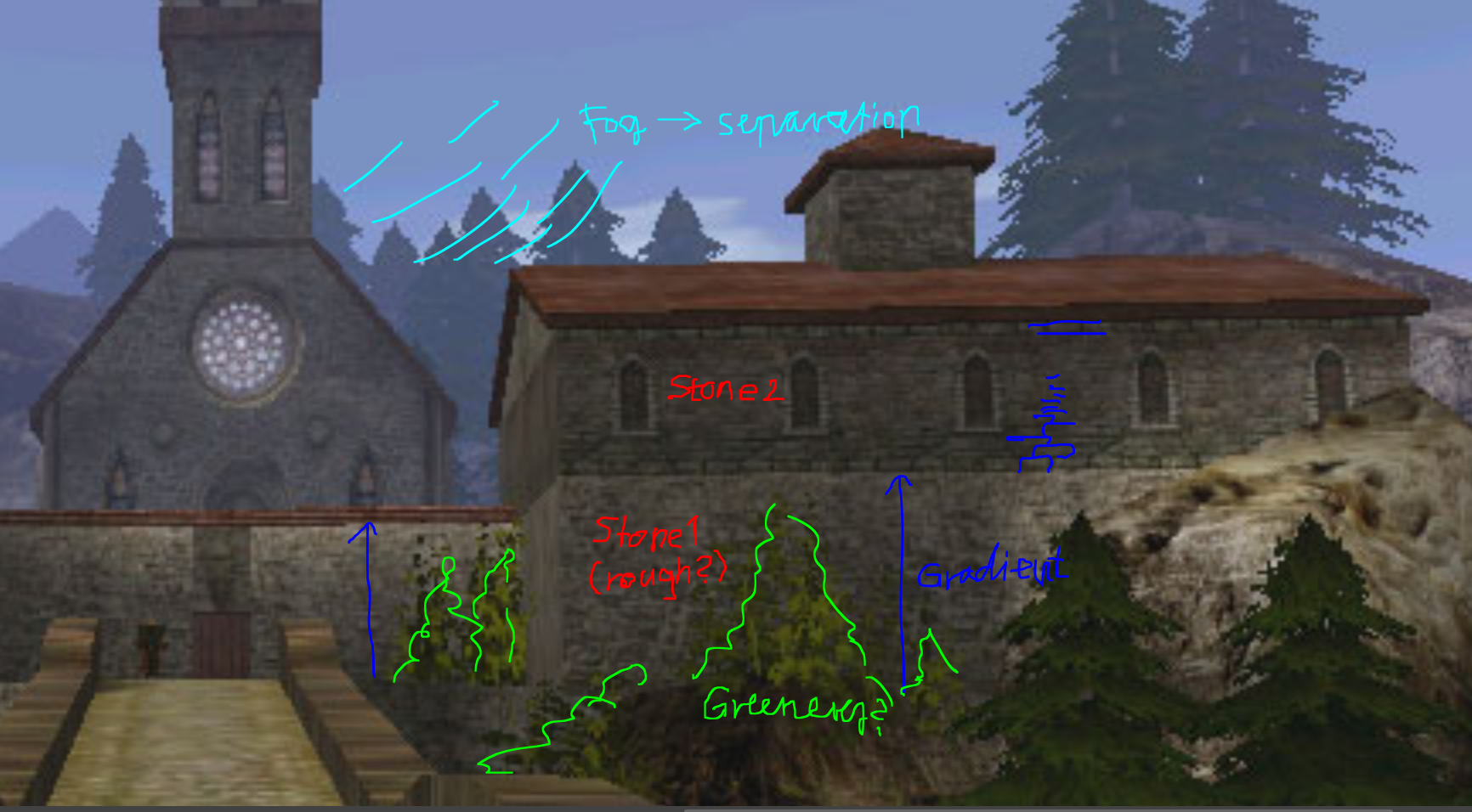 Hi! I think ziz makes a good point, the environment would benefit from some more geometric detail. I would look at the silhouette of things, that those don't read overly low res/ facetted. Situations that silhouette the most would be probably edges/ corners. I think generally having more geometric detail around camera/…
 -
Re: Rendering Vertex Colors in 3DS MAX
 i've never done it before so there might be an easier path. The RGB multiply is a correct solution. Strangely, the vertex color node doesn't seem to understand the map channel 0 tho it is THE vertex color channel. So i guess, in the vertexpaint modifier, you have to check "Map Channel". The channel 1 should be your bitmap…
 -
Re: Master Materials in UE4
 I'd start with a simple tutorial.. like.. Tor Fricks Modular Scene in UDK (Eat3d).. or anything like it. So you get a basic understanding of node based material editors and then just play around with it, see what you can achieve. Once you know what all the nodes do and think it through it will be easy. I haven't had a look…
 -
Re: J-Man
 Thanks guys! Although I had found a recommendation for using constant nodes, the Constant and Constant2Vector nodes didnt work. Having tried the Constant3Vector looks like it is working fine. So here is my progress and any criticisms are welcome. Some things I still need to do include tidying up the seams in ZBrush…
 -
Re: [Environment] ~ Total newbie looking for feedback and advice on |grass|

 I did most of what you suggested: .- given a 20% variation in size -. used speedtree color variation node .- used a Constant3 to multiply the base texture to get a more "plausible" base color -. tilted cards to hide the terrain better Speedtree color variation node is VERY sensitive, I have to move by 0,01 steps and at…
 -
Re: [Unity] Shanty Town
Your work is amazing. Im working on a university project right now and have the same problem with the separated meshes. I use the Object Merge Node to input my meshes from other Geometry Nodes. I need to enable the Pack Geometry feature to achieve separated Meshes in Unity, but with this feature i lost my collision group… -
Re: My substance sketchbook + free tools !

 Substance mesh render node Lets you use Highpoly mesh data in your substance graph. Package contains: - substance designer node for color and grayscale versions - set of meshes for baking various atlas compositions - houdini asset to make atlases (tested only inside Houdini, running under Houdini Engine in other…
 -
Re: Chain Rigging?
 I think your best bet is lniking the chain links into a heirarchy (you can use 1 bone for each link and just parent the bone to the links), apply a spline IK to it with a few control nodes. Hide that on a layer. Make your animations. then unhide the chain and key it to match your animations. You could experiemnt with…
 -
Re: Baking normal map problems
 Looks like you didn't set up the material properly - use a Standard 3dsmax material, plug a Normal map node in your Bump slot, increase the value to 100%, then plug your baked map in your Normal Map node. Then remember to enable Show materials with textures and with hardware shading (or realistic, not sure how it's called…
>37264 results