Search
-
Re: UDK - Attaching an object to the camera?
 the 'attach' function only works while you're running the game. So moving the camera object around in the editor viewport won't move the other object. Also the camera object you have it attached to is not the player camera. That's a different thing.
 -
Re: Project: Infinitesimals - An Indie Game Art Development Log

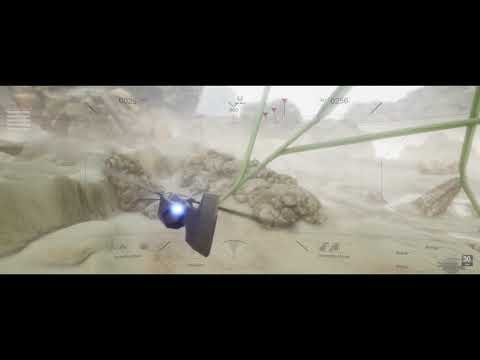 some further improvements to VTOL mode, which now allows for drifting and strafing: https://www.youtube.com/watch?v=z06O0m23WRQ I also added a 'tuck in wings' function to allow rapid diving: https://www.youtube.com/watch?v=ZmD8B_7OKvw
 -
Re: Dream Environment
 Just in case you guys didn't know, this functionality is built into Swift Loop. After dropping in a loop, hold control+alt, and you can click and drag the last loop you created. It will conform to whichever side of the ring it's closest to.
 -
Re: Unreal Engine 3 on Iphone
 inside Kismet I noticed a little event called "MobileInput Touch Actor" so looks like the functionality is built into UDK its just not available to the masses :( You'd probably still need a Mac to compile the Unreal data to the IPhone.
 -
Re: Problem with specular in Unreal Engine 4
 For completeness sake, passing along information on what the spec input in UE4 does: "It's used as a masking function on specularity. So it is really a cavity map. Anything above 50% grey gets extra highlights everything below gets AO. "
 -
Re: Sci-Fi Robot
 Hi, next update,) So I decided to start with less complicated, at my opinion, but most undefined part for me - robot gun. Shape and refine in Zbrush: And higher definition with Maya and Moi 3d: and some principal scheme of functioning:
 -
Re: Maya Animation keys do not display in graph or timeslider
 ok... so got most of my animations copied onto a functioning version of my human ik controllers... freaked out a little there. But i really wish i knew what happened! Is Maya 2015 known for its instability?
 -
Re: PS CS5: The Undo/Layer Dance
 sinistergfx, cool, is there a way to replace ctrl-z with it though? I can only assign (ctrl/shift+)Function key shortcuts to photoshop actions, and I can't seem to get the script to appear in the script list (have to browse to it to run it).
 -
Re: VFX in games?
 Learn about vector math, trigonometric functions and matrices if you want to write your own shaders. Even if you can use visual editors in some engines you need to know the math to know what you are doing.
 -
Re: 3DS Max Perspective default instead of Ortho..
 That script looks cool. I personally prefer modelling in orthographic mode anyway. And I'll switch to perspective every now and then to check the proportions. I find that many functions are broken in perspective and work much better in orthographic view, unfortunately.
>13144 results